WordPress remains one of the world’s most widely used website platforms, powering everything from personal blogs and business websites to online stores, publishing platforms, membership systems, educational websites, and custom web applications. Its enormous ecosystem is one of its greatest strengths, but it also makes WordPress security an important responsibility for website owners, administrators, developers, theme authors, and plugin developers.
On September 22, 2026, the WordPress project released WordPress 7.1.2, a security release addressing a critical vulnerability in WordPress core. The official WordPress documentation describes the issue as an unauthenticated path-traversal vulnerability in page-template resolution that can lead to conditional remote code execution. WordPress explicitly recommends that website owners update their sites immediately.
This update deserves particular attention because security researchers reported exploitation attempts shortly after the vulnerability was disclosed. That means the issue is not merely a theoretical security concern that developers can postpone indefinitely. Internet-facing WordPress websites that remain unpatched can face real security exposure, particularly when the environmental conditions required for exploitation are present.
This comprehensive guide explains what WordPress 7.1.2 is, what vulnerability it fixes, what website owners should do, what developers should understand, how themes and plugins fit into the security picture, and how to establish a stronger WordPress security and maintenance strategy for the future.
What Is WordPress 7.1.2?
WordPress 7.1.2 is a security release in the WordPress 7.1 series.
The release was published on September 22, 2026, and the official WordPress documentation identifies one security fix in the release. WordPress recommends updating websites immediately because of the security nature of the update.
Unlike a major WordPress release that may introduce numerous new features, a security release has a different priority.
Its primary purpose is to protect existing websites.
That distinction is important.
Website owners sometimes delay updates because they assume that an update is only necessary when they want new functionality. Security updates are different. Their purpose is to correct weaknesses that could potentially be abused by attackers.
In other words:
A security update is not simply a feature upgrade. It is a protective maintenance operation.
For WordPress administrators, this means WordPress 7.1.2 should be treated as an important maintenance update rather than something to postpone until a convenient time.
Why Is WordPress 7.1.2 Important?
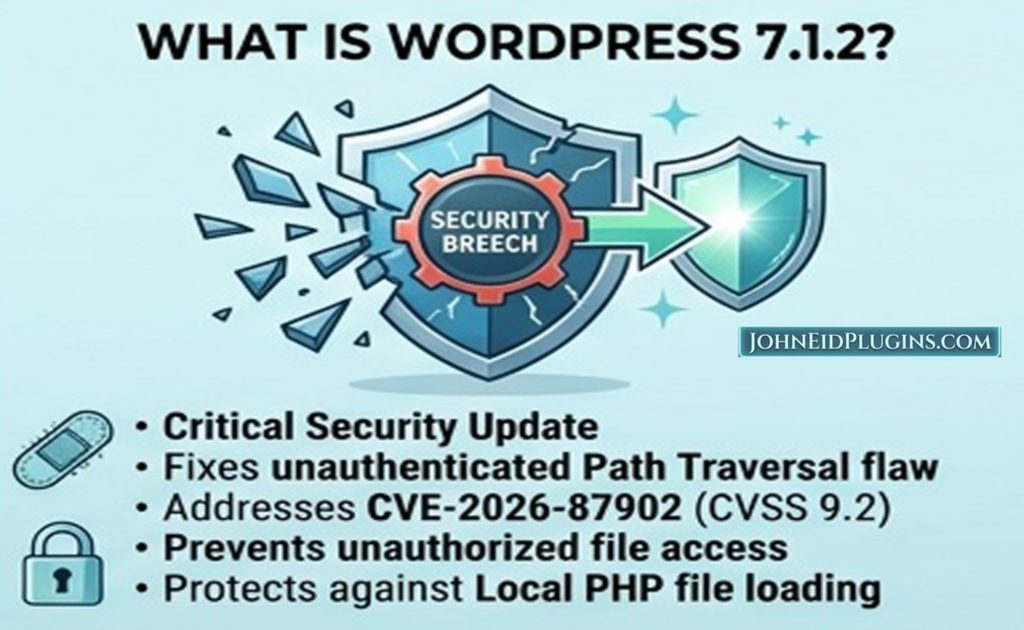
The primary reason WordPress 7.1.2 matters is the security vulnerability it addresses.
According to the official WordPress documentation, the release fixes:
an unauthenticated path-traversal issue in page-template resolution leading to conditional remote code execution.
There are several important terms in that description.
Let’s break them down.
Unauthenticated
An unauthenticated vulnerability means that an attacker does not necessarily need to log into WordPress before attempting to trigger the vulnerable behavior.
That makes this category of vulnerability particularly important for publicly accessible websites.
A normal WordPress website is exposed to the Internet.
Anyone can send requests to its public-facing URLs.
If a vulnerability can be triggered without authentication, attackers do not necessarily need to know an administrator’s password or compromise an existing WordPress account first.
Path traversal
Path traversal is a class of vulnerability involving manipulation of file paths.
Applications normally expect a file path to remain within an intended directory.
For example:
/theme/templates/page.php
A vulnerable application may accidentally allow an attacker to manipulate the path so that a file outside the intended directory is accessed.
The security objective is therefore to make sure that an externally controlled path cannot escape the directory boundaries intended by the application.
Remote code execution
Remote code execution, commonly abbreviated as RCE, describes a situation in which an attacker can cause a system to execute code remotely.
RCE vulnerabilities are considered especially serious because successful exploitation can potentially give an attacker extensive control over the affected application or server environment.
However, an important qualification must be made.
The WordPress advisory describes the RCE consequence as conditional. In other words, the path-traversal issue does not automatically mean that every vulnerable WordPress website can immediately be taken over in exactly the same way.
Specific conditions involving the server environment and active theme must be present for the most serious consequence to occur.
This distinction is important because responsible security communication should avoid both extremes:
- Understating the vulnerability.
- Exaggerating it by claiming every WordPress installation is automatically compromised.
The correct message is:
WordPress 7.1.2 fixes a serious core vulnerability, and affected websites should be updated immediately.
What Does the WordPress 7.1.2 Vulnerability Affect?
The vulnerability is associated with page-template resolution.
WordPress needs to determine which template should be used when rendering a page.
Themes can contain template files and template-related directories that influence how WordPress presents content.
This functionality is powerful because it allows themes to create sophisticated layouts.
However, file-selection mechanisms must be extremely careful about how paths are constructed and resolved.
The vulnerability involved the core page-template resolution process and the get_page_template() functionality. Security reporting explains that an attacker could potentially cause WordPress to resolve a readable local PHP file outside the intended active-theme directories when the necessary conditions were present.
This is fundamentally a lesson in secure file handling.
Whenever software constructs a filesystem path using information influenced by a request, developers must assume that the input may be manipulated.
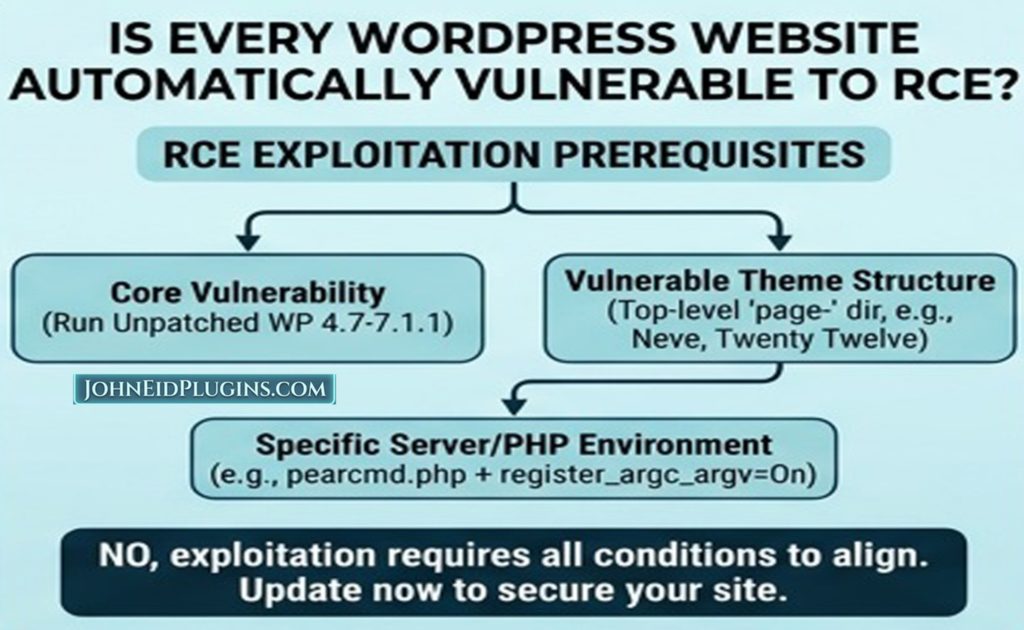
Is Every WordPress Website Automatically Vulnerable to Remote Code Execution?
No.
This is an important clarification.
The vulnerability is serious, but the most severe RCE outcome depends on specific environmental conditions.
The official advisory describes the issue as potentially leading to RCE when relevant preconditions involving the server environment and active theme are satisfied.
Security researchers have reported that certain theme directory structures and server/PHP configurations can contribute to the exploitation scenario. SecurityWeek, for example, reported that exploitation conditions involved particular theme layouts and server configuration circumstances.
Therefore, website owners should not interpret the vulnerability as:
“Every WordPress website can be remotely taken over.”
That would be inaccurate.
Instead, the correct interpretation is:
“Affected WordPress installations contain a serious vulnerability, and some environments provide the conditions required for more severe exploitation.”
From a practical security perspective, this distinction does not provide a reason to delay the update.
If an official security release fixes the problem, updating is the appropriate response.
Was WordPress 7.1.2 the Only Version Fixed?
No.
WordPress made the security fix available to several older supported branches.
The official WordPress documentation lists security-fixed releases including:
| WordPress branch | Fixed version |
|---|---|
| 7.1 | 7.1.2 |
| 7.0 | 7.0.6 |
| 6.9 | 6.9.9 |
| 6.8 | 6.8.10 |
| 6.7 | 6.7.9 |
| 6.6 | 6.6.9 |
| 6.5 | 6.5.12 |
| 6.4 | 6.4.12 |
| 6.3 | 6.3.12 |
| 6.2 | 6.2.13 |
| 6.1 | 6.1.14 |
| 6.0 | 6.0.16 |
| 5.9 | 5.9.18 |
| 5.8 | 5.8.17 |
| 5.7 | 5.7.19 |
| 5.6 | 5.6.21 |
| 5.5 | 5.5.22 |
| 5.4 | 5.4.23 |
| 5.3 | 5.3.25 |
| 5.2 | 5.2.28 |
| 5.1 | 5.1.26 |
| 5.0 | 5.0.29 |
| 4.9 | 4.9.33 |
| 4.8 | 4.8.32 |
| 4.7 | 4.7.37 |
These versions are listed in the official WordPress 7.1.2 documentation. WordPress also states that only the most recent WordPress version is actively supported, while older branches receive security backports as appropriate. WordPress 4.6 and earlier no longer receive security updates.
For a new installation, there is generally little reason to deliberately remain on an old branch when a current supported release is available.
What Should Website Owners Do Now?
If you manage a WordPress website, the most important action is simple:
Update WordPress.
Go to:
WordPress Dashboard → Updates
Then check the installed WordPress version.
If your website is running WordPress 7.1.1, update it to:
WordPress 7.1.2
If you are running an older branch, install the corresponding security-fixed version or, where practical, upgrade to the current WordPress release.
The official WordPress documentation specifically recommends updating immediately because 7.1.2 is a security release.
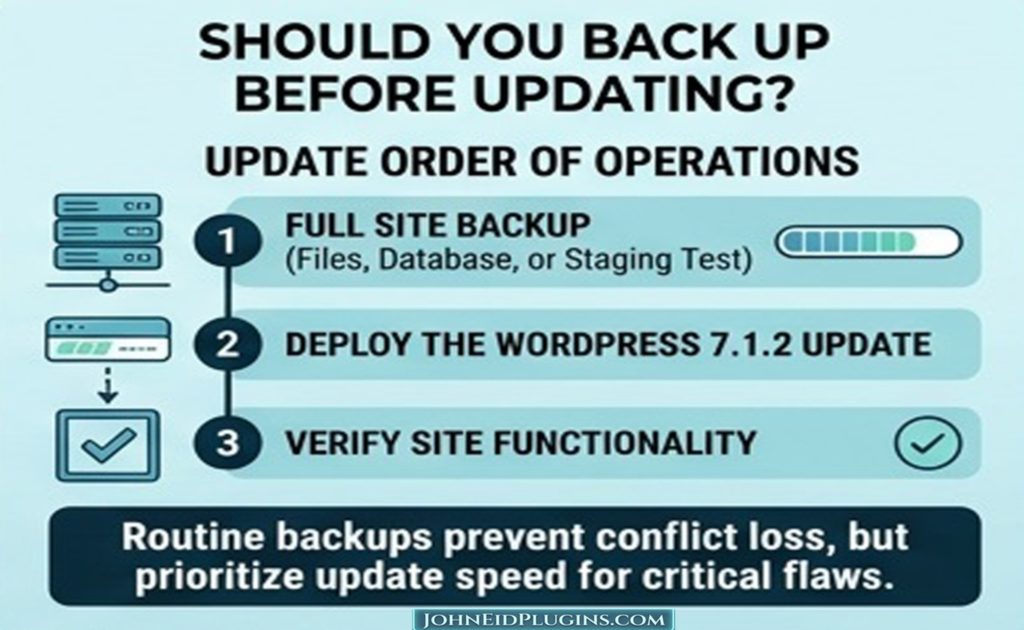
Should You Back Up Before Updating?
Yes.
Although WordPress updates are designed to be straightforward, maintaining a recent backup is an essential part of professional website management.
Before performing a significant update, it is sensible to have:
- A database backup.
- A copy of
wp-content. - A backup of custom themes.
- A backup of custom plugins.
- A record of important configuration.
- Access to your hosting control panel.
- A way to restore the website if necessary.
A backup is not a substitute for updating.
Instead:
Backup first, update second.
This provides a recovery option if an unrelated plugin or theme incompatibility appears after the update.
What Should You Check After the Update?
After updating WordPress, don’t simply close the dashboard.
Visit the website.
Check:
- Homepage
- Main navigation
- Blog
- Individual posts
- Individual pages
- Contact forms
- Search
- Login
- WooCommerce functionality, if applicable
- User registration, if applicable
- Custom post types
- Plugin-specific functionality
- Theme-specific layouts
- Mobile layout
- Administrator dashboard
For a business website, also verify important conversion elements.
For example:
- Contact forms
- Telephone links
- Email links
- Download buttons
- Product pages
- Service pages
- Calls to action
An update that completes successfully can still reveal compatibility problems elsewhere in the software stack.

What About Themes?
Themes deserve particular attention because the vulnerability involves page-template resolution.
A WordPress theme is responsible for presentation, but modern themes also contain substantial application logic and template structures.
Themes can include:
templates/
parts/
patterns/
assets/
functions.php
theme.json
depending on the theme architecture.
The security issue demonstrates an important principle:
Theme architecture can interact with WordPress core security.
This does not mean that the theme itself is necessarily malicious or defective.
A vulnerability may exist in WordPress core while specific theme structures affect whether the vulnerability can be successfully exploited.
Therefore, theme developers should test their themes against current WordPress security releases.
Why Theme Developers Should Pay Attention
Theme developers should review any functionality that involves:
- Template paths
- File inclusion
- Dynamic template selection
- User-controlled filenames
- URL-derived file paths
- Custom page-template logic
- Child-theme template resolution
A theme should never assume that a path received from an HTTP request is trustworthy.
If a theme allows a request parameter to influence which file is loaded, developers should carefully validate that value.
Secure File Handling in WordPress
The WordPress 7.1.2 vulnerability is also a useful reminder about secure filesystem programming.
A common software-development principle is:
Never trust a file path simply because it looks like a file path.
Suppose an application expects:
/templates/about.php
It should not automatically assume that a manipulated input such as:
../../some-other-directory/file.php
is safe.
The application needs to establish that the resulting path remains within an approved directory.
Developers should use appropriate WordPress APIs and validation mechanisms rather than implementing fragile path-security logic from scratch.
Why get_page_template() Matters to Developers
WordPress developers frequently use high-level WordPress APIs without needing to understand every internal detail.
That is one of WordPress’s greatest advantages.
However, when security issues arise, understanding the underlying mechanism becomes important.
The vulnerability involved the page-template resolution process associated with get_page_template().
The official advisory specifically identifies that function in describing the vulnerability.
Developers working on themes and plugins should therefore understand that template loading is not merely a presentation issue.
It can also be a security boundary.
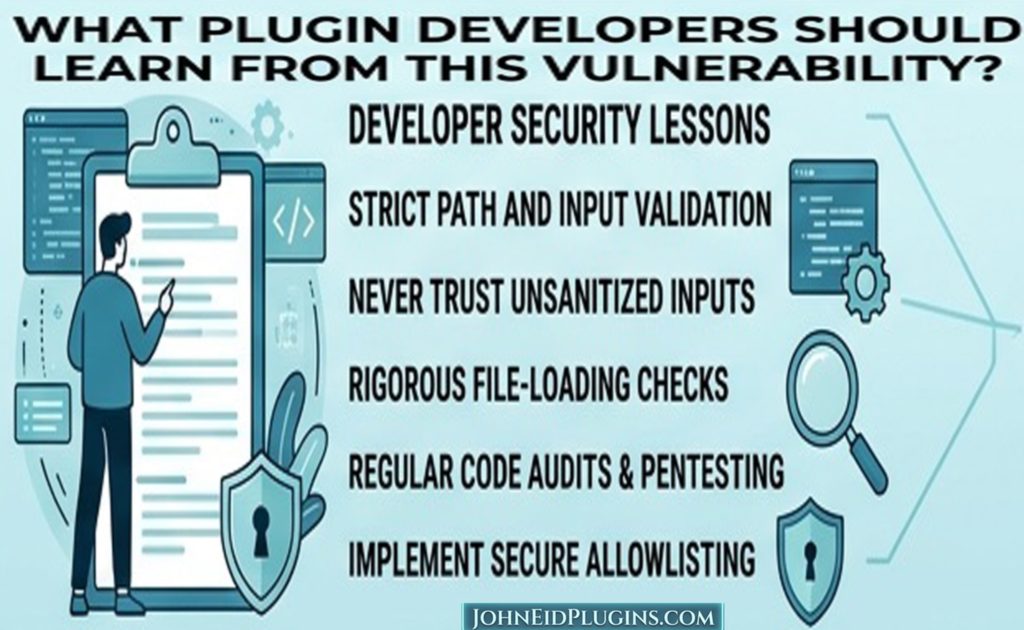
What Plugin Developers Should Learn From This Vulnerability
Plugin developers should take several lessons from the WordPress 7.1.2 security update.
1. Never trust request data
Information from:
$_GET$_POST- REST requests
- AJAX requests
- Cookies
- HTTP headers
- URL paths
should be treated as untrusted.
2. Validate before using
If a value is expected to be an integer, validate it as an integer.
If a value must be one of several permitted options, verify that it belongs to that list.
If a value represents a file or directory, validate the path appropriately.
3. Sanitize where appropriate
WordPress provides numerous sanitization functions.
The correct function depends on the type of data.
4. Escape output
Data should be escaped for the context in which it is output.
5. Check capabilities
Authentication alone does not establish authorization.
A logged-in user may not have permission to perform every operation.
6. Use nonces appropriately
WordPress nonces help protect certain requests against unauthorized actions, but they should not be treated as a replacement for capability checks.
Path Traversal Is Not Only a WordPress Problem
Path traversal vulnerabilities exist across many types of software.
They can appear in:
- Web applications
- File managers
- Content management systems
- Frameworks
- Plugins
- APIs
- Upload systems
- Download systems
- Template engines
The underlying problem is usually related to allowing external input to influence filesystem paths without sufficiently restricting the resulting path.
This makes secure path handling a fundamental software-development skill.

Why Modern PHP Matters
The WordPress 7.1.2 security issue also reinforces the importance of maintaining a modern PHP environment.
Modern WordPress development should use supported PHP versions.
For new WordPress projects, the WordPress project currently recommends PHP 8.3 or greater.
Modern PHP provides developers with improvements in:
- Language features
- Type handling
- Error handling
- Performance
- Security support
- Developer tooling
- Maintainability
However, upgrading PHP does not automatically eliminate WordPress vulnerabilities.
A secure website needs both:
A supported server environment
and
current WordPress software.
WordPress Core, Themes, and Plugins Form One System
A WordPress website is not just WordPress core.
It is usually a combination of:
Web Server
     ↓
PHP
     ↓
WordPress Core
     ↓
Theme
     ↓
Plugins
     ↓
Custom Code
     ↓
Database
A weakness anywhere in this chain can affect the security of the overall website.
For example:
- A vulnerable plugin can compromise a website.
- An outdated theme can introduce vulnerabilities.
- Old PHP can expose unsupported components.
- Poor hosting configuration can increase risk.
- Weak administrator credentials can lead to account compromise.
- Outdated WordPress core can leave known vulnerabilities unpatched.
Security therefore requires a complete-system perspective.
Why Updating Plugins Is Equally Important
Updating WordPress core while leaving vulnerable plugins installed is not a complete security strategy.
After updating WordPress, check:
Dashboard → Plugins
Look for available updates.
Prioritize:
- Security updates.
- Abandoned or unsupported plugins.
- Plugins handling uploads or files.
- Plugins exposed to unauthenticated requests.
- Plugins that interact with external APIs.
- Plugins that modify authentication or user roles.
If you have a plugin that has not been updated for years and has no active developer maintenance, consider replacing it.
Remove Plugins You Do Not Need
An inactive plugin is not automatically harmless.
Even if a plugin is disabled, its files remain on the server.
Depending on the vulnerability, an attacker may potentially interact with plugin files or functionality even when the plugin is not actively used.
Therefore:
If you don’t need a plugin, remove it.
Don’t maintain a large collection of unused plugins simply because you might use them someday.
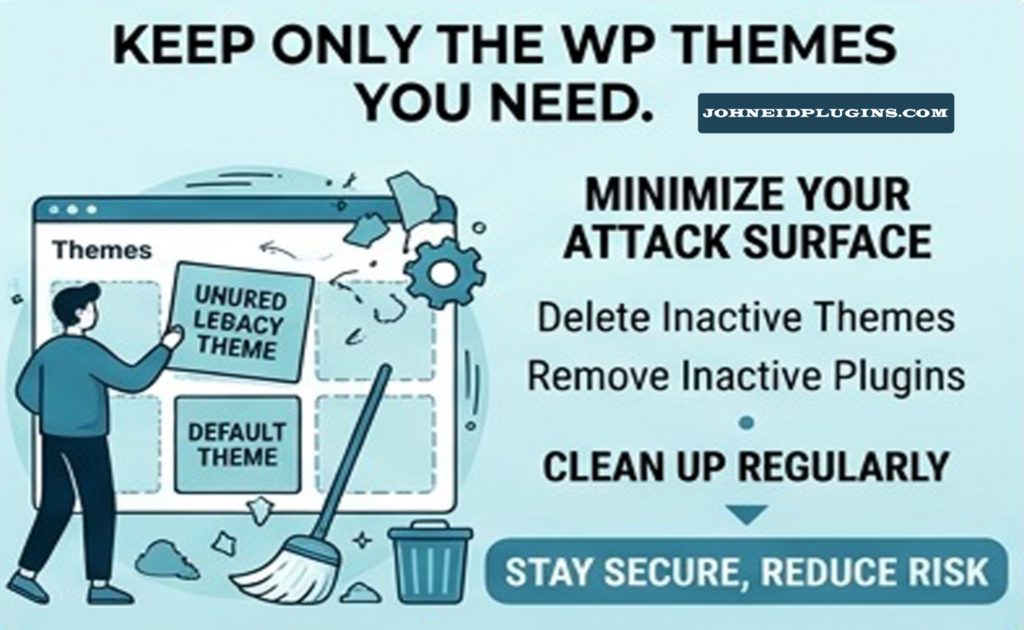
The same principle applies to unused themes.
Keep Only the Themes You Need
A sensible WordPress installation might have:
- One active theme.
- One fallback/default theme.
- Perhaps one development or testing theme.
There is generally little reason to maintain dozens of abandoned themes.
Unused themes increase maintenance overhead.
Keeping your WordPress installation clean makes security management easier.
Strong Administrator Security
WordPress core updates are important, but account security remains essential.
Administrators should use:
- Strong passwords.
- Unique passwords.
- Two-factor authentication where available.
- Appropriate user roles.
- Limited administrator accounts.
- Secure recovery methods.
Avoid using administrator privileges for ordinary daily content editing when a lower-privilege account is sufficient.
The principle of least privilege is useful:
Give each user only the permissions they actually need.

Backups Are Part of Security
Security is not only about preventing attacks.
It is also about recovering when something goes wrong.
A useful backup strategy should include:
Database
Contains important information such as:
- Posts
- Pages
- Users
- Settings
- Plugin data
- Theme configuration
Files
Particularly:
wp-content/uploads/
wp-content/plugins/
wp-content/themes/
Multiple backup locations
Do not rely on a single copy stored on the same server as the website.
If the server is compromised or destroyed, the backup may be compromised too.
How to Detect a Potentially Compromised WordPress Website
If your website was running a vulnerable version, updating it is the first step.
But if you suspect that attackers may have already targeted the website, updating alone may not be enough.
Look for unusual behavior such as:
- Unexpected administrator accounts.
- Unknown plugins.
- Unknown themes.
- Modified PHP files.
- Unexpected scheduled tasks.
- Strange redirects.
- New JavaScript.
- Suspicious files.
- Unexpected changes to
.htaccess. - Unusual login activity.
- Unknown outbound connections.
- Search-engine spam pages.
- Unexpected emails being sent from the website.
A compromise investigation should be performed carefully.
Do not immediately delete suspicious files without first preserving evidence if you need a professional security investigation.
Exploitation of the WordPress Vulnerability
The urgency around 7.1.2 increased because security researchers reported exploitation attempts shortly after the patch was released.
Field Effect reported exploitation activity beginning within hours of the September 22 release, including reconnaissance followed by attempts to exploit susceptible systems.
SecurityWeek likewise reported that exploitation of CVE-2026-87902 began shortly after public disclosure and described the issue as a critical vulnerability with a CVSS score of 9.2.
This illustrates an important principle of modern web security:
Once a vulnerability becomes publicly known, the time available for organizations to patch can become very short.
Attackers monitor security disclosures.
They may analyze patches and security advisories to understand what changed.
Therefore, delaying security updates can create unnecessary exposure.
What Is CVE-2026-87902?
The vulnerability has been tracked publicly as:
CVE-2026-87902
Security reporting identifies it as a critical WordPress core path-traversal vulnerability affecting page-template resolution. The reported CVSS v4.0 score is 9.2, classified as critical.
For ordinary website owners, the CVE number itself is less important than the action it represents:
Update WordPress.
Developers and security professionals can use the CVE identifier to correlate:
- Security advisories.
- Vulnerability databases.
- Scanner results.
- Security reports.
- Incident investigations.
- Patch information.
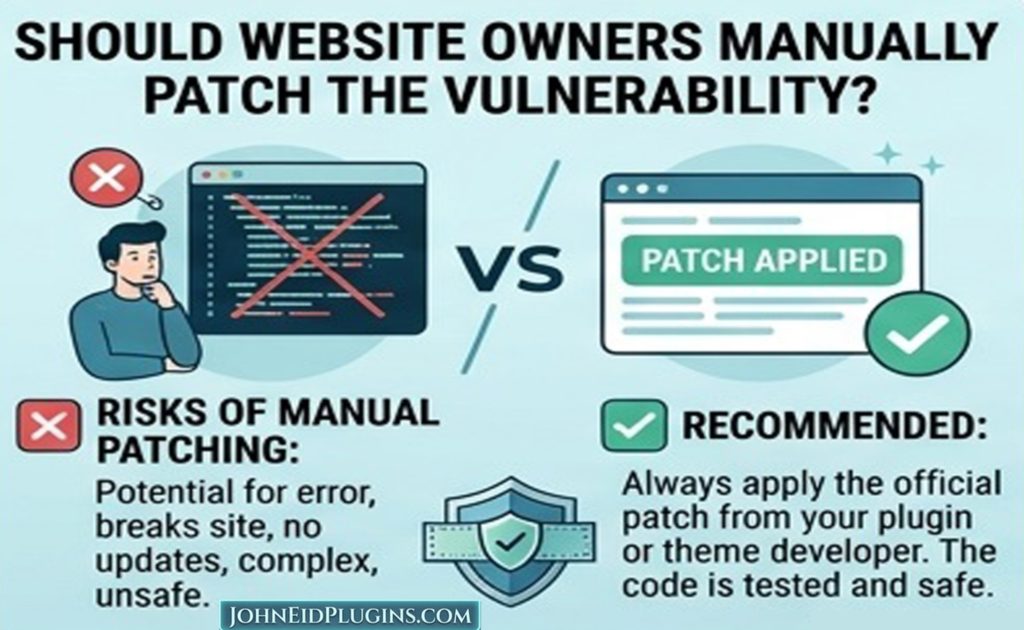
Should Website Owners Manually Patch the Vulnerability?
Normally, no.
Website owners should update WordPress through the normal WordPress update mechanism or their trusted hosting-management system.
The official WordPress documentation directs administrators to:
Dashboard → Updates
for the update.
Manual patching of individual WordPress core files is generally not the preferred approach.
The correct solution is to install the official security-fixed WordPress release.
What If Automatic Updates Are Enabled?
WordPress supports automatic background updates for certain releases and configurations.
The official 7.1.2 announcement states that sites supporting automatic background updates may receive the update automatically.
Nevertheless, administrators should verify the result.
Do not assume:
“Automatic updates are enabled, therefore my website is definitely patched.”
Check the installed version.
A security policy should be based on verification rather than assumptions.
WordPress Security and Coding Standards
The WordPress 7.1.2 issue also demonstrates why developers should follow current WordPress Coding Standards.
Good coding standards encourage:
- Consistency.
- Readability.
- Maintainability.
- Secure development practices.
- Better code review.
- Easier collaboration.
A modern plugin or theme should be written so that another developer can understand how it handles:
- Input.
- Files.
- Database queries.
- Permissions.
- Templates.
- APIs.
- External requests.
Security becomes much harder when code is poorly structured.
Secure Template Development
Theme and plugin developers who work with templates should pay particular attention to file paths.
A secure template system should establish:
- What files are allowed?
- Where are those files allowed to exist?
- Who controls the requested template name?
- Can the requested value contain path separators?
- Can encoding bypass validation?
- Is the resolved path inside the permitted directory?
- Can the selected file execute PHP?
- Is there any reason the file needs to be dynamically selected?
These questions are useful beyond WordPress.
They apply to any PHP application that dynamically loads files.
Avoiding Unsafe Dynamic Includes
Developers should be extremely careful with patterns involving:
include $user_supplied_file;
or:
require $path_from_request;
These patterns can become dangerous if the path is not strictly controlled.
A safer architecture often uses an allowlist.
For example, rather than allowing arbitrary filenames, an application can define:
about → about.php
contact → contact.php
services → services.php
The user supplies a logical identifier.
The application decides which actual file corresponds to that identifier.
This is safer than allowing arbitrary filesystem paths.
Why Allowlisting Is Powerful
Suppose an application needs three templates.
Instead of accepting any filename:
$template = $_GET['template'];
the application can define permitted choices.
Conceptually:
about    → about.php
services → services.php
contact  → contact.php
Anything outside the list is rejected.
This is known as an allowlist approach.
It is often much safer than attempting to create a perfect blacklist of dangerous strings.
Developer Lesson: Security Should Be Designed In
Security should not be something a developer adds at the end of a project.
A better process is:
Requirements
     ↓
Architecture
     ↓
Security Design
     ↓
Implementation
     ↓
Testing
     ↓
Code Review
     ↓
Release
     ↓
Monitoring
Security should be considered during every stage.
Testing WordPress Themes and Plugins
Professional WordPress developers should test against supported environments.
A useful testing matrix can include:
| Component | Test |
|---|---|
| WordPress | Current supported release |
| PHP | Supported PHP versions |
| Theme | Active theme |
| Plugins | Major dependencies |
| Database | Supported MySQL/MariaDB |
| Browser | Current major browsers |
| Mobile | Responsive layout |
| Security | Input and permission checks |
| Accessibility | Keyboard and screen-reader basics |
| Performance | Page load and query behavior |
Testing becomes particularly important after a security update because a patch can expose previously hidden compatibility problems.
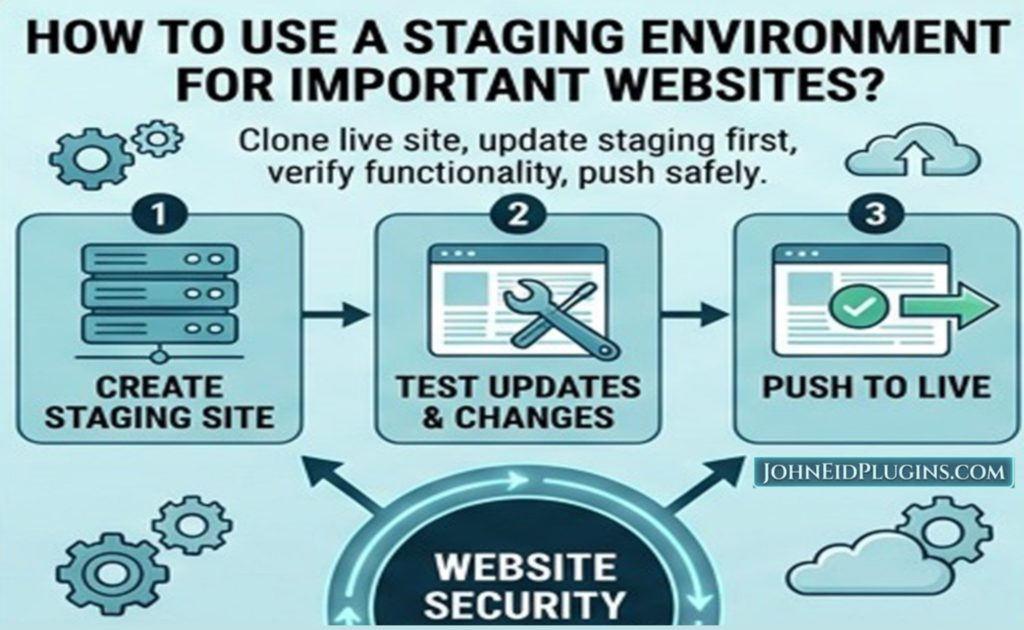
Staging Before Production
For important websites, use a staging environment.
A practical workflow is:
Development
     ↓
Staging
     ↓
Backup
     ↓
Production Update
     ↓
Verification
On a staging site, test:
- Theme layouts.
- Plugins.
- Forms.
- Custom code.
- REST APIs.
- WooCommerce.
- Editor functionality.
- Page templates.
This reduces the chance that an update causes unexpected downtime.
What Developers Should Do With Custom WordPress Code
If you have custom code, inspect areas involving:
- Template loading.
- File paths.
- File uploads.
- AJAX handlers.
- REST endpoints.
- Database queries.
- Authentication.
- User capabilities.
- Dynamic includes.
Custom code should not assume that WordPress core will always behave exactly as it did in an older release.
Security patches sometimes make validation stricter.
That is generally a good thing.
Well-written code should work with the documented and secure behavior of WordPress rather than relying on accidental behavior.
Do Not Modify WordPress Core
One of the most important WordPress development principles remains:
Never modify WordPress core files to solve a website customization problem.
Core modifications create problems during updates.
Instead, use:
- Plugins.
- Child themes.
- Hooks.
- Filters.
- Supported APIs.
- Custom blocks.
- Template overrides where supported.
This makes security updates substantially easier.
Why Professional Plugin Development Matters
A WordPress plugin can become part of the security boundary of an entire website.
A poorly developed plugin can:
- Expose administrator functions.
- Leak sensitive information.
- Create SQL vulnerabilities.
- Allow arbitrary file uploads.
- Create unsafe redirects.
- Bypass authorization.
- Introduce cross-site scripting.
- Create path traversal problems.
For this reason, plugin development should follow professional engineering practices.
At a minimum:
Validate → Sanitize → Authorize → Process → Escape
where appropriate.
A Practical WordPress Security Checklist
Here is a practical checklist for website owners.
WordPress Core
- WordPress is updated.
- Security updates are installed.
- The installed version has been verified.
Plugins
- All required plugins are updated.
- Unused plugins have been removed.
- Abandoned plugins have been replaced.
- Plugin sources are trusted.
Themes
- The active theme is updated.
- Unused themes have been removed.
- Customizations are maintained safely.
- Child-theme or supported customization methods are used where appropriate.
PHP
- A supported PHP version is being used.
- PHP is regularly maintained.
- Deprecated PHP versions are avoided.
Accounts
- Administrator passwords are strong.
- Passwords are unique.
- Two-factor authentication is considered.
- Unused administrator accounts are removed.
- User roles follow least privilege.
Backups
- Database backups exist.
- File backups exist.
- Backups are stored separately.
- Restoration has been tested.
Monitoring
- Security monitoring is enabled where appropriate.
- Unexpected administrator accounts are investigated.
- Suspicious file changes are investigated.
- Unexpected redirects are investigated.
A WordPress Developer Security Checklist
Developers can use a more technical checklist.
Input
- Validate request parameters.
- Sanitize data where appropriate.
- Reject unexpected values.
Authorization
- Check user capabilities.
- Do not rely solely on login status.
- Protect privileged operations.
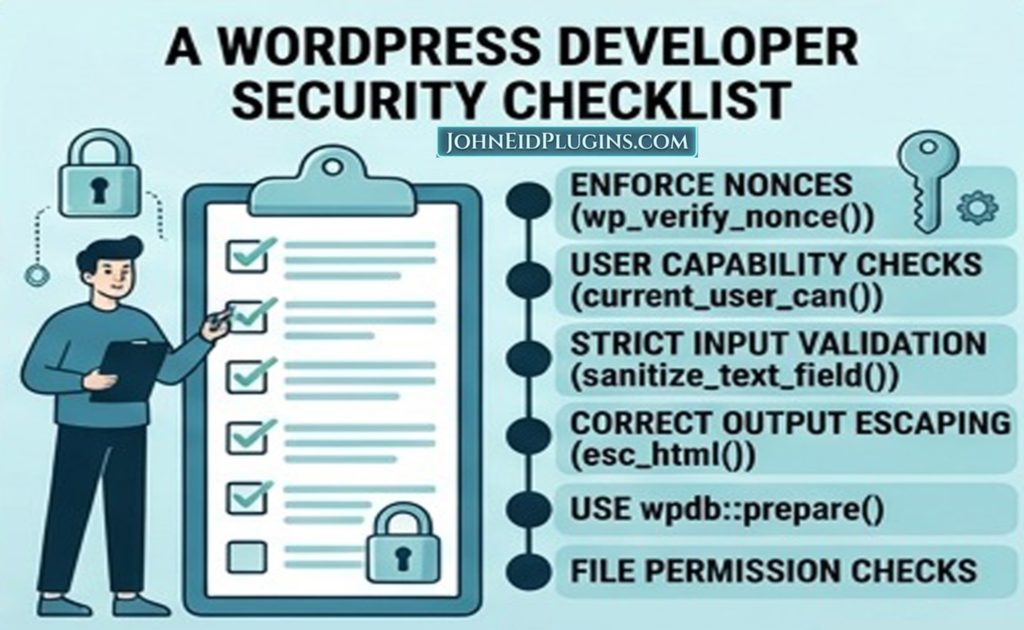
Requests
- Use nonces where appropriate.
- Validate REST API parameters.
- Protect AJAX endpoints.
Database
- Use prepared SQL queries.
- Avoid concatenating untrusted input into SQL.
Output
- Escape data according to context.
- Do not output raw user input.
Files
- Restrict uploads.
- Validate file types.
- Restrict paths.
- Avoid arbitrary dynamic includes.
- Prevent directory traversal.
Dependencies
- Keep third-party libraries updated.
- Remove unnecessary dependencies.
Architecture
- Follow WordPress Coding Standards.
- Use WordPress APIs.
- Avoid modifying core.
- Keep responsibilities separated.
WordPress Security Is a Continuous Process
One of the biggest misconceptions about security is that a website becomes “secure” after installing a security plugin.
Security does not work that way.
A WordPress security program is continuous.
It involves:
Updates
+
Backups
+
Monitoring
+
Secure Development
+
Access Control
+
Testing
+
Maintenance
A security plugin can provide useful additional protection, but it cannot compensate for permanently outdated WordPress core, abandoned plugins, weak passwords, or insecure custom code.
The Importance of Security Awareness for Website Owners
Many WordPress website owners are not programmers.
They may simply want to:
- Publish articles.
- Sell products.
- Promote services.
- Display a portfolio.
- Generate leads.
- Provide information.
That is completely reasonable.
Website owners do not need to become security engineers.
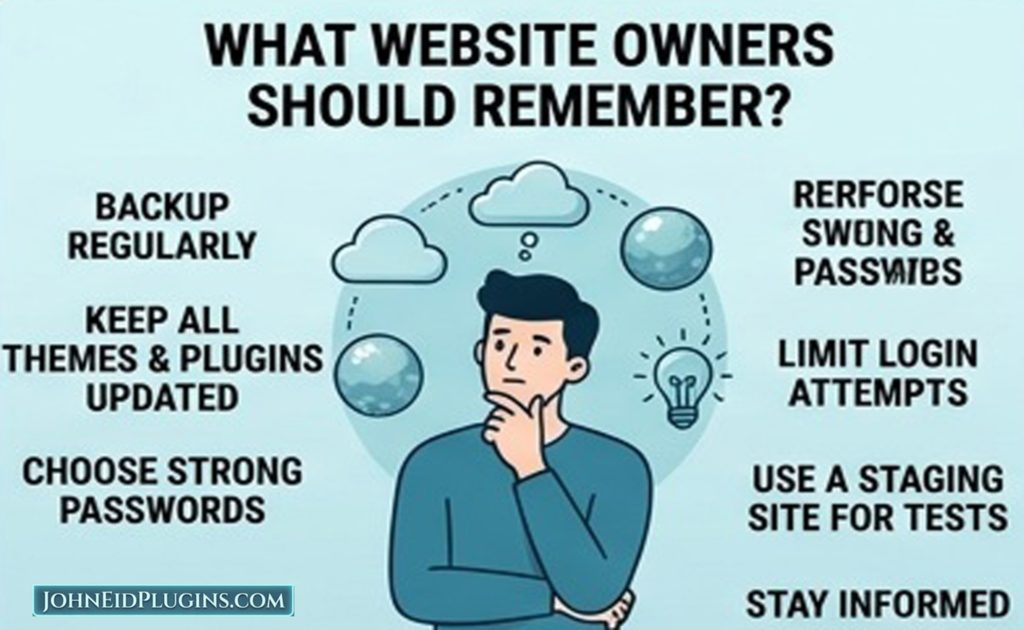
However, they should understand a few basic principles:
- Keep WordPress updated.
- Keep plugins updated.
- Keep themes updated.
- Use supported PHP.
- Maintain backups.
- Use strong accounts.
- Remove unnecessary software.
- Investigate suspicious behavior.
These simple practices eliminate a large number of avoidable risks.
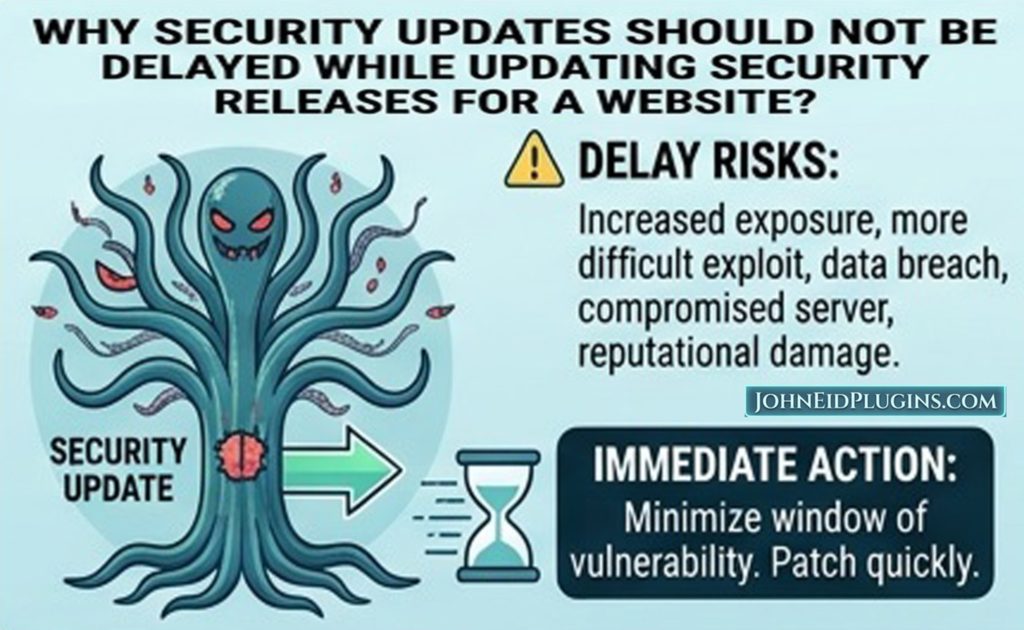
Why Security Updates Should Not Be Delayed
There is often a temptation to say:
“I’ll update next week.”
That approach can be dangerous with security releases.
Once a vulnerability becomes public, attackers can study available information and patches.
The reports surrounding CVE-2026-87902 demonstrate how quickly exploitation activity can follow public disclosure. Field Effect reported probing and exploitation attempts within hours of the 7.1.2 release.
Therefore, a better policy is:
Test quickly and patch promptly.
For critical business websites, maintain a documented emergency update process.
WordPress 7.1.2 and Website Maintenance
The release provides a good opportunity to review the overall health of a WordPress installation.
Ask:
How old is the website?
Older websites often accumulate:
- Unused plugins.
- Old themes.
- Custom PHP.
- Deprecated functions.
- Unmaintained integrations.
How many plugins are installed?
More plugins do not automatically mean an insecure website.
However, every additional component increases the amount of software that needs to be maintained.
Is the PHP version current?
Check the hosting environment.
Are backups actually restorable?
A backup that has never been tested should not automatically be considered reliable.
Who has administrator access?
Review users regularly.
The Relationship Between Security and Performance
Security and performance are sometimes discussed separately, but they overlap.
An old website may contain:
- Outdated PHP.
- Old plugins.
- Inefficient database queries.
- Excessive scripts.
- Unnecessary libraries.
Updating and simplifying the software stack can improve both security and performance.
Modern PHP can also improve runtime efficiency compared with older PHP releases, although performance depends heavily on application architecture and hosting.

Security and SEO
Website security can also affect the broader health of a website.
A compromised website may develop:
- Spam pages.
- Malicious redirects.
- Defaced content.
- Suspicious outbound links.
- Search-engine warnings.
A website owner who focuses exclusively on SEO while ignoring security is taking an unnecessary risk.
SEO, performance, availability, and security are all part of maintaining a healthy website.
Why Developers Should Read Security Advisories
Developers should not rely solely on headlines.
The official WordPress documentation provides the most authoritative information about the 7.1.2 release. It identifies the vulnerability, affected branches, fixed versions, and the recommended update action.
Security researchers can provide additional context about exploitation activity.
The ideal approach is:
Official advisory for authoritative facts + reputable security research for operational context.
This is better than relying on social-media posts or sensational headlines.
What This Update Teaches Us About WordPress Development
The WordPress 7.1.2 security release provides several broader lessons.
Lesson 1: Core software requires continuous maintenance
Even mature software can contain vulnerabilities.
Lesson 2: File handling is security-sensitive
Dynamic template and file resolution must be carefully controlled.
Lesson 3: Theme architecture matters
Theme structure can interact with core behavior.
Lesson 4: Server configuration matters
The impact of a vulnerability can depend on the hosting environment.
Lesson 5: Security updates need to be fast
Attackers can respond quickly to public disclosures.
Lesson 6: Developers need defense in depth
No single security mechanism is sufficient.
What Should a Modern WordPress Development Environment Look Like?
For new development projects, a sensible modern environment includes:
WordPress 7.1.2+
PHP 8.3+
Current MySQL/MariaDB
HTTPS
Git
WordPress Coding Standards
Automated testing where practical
Staging environment
Regular backups
The WordPress project currently recommends PHP 8.3 or greater for hosting.
For custom plugin and theme development, developers should also define their supported PHP and WordPress versions explicitly.
WordPress 7.1.2 and Modern Plugin Development
If you are developing a new WordPress plugin today, don’t simply ask:
“Does it work?”
Ask:
“Is it secure, maintainable, accessible, performant, and compatible?”
A professional plugin should consider:
- Secure input handling.
- Secure output.
- Capability checks.
- Nonces.
- Database safety.
- File safety.
- Internationalization.
- Accessibility.
- Performance.
- Error handling.
- Documentation.
- Testing.
This approach creates software that is much easier to maintain.
What Website Owners Should Remember
If you do not remember anything else from this article, remember these points:
WordPress 7.1.2 is a security release.
It was released on September 22, 2026.
It fixes a serious WordPress core vulnerability.
The issue involves unauthenticated path traversal in page-template resolution and can conditionally lead to remote code execution.
The issue should not be sensationalized.
The most serious exploitation scenario depends on specific conditions.
Updating is still urgent.
WordPress explicitly recommends immediate updates, and security researchers observed exploitation activity shortly after disclosure.
Older branches also received fixes.
The official WordPress documentation lists fixed versions for numerous supported branches.
Security does not stop at WordPress core.
Themes, plugins, PHP, hosting, accounts, and custom code all matter.
Frequently Asked Questions About WordPress 7.1.2 Security
What is WordPress 7.1.2?
WordPress 7.1.2 is a security release published on September 22, 2026. It fixes a critical security vulnerability affecting page-template resolution.
Is WordPress 7.1.2 safe to install?
WordPress 7.1.2 contains the security fix for the vulnerability addressed by the release. Website owners should update to the appropriate security-fixed release for their WordPress branch.
What vulnerability does WordPress 7.1.2 fix?
It fixes an unauthenticated path-traversal vulnerability in page-template resolution that can conditionally lead to remote code execution.
What is CVE-2026-87902?
CVE-2026-87902 is the public identifier associated with the WordPress core vulnerability addressed by the 7.1.2 security release. Security reporting has classified it as critical, with a CVSS v4.0 score of 9.2.
Can an attacker exploit the vulnerability without logging in?
The vulnerability is described as unauthenticated, meaning an attacker does not need a WordPress account to attempt the vulnerable operation. However, the most severe RCE outcome requires specific environmental conditions.
Do I need to update if I am not using WordPress 7.1?
Yes, if your installation belongs to an affected branch, use the corresponding security-fixed release. WordPress published fixes across numerous older branches.
Do themes cause the vulnerability?
The vulnerability is in WordPress core. However, specific active-theme structures can influence whether the conditions required for exploitation are present. This is why theme developers should understand the issue and test their themes against current WordPress releases.
Do plugins cause the vulnerability?
The vulnerability is in WordPress core, not simply a plugin vulnerability. Nevertheless, plugins remain an important part of overall WordPress security and should also be updated and maintained.
Should I update my plugins after installing WordPress 7.1.2?
Yes. Updating WordPress core does not automatically mean every plugin is secure. Check for plugin updates separately.
Should I update my theme?
Yes, if an update is available and the theme is actively maintained. Always maintain a backup and test important functionality after updates.
What PHP version should I use?
For new WordPress environments, PHP 8.3 or newer is a sensible modern baseline, consistent with the current WordPress hosting recommendation.
Is a security plugin enough?
No. Security plugins can provide valuable additional protection, but they should complement—not replace—core updates, plugin updates, theme updates, backups, secure accounts, and secure development practices.
How can I tell whether my website has been hacked?
Look for unexpected administrator accounts, modified files, unfamiliar plugins, suspicious redirects, unexpected content, unusual traffic, or other unexplained changes. If you suspect compromise, consider obtaining professional incident-response assistance rather than simply deleting suspicious files.
Should I modify WordPress core to fix security problems?
No. Install official security updates instead of manually modifying core files.
Why are security updates so important?
Security updates correct known weaknesses. Once vulnerabilities become public, attackers may attempt to identify and exploit unpatched installations. The rapid exploitation activity reported after the 7.1.2 disclosure demonstrates why timely patching matters.
Final Word: Update, Verify, Maintain
WordPress 7.1.2 is a reminder that website security is an ongoing process.
The most important action for website owners is straightforward:
Keep WordPress updated.
The September 22, 2026 release addresses a serious core vulnerability involving page-template resolution. WordPress itself recommends immediate updates, and independent security researchers have reported exploitation attempts following disclosure.
But updating WordPress should be only one part of a larger maintenance strategy.
A secure and professionally maintained WordPress website should have:
- Current WordPress core.
- Updated themes.
- Updated plugins.
- Supported PHP.
- Strong administrator accounts.
- Appropriate access controls.
- Regular backups.
- Secure custom code.
- Proper input validation.
- Output escaping.
- Secure database queries.
- Safe file handling.
- Monitoring and testing.
For developers, the lesson goes even deeper.
The vulnerability demonstrates why template resolution, filesystem operations, request handling, and dynamic file loading deserve careful security review. It also demonstrates the importance of using WordPress APIs and following modern development practices rather than relying on assumptions about how the platform happens to behave.
For website owners, the message is simpler:
Do not wait for a security problem to become visible before taking action.
Check your WordPress version.
Update WordPress.
Update your themes and plugins.
Check your PHP version.
Verify your backups.
Review administrator accounts.
And continue maintaining the website after the immediate security update is complete.
WordPress is a powerful platform precisely because it is extensible. That extensibility also creates a responsibility shared by the entire WordPress ecosystem: core developers, hosting providers, theme developers, plugin developers, security researchers, agencies, and individual website owners.
WordPress 7.1.2 is therefore more than another version number.
It is a practical reminder that secure WordPress development and responsible website maintenance must be continuous activities.
If you operate a WordPress website, update it.
If you develop WordPress plugins or themes, review your code.
If you provide WordPress services, include security maintenance in your workflow.
And if you are building a new WordPress project, start with a modern foundation: a current WordPress release, supported PHP, secure coding practices, proper testing, reliable backups, and a maintenance plan.
That is how a WordPress website becomes not merely functional, but secure, maintainable, and prepared for the future.
One response to “WordPress 7.1.2 Security Update: What Website Owners and Developers Need to Know”
[…] WordPress 7.1.2, the security aspect is especially significant because the official release announcement identifies the update as a […]