WordPress security is not only a concern for website owners and administrators. For plugin and theme developers, every WordPress security release is an opportunity to review code, understand how vulnerabilities occur, and make sure their products remain safe on thousands of websites.
The release of WordPress 7.1.3 on October 6, 2026 is particularly important because it is both a maintenance and security release. According to the official WordPress announcement, WordPress 7.1.3 includes seven security fixes and four bug fixes. WordPress recommends that website owners update immediately because security vulnerabilities can affect websites even when administrators have not noticed any suspicious activity.
For plugin and theme developers, however, simply updating WordPress is not enough.
A WordPress core security fix can reveal an important lesson about application security: vulnerabilities often appear at the boundaries between user input, permissions, database queries, HTTP requests, content rendering, embeds, hooks, and third-party integrations.
This means developers should use WordPress 7.1.3 as a reminder to review their own code.
In this article, we will examine what WordPress 7.1.3 means for plugin and theme developers, discuss the security issues addressed in the release, explain the development practices that can reduce similar vulnerabilities, and provide a practical security checklist for developers maintaining WordPress products.
What Is WordPress 7.1.3?
WordPress 7.1.3 is a maintenance and security release in the WordPress 7.1 series.
The official WordPress release archive lists WordPress 7.1.3 as released on October 6, 2026. It is currently the latest release in the 7.1 branch.
Unlike a major feature release, a security and maintenance release is primarily concerned with correcting problems discovered in the existing platform.
For developers, this distinction is important.
A security release may not introduce a large collection of visible frontend features, but it can change the behavior of APIs, queries, permissions, HTTP processing, embeds, hooks, administration interfaces, and other underlying systems.
That means a plugin or theme that previously depended on permissive or undocumented behavior may need additional testing after a WordPress update.
The official WordPress 7.1.3 announcement identifies seven security issues:
- Stored cross-site scripting involving pending comments on the Comments administration page.
- A denial-of-service issue involving
WP_Http::make_absolute_url(). - A second-order SQL injection issue involving WordPress WXR export.
- A permissions weakness that could allow Author-level users to sticky posts.
- Unauthenticated disclosure of comments associated with private or unpublished posts.
- Cross-site scripting involving Imgur embeds.
- Forgeable parameters passed to dynamic
{status}_{type}hooks that could result in action-name collisions.
The important lesson for developers is not simply to memorize these vulnerabilities.
The more valuable lesson is to understand the underlying security principles behind them.
Why WordPress 7.1.3 Matters to Plugin Developers
Plugins extend WordPress into a complete application platform.
A plugin can create:
- Administrative settings pages
- Custom post types
- REST API endpoints
- AJAX handlers
- Shortcodes
- Blocks
- Database tables
- User roles and capabilities
- Custom metadata
- Frontend forms
- File uploads
- External API integrations
- Custom queries
- Scheduled tasks
- Webhooks
- Third-party embeds
- Authentication systems
- Payment integrations
- Membership systems
Every additional feature creates another potential security boundary.
WordPress itself provides many security APIs to help developers handle these responsibilities. The official WordPress security documentation emphasizes several fundamental principles: never trust input, validate data, sanitize where appropriate, and escape output. Developers should also rely on WordPress APIs whenever possible.
WordPress 7.1.3 demonstrates why these principles matter.
A vulnerability does not necessarily originate from an obviously dangerous function such as executing arbitrary PHP.
Sometimes the problem is much smaller:
- A missing capability check
- An insufficiently protected endpoint
- An unescaped value
- An incorrectly constructed query
- A dynamic hook with an unsafe parameter
- A URL processed incorrectly
- Data exposed before authorization is checked
These seemingly small mistakes can become significant security problems when software is deployed across thousands of websites.
The Seven Security Fixes in WordPress 7.1.3
Understanding the issues fixed by WordPress 7.1.3 provides useful lessons for plugin and theme developers.
1. Stored XSS in the Comments Administration Page
The first issue identified in the WordPress 7.1.3 announcement involves stored cross-site scripting (XSS) on the Comments administration page, exploitable through pending comments.
Cross-site scripting occurs when attacker-controlled or insufficiently trusted data is eventually interpreted as executable browser content.
The important word here is eventually.
A developer may receive data from:
- A comment
- A custom field
- A URL
- An API
- A database record
- A form
- An imported document
- A third-party service
The developer might store that data without immediate problems.
The vulnerability appears when the data is later displayed in an HTML, JavaScript, URL, or attribute context without appropriate escaping.
This is why WordPress recommends escaping output as close as possible to the point where it is rendered.
For example:
<h2><?php echo esc_html( $title ); ?></h2>For URLs:
<a href="<?php echo esc_url( $url ); ?>">Visit</a>For HTML attributes:
<div class="<?php echo esc_attr( $class_name ); ?>">WordPress provides context-specific escaping functions including esc_html(), esc_attr(), esc_url(), esc_js(), esc_textarea(), and wp_kses().
What plugin developers should learn
If your plugin stores user-generated data, do not assume that sanitizing it when saving eliminates the need to escape it later.
The safe development model is:
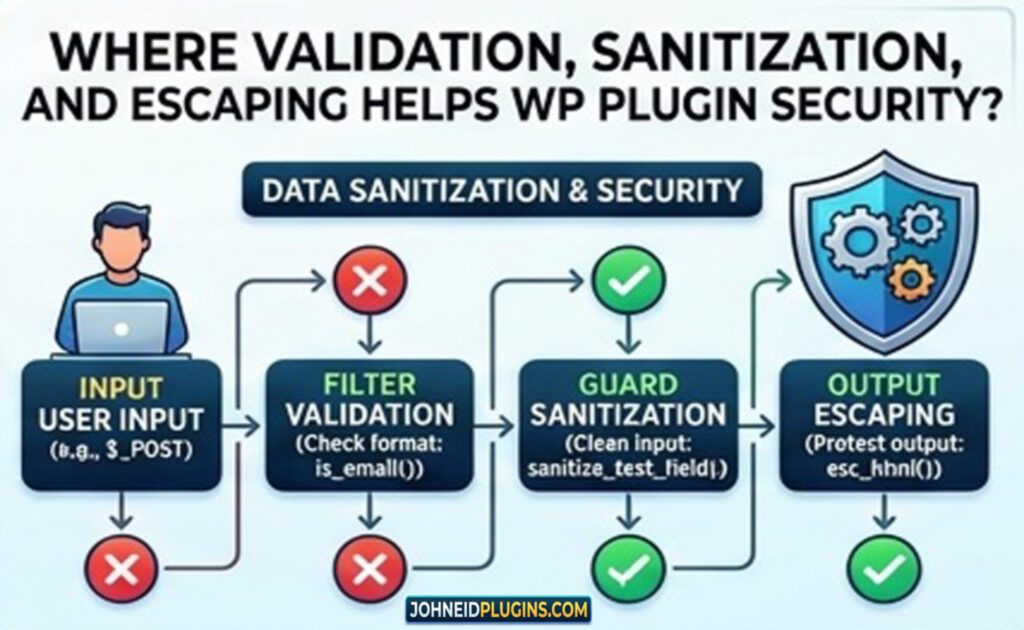
Validate input → sanitize appropriate data → store appropriately → escape at output.
The exact function depends on what the data represents and where it is being used.
2. Denial of Service in WP_Http::make_absolute_url()
WordPress 7.1.3 also addresses a denial-of-service issue associated with the WP_Http::make_absolute_url() method.
This is especially interesting for plugin developers because many plugins communicate with external resources.
Modern WordPress plugins commonly make HTTP requests for:
- Weather data
- Maps
- Licensing systems
- Analytics
- Payment gateways
- Social media APIs
- Remote images
- Translation services
- AI services
- Product feeds
- Security services
- Software update systems
Developers should therefore treat remote URLs and HTTP processing as security-sensitive operations.
Do not assume that a URL received from a user, an API, or another plugin is safe merely because it looks valid.
A plugin should carefully consider:
- Which URLs it accepts
- Which protocols it permits
- Whether redirects are allowed
- Whether remote requests can consume excessive resources
- Whether response sizes should be limited
- Whether timeouts are appropriate
- Whether external services are trusted
- Whether remote content is later rendered on the site
Practical lesson
If your plugin communicates with external services, review every HTTP request.
Ask:
Can an attacker influence the URL?
Can an attacker control request parameters?
What happens if the remote server never responds?
What happens if the response is extremely large?
What happens if the server redirects repeatedly?
What happens if the response contains malicious content?
Secure HTTP programming is not just about successfully retrieving data.
It is also about controlling what the remote request is allowed to do.
3. Second-Order SQL Injection in WXR Export
Another WordPress 7.1.3 security fix concerns a second-order SQL injection issue involving WXR export.
Second-order SQL injection is an important concept for developers.
Traditional SQL injection often looks like this:
- Attacker supplies malicious input.
- Application immediately inserts the input into an unsafe SQL query.
- Database interprets the malicious SQL.
Second-order SQL injection can be less obvious.
The attacker-controlled value may initially be stored safely in the database. The problem occurs later when another part of the application retrieves that value and uses it unsafely in a SQL statement.
This is one reason database security cannot be reduced to:
“We sanitized the input when it was submitted.”
Developers need to consider the entire lifecycle of data.
For WordPress database queries, developers should generally use the $wpdb API and prepared queries rather than constructing SQL statements through string concatenation.
For example:
$results = $wpdb->get_results(
    $wpdb->prepare(
        "SELECT * FROM {$wpdb->posts} WHERE post_author = %d",
        $author_id
    )
);
The exact query obviously depends on the application, but the security principle is universal:
Never construct SQL by blindly concatenating untrusted data.
Why second-order vulnerabilities matter
Plugin developers should review data that is:
- Stored in post meta
- Stored in user meta
- Stored in options
- Stored in custom database tables
- Imported from external services
- Created by administrators
- Created through REST APIs
- Created through AJAX
- Created through XML or JSON imports
A value that appears safe at the point of storage can become dangerous later.
4. Author Permissions and Sticky Posts
WordPress 7.1.3 also fixes a weakness that could allow users with the Author role to sticky posts when they should not have that ability.
This is a classic example of authorization.
Authentication asks:
Who are you?
Authorization asks:
What are you allowed to do?
Plugin developers sometimes concentrate heavily on authentication while overlooking authorization.
A user can be properly logged into WordPress and still be unauthorized to perform a particular operation.
For example, a plugin may provide an endpoint such as:
register_rest_route(
    'example/v1',
    '/settings',
    array(
        'methods'  => 'POST',
        'callback' => 'example_update_settings',
    )
);
A developer might verify that the request contains a valid nonce but forget to verify whether the current user has permission to modify the settings.
That is insufficient.
WordPress specifically warns that nonces should not be used as authentication, authorization, or access-control mechanisms. Developers should use capability checks such as current_user_can() for authorization.
A secure operation generally needs both:
- Request-intent protection, such as a nonce where appropriate
- Authorization through capabilities
For example:
if ( ! current_user_can( 'manage_options' ) ) {
    return new WP_Error(
        'forbidden',
        'You are not allowed to perform this action.',
        array( 'status' => 403 )
    );
}
The required capability should match the operation.
Developer checklist
Whenever your plugin performs an action, ask:
- Who can trigger it?
- Which role should be allowed?
- Is there a capability specifically appropriate for this action?
- Is the capability checked on the server?
- Could the endpoint be called directly?
- Is the permission check applied to REST, AJAX, and form handlers?
Never assume that hiding a button from unauthorized users is a security measure.
5. Unauthenticated Disclosure of Comments
WordPress 7.1.3 addresses an issue involving unauthenticated disclosure of comments associated with private and unpublished posts.
This highlights another fundamental security principle:
Not all data should be publicly readable.
Plugin developers frequently build custom APIs and data endpoints.
For example, a membership plugin might expose:
/wp-json/my-plugin/v1/ordersA developer must not assume that because the endpoint is technically functional, its data should be available to every visitor.
The same applies to:
- Private posts
- Draft content
- Internal notes
- Customer records
- Orders
- Membership data
- User metadata
- Comments
- Form submissions
- Site configuration
- Licensing information
REST API security
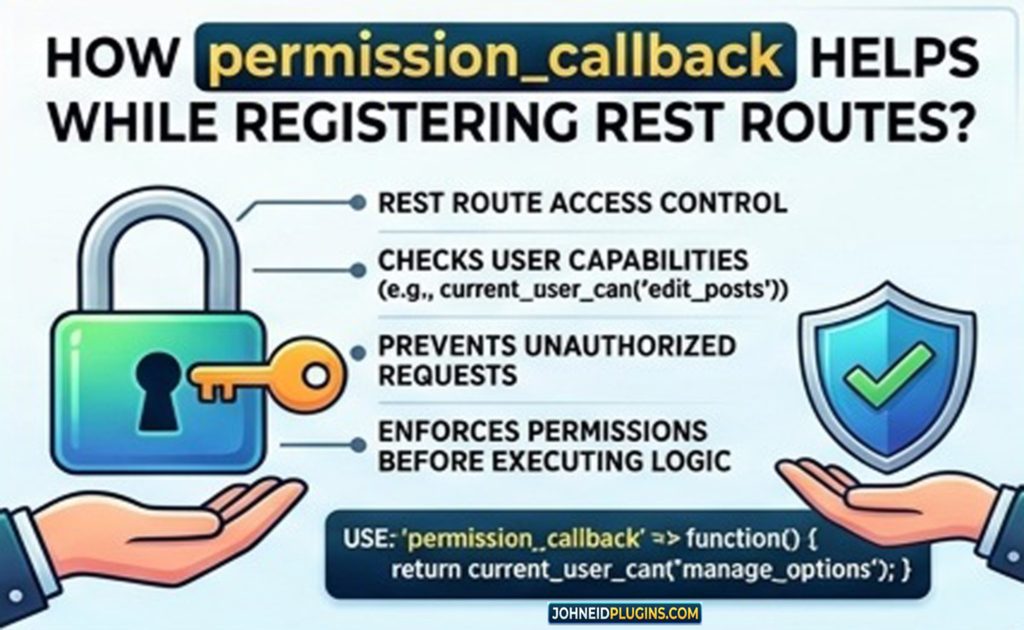
When registering REST routes, carefully design the permission_callback.
For example:
register_rest_route(
    'example/v1',
    '/private-data',
    array(
        'methods'             => 'GET',
        'callback'            => 'example_private_data',
        'permission_callback' => function () {
            return current_user_can( 'manage_options' );
        },
    )
);
The important point is that access control belongs on the server.
Do not depend on JavaScript interfaces, hidden buttons, or frontend conditions to protect sensitive information.
6. XSS and Imgur Embeds
WordPress 7.1.3 also addresses an XSS vulnerability involving Imgur embeds.
Embeds are a useful reminder that third-party content creates additional trust boundaries.
A plugin might integrate:
- YouTube
- Vimeo
- Imgur
- Google Maps
- Social media
- Advertising networks
- External image providers
- Analytics platforms
It is tempting to assume that because the service is reputable, all returned content can be trusted.
That assumption is dangerous.
Third-party content should be handled according to the security model of the application.
If your plugin accepts an external URL and converts it into embedded content, ask:
- Is the domain allowlisted?
- Is the URL validated?
- Are dangerous protocols rejected?
- Is the returned HTML trusted?
- Is the content escaped?
- Can the external provider change the content later?
- Could an attacker manipulate the embed URL?
The broader lesson
Third-party integrations should be treated as untrusted boundaries.
This applies even when the third-party service itself is legitimate.
7. Dynamic Hooks and Action Name Collisions
The final security issue listed in the WordPress 7.1.3 announcement involves forgeable parameters passed to {status}_{type} hooks, potentially resulting in action-name collisions.
This is a particularly useful lesson for experienced WordPress developers because WordPress is heavily based on hooks.
Hooks provide enormous flexibility.
Developers can use:
add_action();
add_filter();
do_action();
apply_filters();
But dynamically constructed hook names need careful design.
For example:
do_action( 'something_' . $status . '_' . $type );If $status or $type can be influenced unexpectedly, the resulting hook name may not be what the developer intended.
This can create unexpected interactions between components.
Plugin development lesson
When constructing dynamic hook names:
- Validate the values.
- Restrict them to known values where possible.
- Avoid accepting arbitrary user-controlled hook fragments.
- Use explicit mappings instead of uncontrolled string concatenation.
- Consider whether an attacker could force an existing hook name.
A safer pattern can involve a controlled set of allowed states:
$allowed_statuses = array(
    'pending',
    'approved',
    'rejected',
);

if ( ! in_array( $status, $allowed_statuses, true ) ) {
    return;
}
The exact implementation depends on the application, but the principle is clear:
Dynamic identifiers should not be treated as harmless strings when they influence application behavior.
What WordPress 7.1.3 Means for Plugin Developers
The seven fixes reveal several recurring security categories:
| Security area | Developer concern |
|---|---|
| XSS | Escape dynamic output |
| HTTP | Validate and control remote requests |
| SQL injection | Use prepared database queries |
| Authorization | Check capabilities |
| Data exposure | Restrict private information |
| Third-party embeds | Treat external content carefully |
| Dynamic hooks | Validate dynamic identifiers |
These are not isolated problems.
They are interconnected.
A plugin might accept input through a form, store it in the database, expose it through REST API, process it through an AJAX request, and eventually display it in the administration interface.
Security must therefore be considered throughout the entire lifecycle of the data.
WordPress Plugin Security: Validate, Sanitize and Escape
One of the most important security concepts for WordPress developers is the difference between validation, sanitization, and escaping.
These concepts are related but not interchangeable.
Validation
Validation determines whether data meets the requirements you expect.
For example:
if ( ! in_array( $layout, array( 'grid', 'list' ), true ) ) {
    return;
}
This rejects unexpected values.
Validation is particularly valuable when you know exactly what values should be accepted.
Sanitization
Sanitization modifies data to remove unwanted content or normalize it.
For example:
$title = sanitize_text_field( wp_unslash( $_POST['title'] ) );The exact sanitizer should be selected according to the type of data.
Escaping
Escaping protects data when it is output in a particular context.
For example:
echo esc_html( $title );WordPress’s developer documentation emphasizes that escaping should happen as close as possible to output, and that the correct escaping function depends on the context.
A simple rule for developers
Remember:
Validate what you accept.
Sanitize what you store when appropriate.
Escape what you output.
Do not treat these three operations as interchangeable.
Nonces Are Important — But They Are Not Authorization
A common WordPress security mistake is treating a nonce as a complete security mechanism.
It is not.
WordPress describes nonces as tokens that help protect against certain forms of misuse, particularly CSRF. However, WordPress explicitly states that nonces should not be relied upon for authentication, authorization, or access control.
Consider an administrative form.
A secure implementation may require:
- A valid logged-in session.
- A valid nonce.
- An appropriate user capability.
- Properly validated input.
- Properly sanitized data.
- Correct database handling.
- Correct output escaping.
Removing any one of these controls can create weaknesses depending on the operation.
Example
if ( ! isset( $_POST['my_nonce'] ) ) {
    return;
}

if ( ! wp_verify_nonce( $_POST['my_nonce'], 'my_action' ) ) {
    return;
}

if ( ! current_user_can( 'manage_options' ) ) {
    return;
}
The example is intentionally simplified, but it demonstrates an important distinction.
The nonce answers:
Did this request originate from an expected interaction?
The capability check answers:
Is this user allowed to perform the operation?
Both questions matter.
WordPress 7.1.3 and REST API Security
The REST API has become central to modern WordPress development.
Plugins use REST endpoints for:
- React interfaces
- Gutenberg blocks
- Mobile applications
- JavaScript dashboards
- Headless WordPress
- External integrations
- AJAX-like operations
Because REST APIs can be called directly, developers must never rely exclusively on the frontend.
If a button is only visible to administrators, that does not mean the underlying API is protected.
A user can potentially send a direct HTTP request.
REST API security checklist
For each custom endpoint, determine:
- Who can access it?
- Is it public?
- Does it expose private data?
- What capability is required?
- Are parameters validated?
- Are IDs validated?
- Are permissions checked server-side?
- Is returned data filtered?
- Are sensitive fields excluded?
- Are errors revealing unnecessary information?
REST endpoints should be designed with the same security discipline as traditional WordPress admin forms.
SQL Injection Protection for WordPress Developers
SQL injection remains one of the most important application security problems.
Developers should avoid patterns such as:
$query = "SELECT * FROM table WHERE name = '" . $name . "'";Instead, WordPress provides $wpdb->prepare() for parameterized queries.
For example:
$query = $wpdb->prepare(
    "SELECT * FROM {$wpdb->prefix}example WHERE name = %s",
    $name
);

$results = $wpdb->get_results( $query );
The exact placeholders and query structure depend on the data type and query.
Use:
%sfor strings%dfor integers%ffor floating-point values
Developers should also remember that prepared statements do not automatically solve every security problem.
Table names, column names, SQL keywords, and dynamically constructed query structures may require separate validation or controlled mappings.
Protecting Plugin AJAX Endpoints
AJAX handlers are another common source of vulnerabilities.
A plugin may register an AJAX action:
add_action( 'wp_ajax_my_plugin_action', 'my_plugin_action' );The handler should not simply trust the incoming request.
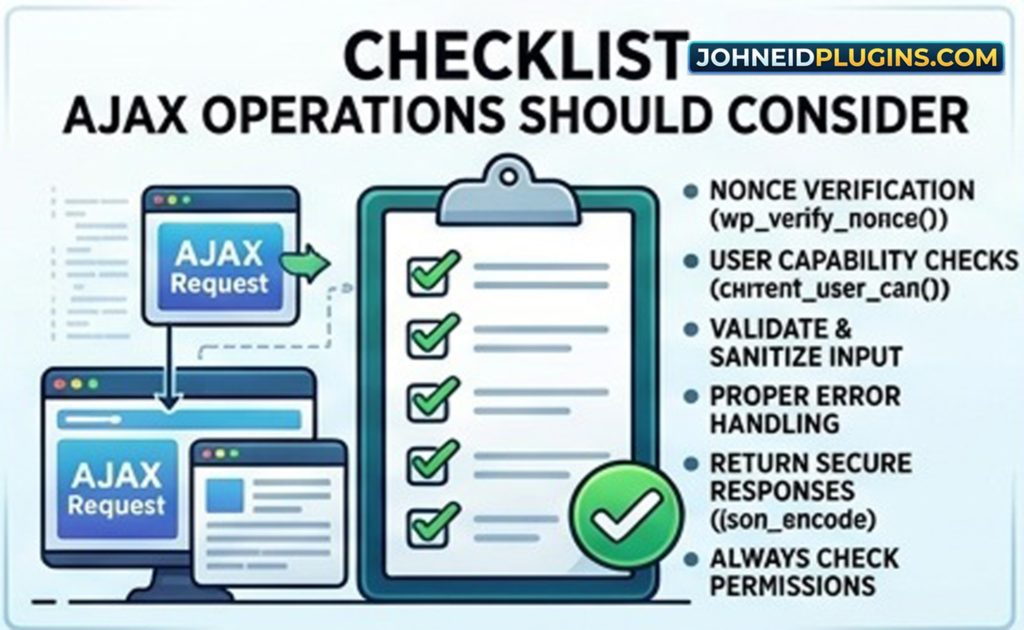
A secure AJAX operation should consider:
- Is the user authenticated?
- Is the action permitted?
- Is a nonce required?
- Is the nonce valid?
- Are incoming values validated?
- Are uploaded files restricted?
- Are database operations safe?
- Is output escaped?
- Is the response appropriate?
For privileged actions, capability checks are particularly important.
Do not make an administrative operation available simply because the request contains a valid nonce.
File Upload Security
Many plugins provide file upload functionality.
Examples include:
- Image uploaders
- Document managers
- Profile pictures
- CSV importers
- Backup tools
- Logo uploaders
- Theme customization systems
File uploads require careful validation.
Developers should consider:
- File type
- MIME type
- File extension
- File size
- Upload destination
- Filename handling
- User permissions
- Whether executable files can be uploaded
- Whether uploaded content is later rendered
- Whether SVG or other active formats require special handling
Do not assume that the filename extension alone determines what a file contains.
Where possible, rely on WordPress’s established upload APIs and media handling mechanisms rather than creating a completely independent upload system.
Theme Developers Also Need to Pay Attention
Security is not exclusively a plugin problem.
Themes can contain vulnerabilities too.
A WordPress theme controls a significant portion of the site’s presentation layer and may contain:
- PHP templates
- Customizer settings
- Theme options
- Forms
- JavaScript
- Dynamic CSS
- Shortcodes
- Widgets
- Block patterns
- Custom post metadata
- Navigation interfaces
- User-generated content rendering
The official WordPress Theme Handbook identifies XSS, SQL injection, and CSRF among common theme security concerns. It specifically emphasizes escaping dynamic output and using nonces for actions where appropriate.
Escaping Theme Output
Theme developers frequently output values directly inside templates.
For example:
<h1><?php echo esc_html( get_the_title() ); ?></h1>For an image URL:
<img src="<?php echo esc_url( $image_url ); ?>" alt="">For an attribute:
<div class="<?php echo esc_attr( $class ); ?>">This becomes particularly important when the theme provides custom settings.
Suppose a theme allows an administrator to enter a custom CSS class.
That value is still data.
It should not automatically be considered safe simply because an administrator entered it.
The application should understand the intended format and escape the value for its output context.
Security in Block Themes and theme.json
Modern WordPress themes increasingly rely on block-based development and theme.json.
This changes the architecture of a theme but does not eliminate security responsibilities.
Theme developers still need to think about:
- User-provided content
- Dynamic block attributes
- Custom patterns
- Template parts
- URLs
- CSS values
- Custom settings
- Block rendering
- Third-party integrations
WordPress 7.1 itself introduced several developer-facing improvements, including changes around responsive block styles, configurable viewports, and the SVG Icon API.
As the WordPress platform becomes more extensible, developers should become more disciplined rather than less disciplined about input and output security.
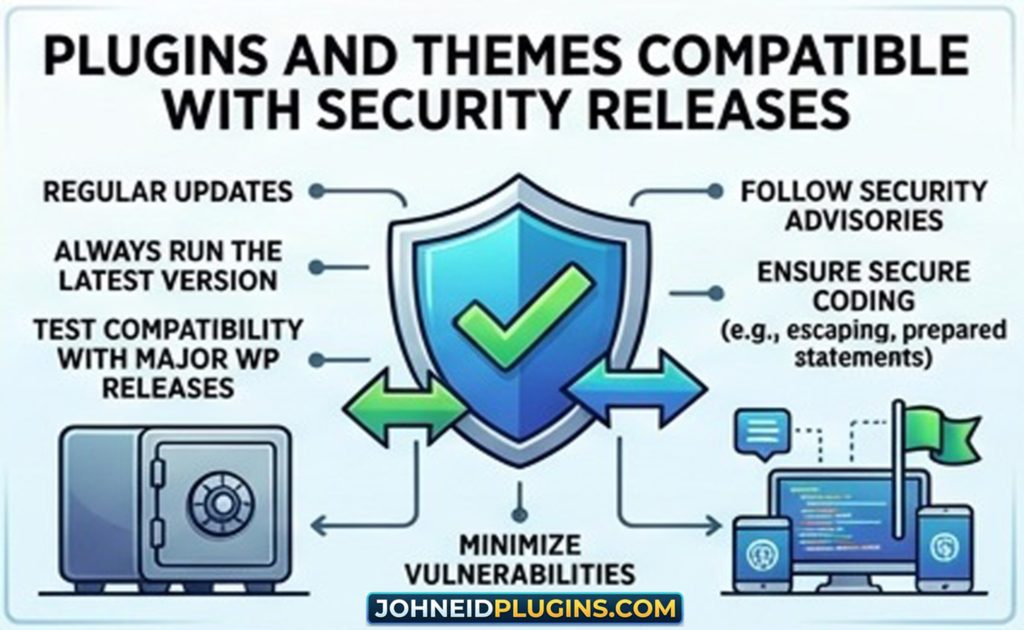
Keep Plugins and Themes Compatible With Security Releases
A plugin developer should not assume that:
“If my plugin worked before the update, it will always work afterward.”
Security fixes sometimes deliberately tighten behavior.
A corrected security boundary can expose assumptions in third-party code.
For example, a plugin may have depended on:
- An undocumented behavior
- A permissive API response
- A particular hook sequence
- A particular permission behavior
- A legacy embed behavior
- A database query result
- A specific HTTP processing behavior
When WordPress fixes the underlying problem, the plugin may behave differently.
Therefore, WordPress updates should be part of a regular compatibility-testing process.
Build a WordPress Security Testing Environment
Plugin developers should ideally maintain a testing environment that can reproduce their production setup.
A basic test matrix can include:
- Current WordPress version
- Previous supported WordPress version
- PHP versions supported by the plugin
- Single-site installation
- Multisite installation where applicable
- Different user roles
- Fresh WordPress installation
- Existing installation with realistic data
- Debug mode enabled
- REST API testing
- AJAX testing
- Database testing
- File upload testing
For a security release such as WordPress 7.1.3, developers should specifically retest code that interacts with the affected areas.
Test Different WordPress User Roles
Many authorization vulnerabilities are caused by testing only as Administrator.
A plugin may work correctly for an administrator while exposing dangerous behavior to lower-privileged users.
Test at least:
- Administrator
- Editor
- Author
- Contributor
- Subscriber
- Custom roles
For each important plugin feature, ask:
What happens when this user tries to access it?
What happens when this user directly calls the URL?
What happens when this user directly calls the REST endpoint?
What happens when this user submits the form manually?
What happens when the user changes an object ID?
This type of negative testing is extremely valuable.
Test Direct Requests, Not Just the User Interface
A common development mistake is testing only through the graphical interface.
For example:
- Administrator sees a settings button.
- Administrator clicks the button.
- Feature works.
- Developer concludes that security is correct.
But an attacker does not need to use the interface.
They may send a direct request.
Security testing should therefore attempt to bypass the interface.
For every privileged feature, test:
- Direct URL access
- Direct POST requests
- Direct REST API requests
- AJAX requests
- Modified object IDs
- Missing parameters
- Invalid parameters
- Expired nonces
- Missing nonces
- Lower-privileged accounts
This helps identify authorization flaws before attackers do.
Use WordPress APIs Instead of Reinventing Security
WordPress provides many APIs specifically designed to make development safer and more consistent.
Examples include:
- Settings API
- Options API
- REST API
- HTTP API
- Filesystem API
- Metadata API
- Roles and capabilities API
- Nonce API
- Sanitization APIs
- Escaping APIs
- Database abstraction APIs
The WordPress security handbook explicitly recommends relying on WordPress APIs where possible because they provide established functionality for common security-sensitive tasks.
Using the platform’s APIs does not automatically make code secure.
But it reduces the need to create security-sensitive infrastructure from scratch.
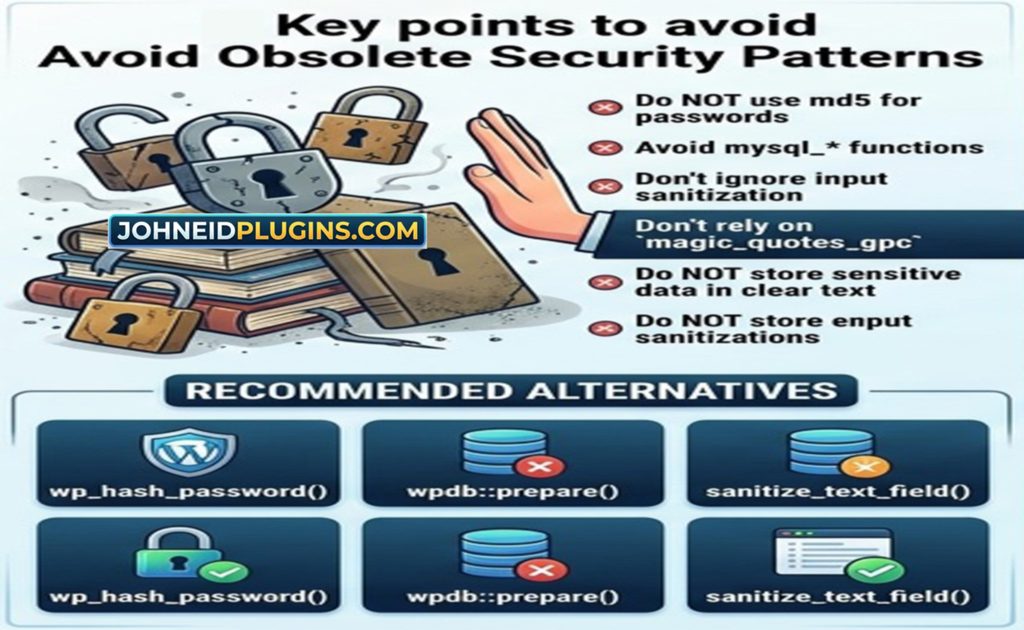
Avoid Obsolete Security Patterns
Plugin and theme developers should regularly review old code.
Legacy code often contains patterns such as:
$_GET['id']used directly in queries or output.
Other warning signs include:
$_POST['value']without validation or sanitization.
Also watch for:
echo $value;when the value is dynamic and untrusted.
Or:
$query = "... " . $value;when $value influences SQL.
Or custom permission systems that never call WordPress capability APIs.
Security improvements often begin with finding these patterns.
Use WordPress Coding Standards
Security and code quality are closely related.
The official WordPress Coding Standards provide a baseline for writing consistent WordPress code and cover PHP, JavaScript, CSS, HTML, and accessibility-related practices.
Following coding standards makes code easier to review.
Readable code is easier to secure because another developer can more easily understand:
- Where input enters
- Where data is stored
- Where permissions are checked
- Where queries are executed
- Where output is rendered
- Where hooks are registered
- Where external requests occur
Modern development workflows can also incorporate automated linting and formatting.
For larger plugins, developers may use:
- PHP_CodeSniffer
- WordPress Coding Standards
- ESLint
- Prettier
- PHPUnit
- Integration tests
- Static analysis
- Dependency scanning
The objective is not simply to produce attractive code.
The objective is to make security mistakes easier to identify.
WordPress Plugin Security Reviews Are Becoming More Automated
Plugin developers distributing software through WordPress.org should pay attention to the platform’s evolving security review process.
According to the WordPress Plugin Handbook, since June 2026 new plugin releases hosted on WordPress.org go through a cooldown period before distribution through the WordPress.org update API. During that period, changes are analyzed using multiple AI models together with Jetpack Scan, with findings combined into risk scores. Releases with high risk scores can be blocked until issues are addressed.
This is significant for developers.
Security is increasingly becoming part of the release pipeline rather than something performed only after a vulnerability is discovered.
Developers should therefore build security checks into development before submitting releases.
WordPress.org Plugin Security Expectations
WordPress.org places responsibility for plugin security on plugin developers.
The official detailed plugin guidelines state that code in the directory should be made as secure as possible and that security is ultimately the responsibility of the plugin developer. A plugin found to have security issues can be closed until the problem is resolved.
The Plugin Handbook also emphasizes testing plugins in different environments and regularly releasing updates.
For developers, this means that publishing a plugin is not the end of development.
It is the beginning of a maintenance responsibility.

Security Maintenance Should Be Part of Every Plugin Release
A mature plugin development process should include a security review whenever a significant release is prepared.
Before publishing a new version, review:
Input
- Forms
- GET parameters
- POST parameters
- REST parameters
- AJAX parameters
- Shortcode attributes
- Block attributes
- Import files
- Third-party API responses
Authorization
- Capabilities
- Roles
- REST permissions
- AJAX permissions
- Administrative actions
- Object-level permissions
Database
- SQL queries
- Prepared statements
- Dynamic identifiers
- Stored data
- Serialized data
- Custom tables
Output
- HTML
- Attributes
- URLs
- JavaScript
- CSS
- JSON
- XML
- Email content
External services
- URLs
- API keys
- Authentication
- Remote responses
- Redirects
- Timeouts
Files
- Uploads
- Downloads
- Temporary files
- File paths
- Permissions
This checklist can become part of your release process.
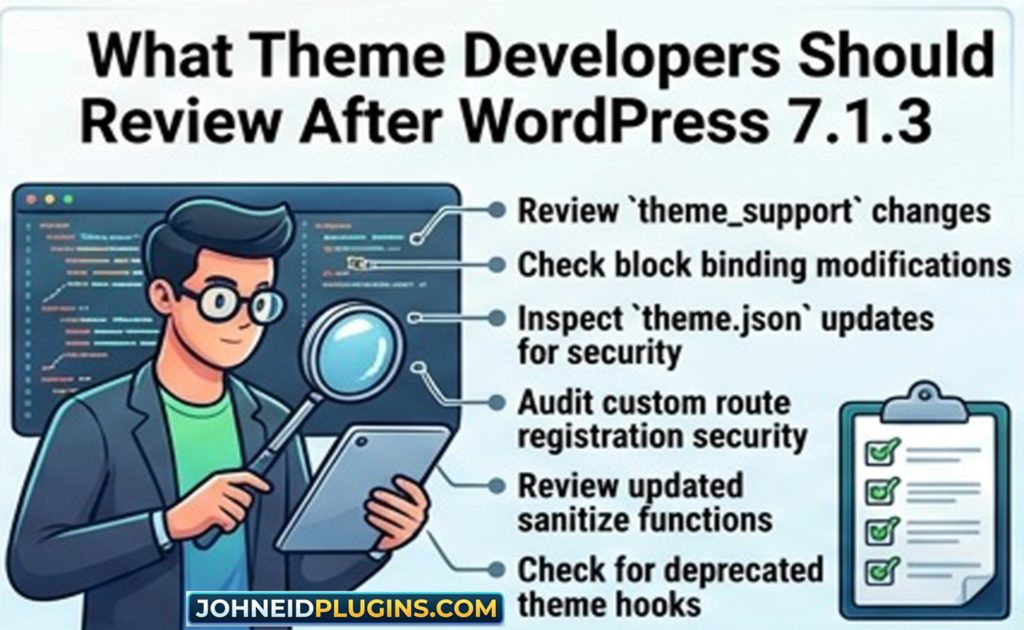
What Theme Developers Should Review After WordPress 7.1.3
Theme developers should perform a similar review.
Start with all dynamic output.
Search your theme for:
echoThen determine whether each dynamic value is escaped correctly.
Review:
- Theme options
- Customizer controls
- Block attributes
- Template variables
- User profile data
- Post metadata
- URLs
- Image paths
- CSS classes
- HTML attributes
- Custom JavaScript variables
Next, review all forms.
Ask:
- Does the form require a nonce?
- Is the submitted data validated?
- Is the user authorized?
- Is stored data sanitized appropriately?
- Is output escaped?
Then review database access.
Themes should generally avoid implementing unnecessary custom database logic.
If a theme requires complex application functionality, that functionality may belong in a plugin instead.
Do Not Put Critical Functionality Only in a Theme
From a security and architecture perspective, developers should carefully separate presentation from functionality.
A theme should generally focus on:
- Presentation
- Templates
- Styles
- Layout
- Design
- Theme-specific display behavior
Plugins are normally more appropriate for:
- Custom post types
- Business logic
- User management
- Custom APIs
- Complex data processing
- E-commerce
- Membership systems
- Site-wide functionality
This separation makes security maintenance easier.
If a site owner changes the theme, critical business functionality should not unexpectedly disappear.
Responsible Vulnerability Disclosure
What should a developer do if they discover a vulnerability?
Do not immediately publish detailed exploit information.
WordPress recommends responsible handling of security issues. The official guidance for plugin security issues advises researchers not to publicly disclose vulnerabilities before developers have an opportunity to fix them.
If the issue affects a WordPress.org plugin, developers should be contacted and the Plugins Team can be involved.
Theme vulnerabilities should likewise be reported privately rather than publicly.
The objective is simple:
Fix the vulnerability before making exploitation easier.
What Plugin Developers Should Do Now
If you maintain a WordPress plugin, use WordPress 7.1.3 as a trigger for a security audit.
Start with these steps.
Step 1: Update your development environment
Install WordPress 7.1.3 in a test environment.
Do not begin by testing directly on your production website.
Step 2: Run your automated tests
Run:
- Unit tests
- Integration tests
- REST API tests
- AJAX tests
- Database tests
- Frontend tests
Step 3: Review permissions
Test your plugin using different WordPress roles.
Pay particular attention to Author and Contributor-level accounts.
Step 4: Review output
Search for dynamic output and make sure the correct escaping function is used.
Step 5: Review database queries
Look for string concatenation in SQL queries.
Replace unsafe patterns with prepared queries or safer WordPress APIs.
Step 6: Review REST endpoints
Check every register_rest_route() call.
Confirm that each endpoint has an appropriate permission_callback.
Step 7: Review AJAX actions
Check every AJAX handler.
Confirm that privileged actions have appropriate authorization and request verification.
Step 8: Review external requests
Audit uses of the WordPress HTTP API.
Check URL validation, redirects, timeouts, and response handling.
Step 9: Review third-party integrations
Audit embeds and external services.
Treat third-party content as an untrusted input boundary.
Step 10: Release a compatibility update if necessary
If WordPress 7.1.3 exposes a compatibility problem in your plugin, fix it and communicate clearly with users.
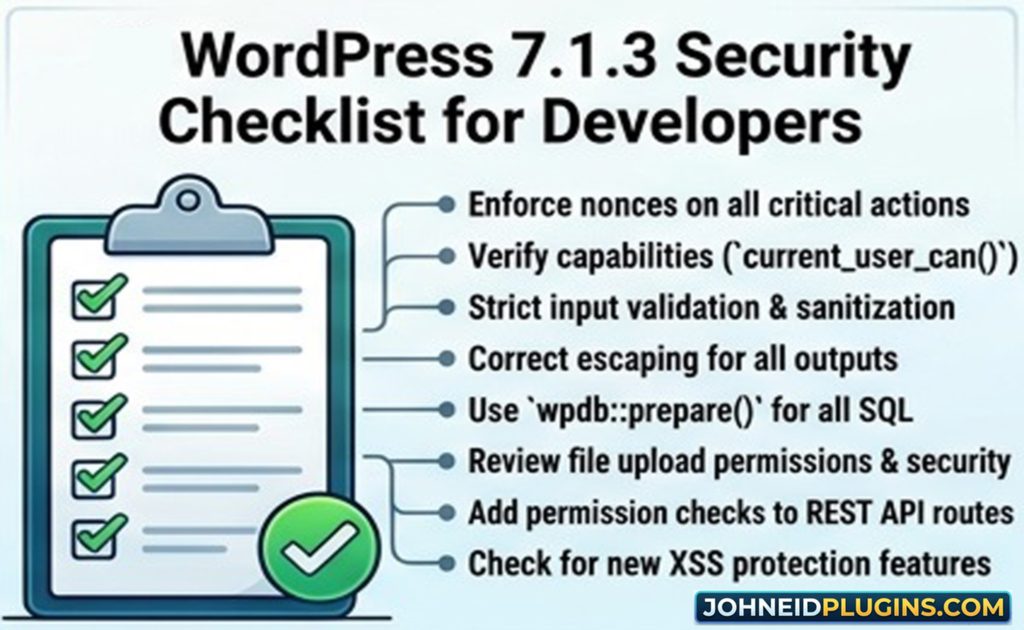
A WordPress 7.1.3 Security Checklist for Developers
Here is a concise checklist you can keep with your plugin or theme development workflow.
Input security
- Validate user input.
- Sanitize data appropriately.
- Never trust
$_GET,$_POST,$_REQUEST, or uploaded files. - Validate REST API parameters.
- Validate AJAX parameters.
- Restrict accepted values where possible.
Output security
- Use
esc_html()for HTML text. - Use
esc_attr()for attributes. - Use
esc_url()for URLs. - Use
esc_js()where appropriate for JavaScript contexts. - Use
wp_kses()when controlled HTML must be allowed. - Escape data at output.
Authorization
- Check capabilities.
- Do not treat nonces as authorization.
- Protect REST endpoints.
- Protect AJAX actions.
- Test lower-privileged users.
- Protect object-level operations.
Database
- Use
$wpdb->prepare(). - Avoid SQL string concatenation.
- Validate dynamic identifiers.
- Review stored values for second-order vulnerabilities.
- Avoid unnecessary custom SQL.
HTTP
- Validate external URLs.
- Restrict protocols.
- Set sensible timeouts.
- Consider redirects.
- Limit resource consumption.
- Treat remote responses as untrusted.
Third-party content
- Review embed providers.
- Validate URLs.
- Avoid blindly rendering remote HTML.
- Review external JavaScript.
- Keep dependencies updated.
Development process
- Test against the latest WordPress version.
- Test multiple user roles.
- Run static analysis.
- Follow WordPress Coding Standards.
- Maintain automated tests.
- Review security before releases.
- Monitor WordPress security announcements.
Why Security Updates Should Never Be Ignored
Some developers postpone security updates because they are afraid an update might break their plugin.
That concern is understandable.
However, postponing a security update indefinitely can leave websites exposed.
The better approach is not:
Never update WordPress.
The better approach is:
Test WordPress updates quickly and maintain compatibility with supported releases.
WordPress itself recommends keeping WordPress, plugins, and themes up to date. Its administration security guidance also emphasizes that security is continuous work involving both prevention and recovery.
Plugin developers are part of this ecosystem.
If a plugin remains incompatible with current WordPress security fixes, its users may be forced to choose between an outdated WordPress installation and an outdated plugin.
Neither is desirable.
Security Is a Product Feature
Developers sometimes think of security as something that happens after functionality is complete.
That mindset should change.
Security is a product feature.
A secure plugin is easier to trust.
A secure theme is easier to maintain.
A secure update process protects users.
A secure API makes integrations safer.
A secure database layer reduces the risk of data compromise.
For plugin developers building commercial or free products, security can also become part of the product’s reputation.
Users want to know:
- Is the plugin maintained?
- Does the developer respond to security problems?
- Are updates released regularly?
- Does the plugin follow WordPress standards?
- Is the code trustworthy?
- Does the developer take compatibility seriously?
These questions increasingly influence software purchasing and installation decisions.
How WordPress 7.1.3 Changes the Developer Mindset
The most important lesson from WordPress 7.1.3 is not any individual vulnerability.
It is the broader security mindset.
A developer should constantly ask:
What if this value is malicious?
What if this user has fewer permissions?
What if this endpoint is called directly?
What if this database value was created by an attacker?
What if this URL redirects somewhere unexpected?
What if this external service returns malicious content?
What if this hook parameter is manipulated?
What if this feature is used in a way I did not anticipate?
This mindset is more powerful than memorizing individual WordPress functions.
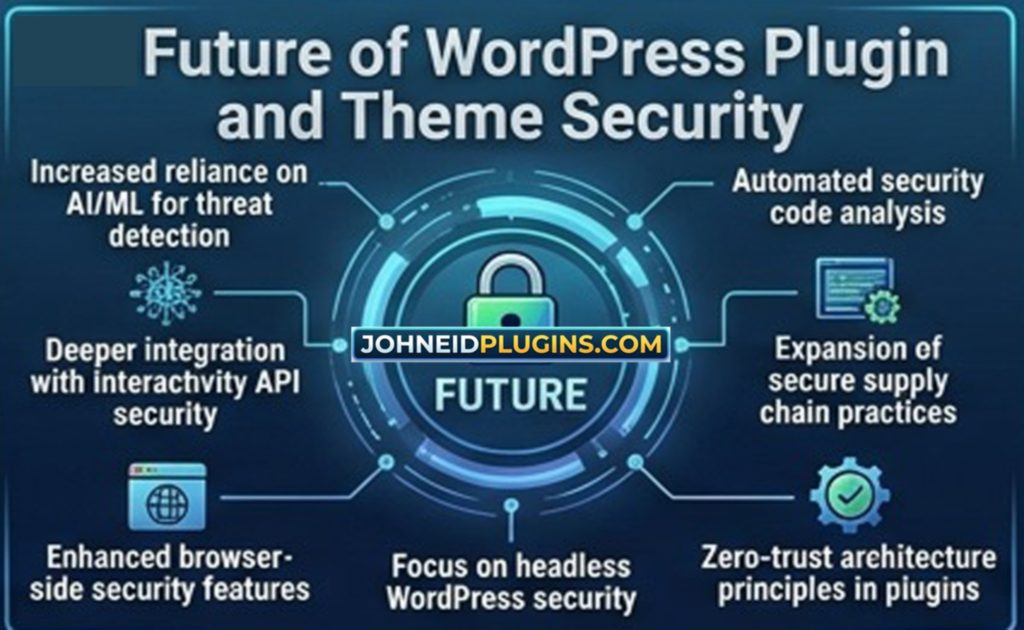
The Future of WordPress Plugin and Theme Security
WordPress development continues to evolve.
Modern WordPress includes:
- Block themes
- Gutenberg
- REST APIs
- JavaScript applications
- Custom blocks
theme.json- SVG icon systems
- External API integrations
- AI-powered development workflows
- More automated plugin security analysis
As the platform becomes more powerful, the attack surface also becomes more complex.
Developers therefore need to understand security at multiple levels:
PHP security
JavaScript security
HTML security
Database security
REST API security
HTTP security
User authorization
Third-party dependency security
Deployment security
A modern WordPress developer should not consider security a separate specialty that only security teams handle.
Security should be integrated into everyday development.
Final Thoughts: What WordPress 7.1.3 Really Means for Developers
WordPress 7.1.3 is an important security and maintenance release containing seven security fixes and four bug fixes. The affected areas range from stored XSS and denial-of-service behavior to SQL injection, authorization weaknesses, information disclosure, embed security, and dynamic hook behavior.
For website owners, the immediate priority is straightforward:
Update WordPress.
For plugin and theme developers, the responsibility is broader.
Developers should examine their own software and ask whether similar classes of mistakes exist in their code.
Review your:
- Input validation
- Sanitization
- Output escaping
- SQL queries
- Capabilities
- Nonces
- REST API endpoints
- AJAX handlers
- HTTP requests
- File uploads
- Third-party integrations
- Dynamic hooks
- Theme templates
- Automated tests
The official WordPress security guidance emphasizes a simple but powerful philosophy: do not trust data simply because it came from somewhere that appears familiar. Validate what you accept, sanitize appropriately, escape what you output, use WordPress APIs, and keep your code maintained.
WordPress 7.1.3 should therefore be viewed not merely as another update notification.
It is a reminder that every plugin and theme is part of the WordPress security ecosystem.
A vulnerability in one component can affect thousands of websites. A well-designed security fix can protect millions of users. And a developer who builds security into every stage of development can significantly reduce the risk of becoming the next source of a serious vulnerability.
For developers at johneidplugins.com and throughout the WordPress ecosystem, the goal should be clear:
Build functionality that works, but build it securely.
Security should not be an afterthought added when a vulnerability is discovered.
It should be part of the architecture from the first line of code.
Frequently Asked Questions About WordPress 7.1.3 Security
Is WordPress 7.1.3 a security release?
Yes. WordPress 7.1.3 is officially described as a maintenance and security release and contains seven security fixes and four bug fixes. WordPress recommends updating sites immediately.
When was WordPress 7.1.3 released?
WordPress 7.1.3 was released on October 6, 2026. It is listed as the latest release in the WordPress 7.1 branch.
Does WordPress 7.1.3 require plugin developers to change their plugins?
Not necessarily. However, developers should test their plugins against the new release and review security-sensitive functionality, particularly code involving permissions, SQL queries, HTTP requests, embeds, comments, REST APIs, and dynamic hooks.
Are WordPress plugins affected by WordPress core security vulnerabilities?
A WordPress core vulnerability does not automatically mean every plugin is vulnerable. However, plugins that interact with affected APIs or reproduce similar insecure patterns may require review and updates.
Are WordPress themes affected by WordPress 7.1.3?
Themes may not be directly affected by every core security fix, but theme developers should still test their themes against the latest WordPress version and review common vulnerabilities such as XSS, CSRF, unsafe database queries, and improperly handled dynamic output.
Are WordPress nonces enough to secure a plugin?
No. WordPress explicitly states that nonces should not be relied upon for authentication, authorization, or access control. Capability checks should be used to determine whether a user is permitted to perform an action.
What is the most important security practice for WordPress plugin developers?
There is no single security function that solves every problem. A strong security process combines input validation, appropriate sanitization, output escaping, capability checks, safe database queries, secure REST and AJAX endpoints, dependency management, testing, and regular maintenance.
Should developers test WordPress updates before applying them?
Yes. Developers should maintain a testing environment where plugins and themes can be tested against current WordPress releases before production deployment.
What should I do if I discover a vulnerability in my plugin?
Handle the issue responsibly, fix the vulnerability, and communicate appropriately with affected users. If the plugin is hosted on WordPress.org, follow the WordPress Plugin Team’s security reporting and remediation process rather than publicly publishing exploitable details prematurely.
Where can developers learn more about WordPress security?
The WordPress Developer Resources provide official documentation covering security principles, validation, sanitization, escaping, nonces, common vulnerabilities, plugin security, and theme security. These resources should be part of every WordPress developer’s reference library.