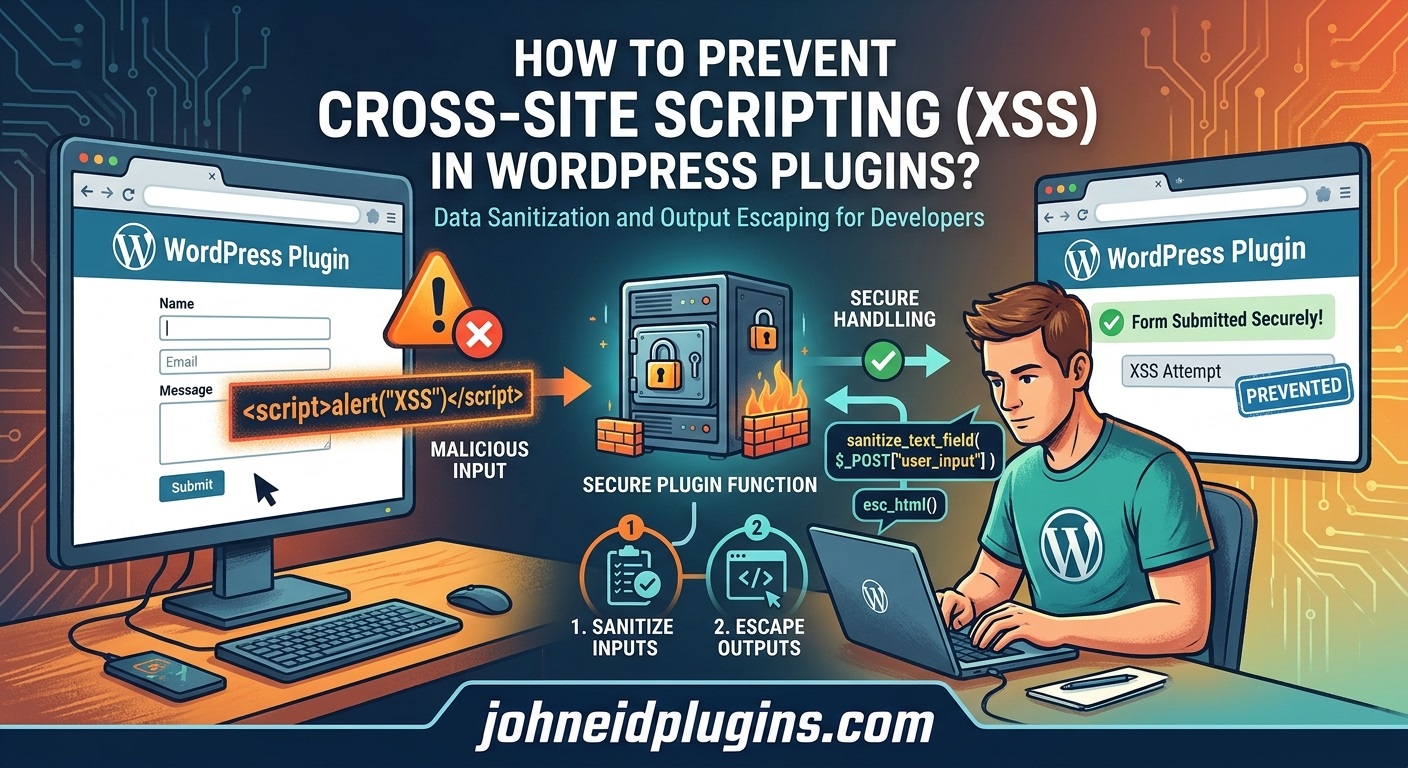
Introduction
WordPress plugins extend website functionality by introducing custom features, administrative tools, frontend components, forms, widgets, shortcodes, and integrations with external services. However, every additional feature that accepts, processes, stores, or displays user-controlled information can introduce potential security risks.
One of the most common security vulnerabilities affecting web applications is Cross-Site Scripting (XSS). This vulnerability occurs when an application handles untrusted data incorrectly and allows malicious JavaScript or other executable browser content to appear in a webpage.
In WordPress plugins, XSS vulnerabilities can originate from poorly sanitized form submissions, insecure shortcode attributes, improperly handled AJAX requests, unsafe database output, and dynamically generated HTML. An attacker may exploit these weaknesses to execute scripts in another visitor’s browser, manipulate website content, steal accessible session information, or perform unauthorized actions within the affected user’s browser context.
The consequences depend on the vulnerability, the privileges of the affected user, and the website’s security configuration. An XSS vulnerability affecting an administrator can be particularly dangerous because administrators have extensive control over WordPress settings, plugins, themes, and website content.
Fortunately, developers can prevent most XSS vulnerabilities by following established security practices. WordPress provides dedicated functions for sanitizing input, validating data, escaping output, and protecting requests. When used correctly, these functions significantly reduce the likelihood of introducing script-injection vulnerabilities.
This guide explains how to prevent Cross-Site Scripting in WordPress plugins, identifies common development mistakes, and demonstrates practical PHP examples that developers can implement when building secure WordPress functionality.
1. Understand What Cross-Site Scripting (XSS) Means
Cross-Site Scripting is a security vulnerability that allows an attacker to inject malicious content into a webpage that is subsequently displayed to another user.
Although the injected content may originate from a database, URL parameter, form submission, or external source, the vulnerability generally occurs because an application fails to handle untrusted data safely before displaying it.
For example, imagine a WordPress plugin that allows website visitors to submit comments through a custom form. The plugin stores submitted information and later displays it in an administrative dashboard.
If the developer inserts the submitted information directly into HTML without proper escaping, an attacker might submit JavaScript instead of ordinary text.
When an administrator opens the affected dashboard page, the browser may interpret the injected content as executable code.
This situation demonstrates why developers must never assume that information submitted through a WordPress form is safe.
Common Types of XSS Vulnerabilities
There are three major categories of Cross-Site Scripting vulnerabilities.
Stored XSS
Stored XSS occurs when malicious content is saved in a database and executed when another user views the affected page.
For example, a plugin may store a visitor’s name, product description, testimonial, or custom message without properly validating and sanitizing the submitted information.
If the plugin later displays that information without contextual output escaping, the stored content may become an XSS vulnerability.
Stored XSS is particularly concerning because the malicious content can affect multiple users over time.
Reflected XSS
Reflected XSS occurs when an application includes untrusted request data in an immediate response without properly escaping it.
For example, a plugin might display a search term from a URL parameter directly inside an HTML heading.
An attacker could create a specially crafted URL containing malicious input and encourage another user to open it.
If the plugin handles the parameter incorrectly, the browser may execute the injected script.
DOM-Based XSS
DOM-based XSS occurs when JavaScript running in the browser processes untrusted data and inserts it into the webpage through unsafe DOM operations.
For example, a plugin’s JavaScript file might read information from the URL and insert it using innerHTML.
If that information contains executable HTML, it may create a client-side XSS vulnerability.
Developers should understand all three categories because securing PHP output alone does not automatically protect JavaScript functionality.
2. Follow the WordPress Security Philosophy: Validate, Sanitize, and Escape
One of the most important WordPress security practices is understanding the difference between validation, sanitization, and escaping.
These three operations serve different purposes and should not be treated as interchangeable.
Validation determines whether submitted information meets the expected requirements.
Sanitization removes or transforms unwanted characters and content to produce data suitable for a particular purpose.
Escaping makes information safe for its intended output context, such as HTML, HTML attributes, JavaScript, or URLs.
For example, consider a plugin setting that allows administrators to enter a website title.
A developer should:
- Validate that the submitted value is a string.
- Sanitize the value using an appropriate WordPress function.
- Store the sanitized value.
- Escape the stored value whenever it is displayed.
WordPress provides several functions for these operations.
Useful official documentation includes:
Understanding these concepts is the foundation of secure WordPress plugin development.
3. Use the Correct WordPress Sanitization Functions
WordPress includes several built-in sanitization functions that help developers process untrusted input safely.
Choosing the correct function depends on the type of information your plugin accepts.
Here are some commonly used functions:
| WordPress function | Recommended purpose |
|---|---|
sanitize_text_field() | Plain text input |
sanitize_textarea_field() | Multiline text |
sanitize_email() | Email addresses |
sanitize_key() | Keys containing lowercase alphanumeric characters, underscores, and hyphens |
sanitize_title() | URL-friendly titles and slugs |
esc_url_raw() | URLs intended for storage |
absint() | Non-negative integer values |
sanitize_file_name() | File names |
wp_kses() | HTML restricted to explicitly allowed elements and attributes |
wp_kses_post() | HTML permitted in WordPress post content |
For example, consider a plugin settings page that allows administrators to enter a custom heading.
A developer can process the submitted value as follows:
if ( isset( $_POST['custom_heading'] ) ) {

    $custom_heading = sanitize_text_field(
        wp_unslash( $_POST['custom_heading'] )
    );

    update_option(
        'my_plugin_custom_heading',
        $custom_heading
    );
}
In this example:
isset()checks whether the expected field exists.wp_unslash()removes slashes added by WordPress request handling.sanitize_text_field()processes the submitted text.update_option()stores the resulting value.
This approach is appropriate for a simple text field, but it does not replace request verification, authorization checks, or output escaping.
Validate Data Before Sanitizing It
Validation is particularly useful when a plugin expects a specific type of information.
For example, imagine a plugin that accepts a numeric product ID.
Instead of accepting arbitrary strings, validate the submitted value:
$product_id = isset( $_POST['product_id'] )
    ? absint( wp_unslash( $_POST['product_id'] ) )
    : 0;

if ( $product_id <= 0 ) {
    return;
}
For more restrictive requirements, developers can use filter_var() or explicit conditional checks.
The objective is to reject information that does not meet the expected format rather than attempting to make every possible input acceptable.
You can learn more from the official WordPress sanitization documentation.
4. Always Escape Dynamic Output
Output escaping is one of the most important defenses against XSS vulnerabilities.
A common mistake in WordPress plugin development is assuming that information becomes safe after it has been stored in the database.
This assumption is incorrect.
Database content may originate from administrators, subscribers, visitors, imported files, third-party APIs, or other plugins. Even previously sanitized information may become unsafe when used in a different output context.
Therefore, developers should escape dynamic content immediately before displaying it.
Use esc_html() for HTML Content
When displaying ordinary text inside an HTML element, use esc_html().
Incorrect example:
$plugin_title = get_option( 'my_plugin_title' );

echo '<h2>' . $plugin_title . '</h2>';
This code directly inserts the stored value into the HTML document.
Correct example:
$plugin_title = get_option( 'my_plugin_title' );

echo '<h2>' . esc_html( $plugin_title ) . '</h2>';
The escaping function ensures that the value is displayed as text rather than being interpreted as HTML markup.
Use esc_attr() for HTML Attributes
When inserting dynamic information into an HTML attribute, use esc_attr().
For example:
$button_class = get_option( 'my_plugin_button_class' );

echo '<button class="' .
    esc_attr( $button_class ) .
    '">Click Here</button>';
This prevents untrusted attribute values from breaking out of their intended HTML attribute context.
Use esc_url() for URLs
URLs require appropriate escaping before being inserted into HTML attributes.
For example:
$website_url = get_option( 'my_plugin_website_url' );

echo '<a href="' . esc_url( $website_url ) . '">';
echo 'Visit Website';
echo '</a>';
Use esc_url() for URLs displayed in links, image sources, and other HTML URL attributes.
For stored URLs, esc_url_raw() is generally more appropriate.
Use esc_textarea() for Textareas
If your plugin displays previously stored information inside a textarea, use esc_textarea().
$description = get_option( 'my_plugin_description' );

echo '<textarea name="description">';

echo esc_textarea( $description );

echo '</textarea>';
Use wp_kses() When Allowing Specific HTML
Some plugins intentionally allow users to enter formatted HTML.
Examples include:
- Custom content editors.
- HTML widgets.
- Product descriptions.
- Custom announcement messages.
- Email templates.
In these situations, escaping everything with esc_html() may remove the intended formatting.
Instead, developers can use wp_kses() to allow only selected HTML elements and attributes.
$allowed_html = array(
    'a' => array(
        'href'  => array(),
        'title' => array(),
    ),
    'strong' => array(),
    'em'     => array(),
    'p'      => array(),
    'br'     => array(),
);

$custom_content = get_option(
    'my_plugin_custom_content'
);

echo wp_kses(
    $custom_content,
    $allowed_html
);
This approach allows selected formatting while restricting unsupported HTML.
For standard WordPress post-compatible HTML, developers can also use wp_kses_post().
Important: Do not assume that one escaping function works for every output location. HTML text, attributes, URLs, JavaScript, and CSS have different parsing rules.
For additional examples, consult the official WordPress Escaping Data handbook. WordPress Developer Resources+1
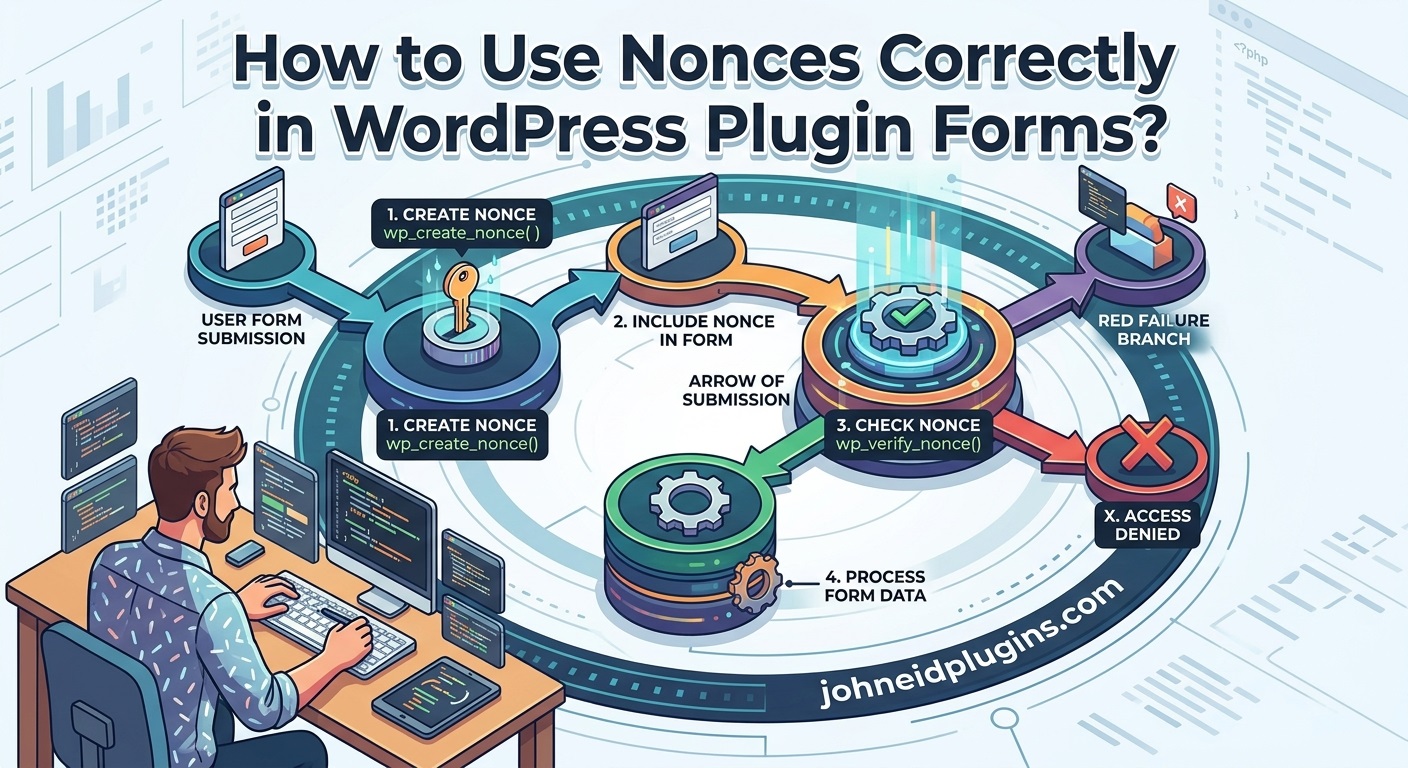
5. Protect Plugin Forms With WordPress Nonces
WordPress nonces are security tokens used to help verify that a request is associated with an intended action.
They are particularly important when plugins provide administrative forms, frontend submission forms, AJAX functionality, and operations that modify website information.
Although nonces are not a complete XSS defense, they are an important component of secure plugin development.
Generate a Nonce in a Plugin Form
Consider a plugin settings form that allows administrators to save a custom message.
Add a nonce field:
<form method="post">

    <input
        type="text"
        name="custom_message"
    >

    <?php
    wp_nonce_field(
        'my_plugin_save_settings',
        'my_plugin_nonce'
    );
    ?>

    <button type="submit">
        Save Settings
    </button>

</form>
Verify the Nonce Before Processing Input
On the server side, verify the submitted nonce:
if (
    isset( $_POST['my_plugin_nonce'] ) &&
    wp_verify_nonce(
        sanitize_text_field(
            wp_unslash( $_POST['my_plugin_nonce'] )
        ),
        'my_plugin_save_settings'
    )
) {

    $message = isset( $_POST['custom_message'] )
        ? sanitize_text_field(
            wp_unslash( $_POST['custom_message'] )
        )
        : '';

    update_option(
        'my_plugin_custom_message',
        $message
    );
}
For administrative operations, also verify that the current user has the required permissions.
For example:
if ( ! current_user_can( 'manage_options' ) ) {
    return;
}
A nonce does not replace authorization checks. WordPress nonces are not single-use authentication tokens and should not be treated as proof of user identity.
Developers can review the WordPress Nonces documentation for additional implementation guidance.
6. Secure WordPress AJAX Requests
AJAX functionality allows WordPress plugins to communicate with the server without requiring a complete page reload.
It is commonly used for:
- Saving plugin settings.
- Loading dynamic content.
- Updating dashboard information.
- Submitting frontend forms.
- Filtering products or posts.
- Managing image sliders and logo carousels.
- Processing custom search requests.
However, insecure AJAX handlers can introduce XSS vulnerabilities when submitted information is stored or returned without proper processing.
Create a Secure AJAX Handler
Consider an AJAX request that saves a custom message.
A secure implementation should verify the nonce, check permissions where required, validate input, and return an appropriate response.
add_action(
    'wp_ajax_my_plugin_save_message',
    'my_plugin_save_message'
);

function my_plugin_save_message() {

    check_ajax_referer(
        'my_plugin_ajax_action',
        'security'
    );

    if ( ! current_user_can( 'manage_options' ) ) {
        wp_send_json_error(
            array(
                'message' => 'Permission denied.'
            )
        );
    }

    $message = isset( $_POST['message'] )
        ? sanitize_text_field(
            wp_unslash( $_POST['message'] )
        )
        : '';

    update_option(
        'my_plugin_message',
        $message
    );

    wp_send_json_success(
        array(
            'message' => 'Settings saved successfully.'
        )
    );
}
The JavaScript responsible for sending this request should include the nonce.
When returning data through AJAX, developers must also consider how the browser will use that data. A JSON response does not automatically become safe when inserted into HTML.
For example, avoid inserting response values directly through innerHTML.
Use textContent when the intention is to display plain text.
fetch(ajaxurl, {
    method: 'POST',
    body: formData
})
.then(response => response.json())
.then(data => {

    if (data.success) {

        document.querySelector('#message').textContent =
            data.data.message;

    }

});
This prevents the returned message from being interpreted as HTML.
7. Prevent DOM-Based XSS in JavaScript Files
WordPress plugins frequently include JavaScript files to provide interactive frontend and administrative functionality.
Even when PHP input handling is secure, unsafe JavaScript operations can introduce DOM-based XSS vulnerabilities.
One common mistake is using innerHTML to insert untrusted information into a webpage.
Unsafe example:
const userMessage = window.location.search;

document.querySelector('#output').innerHTML =
    userMessage;
The problem is that innerHTML interprets supplied content as HTML rather than ordinary text.
A safer alternative is:
const userMessage = window.location.search;

document.querySelector('#output').textContent =
    userMessage;
Use textContent when displaying plain text.
Avoid Dangerous JavaScript Functions
Developers should carefully review the use of functions and properties that interpret strings as executable code.
Examples include:
eval()document.write()innerHTMLouterHTMLinsertAdjacentHTML()- String-based event handlers.
These APIs are not inherently vulnerable in every situation, but using them with untrusted information can create serious security problems.
Prefer safer DOM methods:
const message = document.createElement('p');

message.textContent = 'Your settings were updated.';

document.querySelector('#plugin-notice').appendChild(message);
This creates an HTML element and inserts the supplied text without interpreting it as markup.
Use addEventListener() Instead of Inline JavaScript
Avoid dynamically generating HTML that contains event-handler attributes.
For example, instead of creating a button with an inline onclick attribute, use:
const button = document.createElement('button');

button.textContent = 'Save';

button.addEventListener('click', function () {

    console.log('Button clicked');

});

document.querySelector('#plugin-container')
    .appendChild(button);
This separates application logic from HTML content and reduces the number of dangerous injection contexts.
The OWASP Cross-Site Scripting Prevention Cheat Sheet provides additional guidance about safe DOM operations and contextual output encoding. OWASP Cheat Sheet Series
8. Secure Shortcodes and Dynamic Plugin Content
WordPress shortcodes allow plugin developers to insert dynamic content into posts, pages, widgets, and other supported content areas.
However, shortcode attributes are not automatically trustworthy.
For example, consider a shortcode that displays a custom heading:
[my_plugin_heading title="Welcome"]
The plugin should process shortcode attributes before using them.
function my_plugin_heading_shortcode( $atts ) {

    $atts = shortcode_atts(
        array(
            'title' => 'Default Heading',
        ),
        $atts,
        'my_plugin_heading'
    );

    $title = sanitize_text_field(
        $atts['title']
    );

    return '<h2>' .
        esc_html( $title ) .
        '</h2>';
}

add_shortcode(
    'my_plugin_heading',
    'my_plugin_heading_shortcode'
);
The example uses sanitization to process the shortcode attribute and escaping to protect the generated HTML.
For more complex shortcodes, developers should also validate numeric values, URLs, CSS classes, and other attributes according to their intended purpose.
If a shortcode intentionally accepts formatted HTML, use an appropriate HTML allowlist rather than allowing arbitrary markup.
9. Secure WordPress REST API Endpoints
Many modern plugins communicate with external applications and services through the WordPress REST API.
Custom REST API endpoints may accept information from authenticated users, frontend applications, mobile applications, or third-party integrations.
Developers must ensure that information received through these endpoints is properly validated and handled.
Consider the following example:
add_action(
    'rest_api_init',
    function () {

        register_rest_route(
            'my-plugin/v1',
            '/message',
            array(
                'methods' => 'POST',

                'callback' => 'my_plugin_save_rest_message',

                'permission_callback' => function () {
                    return current_user_can(
                        'manage_options'
                    );
                },

                'args' => array(
                    'message' => array(
                        'required' => true,

                        'type' => 'string',

                        'sanitize_callback' =>
                            'sanitize_text_field',
                    ),
                ),
            )
        );

    }
);
The callback can process the validated request:
function my_plugin_save_rest_message( $request ) {

    $message = $request->get_param( 'message' );

    update_option(
        'my_plugin_rest_message',
        $message
    );

    return rest_ensure_response(
        array(
            'success' => true,
            'message' => 'Message saved successfully.',
        )
    );
}
The endpoint includes a permission callback and a sanitization callback.
However, developers should remember that REST API responses can still become dangerous if frontend JavaScript inserts returned strings into HTML unsafely.
A secure REST API implementation must therefore consider both server-side processing and client-side rendering.
Useful reference: WordPress REST API Handbook.
10. Never Trust Data From External APIs
Many WordPress plugins connect to third-party services to retrieve information such as:
- Product details.
- Weather information.
- Social media posts.
- Customer records.
- Payment notifications.
- Maps and geographical information.
- External images and descriptions.
A common security mistake is assuming that data received from a trusted external API is automatically safe.
External services can return unexpected HTML, malformed information, compromised content, or user-generated data.
For example, a plugin might retrieve a product description and display it on the frontend.
Unsafe approach:
echo $api_response['description'];A safer approach for plain text is:
echo esc_html(
    $api_response['description']
);
If formatted HTML is an essential requirement, process it using an appropriate allowlist:
echo wp_kses_post(
    $api_response['description']
);
The correct approach depends on the content the plugin is expected to display.
Developers should also validate the API response structure before accessing its fields. Never assume that an external service always returns the expected information.
11. Avoid Unsafe Inline JavaScript and CSS
Another potential source of XSS vulnerabilities is dynamically generated JavaScript or CSS.
For example, a plugin may allow administrators to configure a custom color, background image, or frontend message.
If these settings are inserted directly into executable code, attackers may be able to manipulate the generated output.
Consider this unsafe example:
$custom_message = get_option(
    'my_plugin_message'
);

echo '<script>';

echo "var message = '$custom_message';";

echo '</script>';
The stored value is being inserted into a JavaScript string without appropriate protection.
A better approach is to use WordPress script localization or an appropriately encoded JSON value.
For example:
wp_enqueue_script(
    'my-plugin-script',
    plugin_dir_url( __FILE__ ) . 'assets/js/script.js',
    array(),
    '1.0.0',
    true
);

wp_localize_script(
    'my-plugin-script',
    'myPluginData',
    array(
        'message' => get_option(
            'my_plugin_message',
            ''
        ),
    )
);
The JavaScript file can then access:
const message = myPluginData.message;

document.querySelector('#plugin-message').textContent =
    message;
For CSS settings, validate expected values and use safe output practices appropriate to the CSS context. Avoid inserting arbitrary user-controlled strings into CSS declarations.
For example, a color setting can be restricted to a hexadecimal color format before being used.
12. Use WordPress Capability Checks for Administrative Features
A WordPress plugin should never assume that every logged-in user has permission to access administrative functionality.
For example, subscribers, contributors, authors, editors, and administrators have different capabilities.
If a plugin provides settings pages, user-management tools, content modification features, or other sensitive functionality, developers should check the current user’s capabilities before processing requests.
Example:
function my_plugin_save_settings() {

    if ( ! current_user_can( 'manage_options' ) ) {
        wp_die(
            esc_html__(
                'You do not have permission to perform this action.',
                'my-plugin'
            )
        );
    }

    // Continue processing authorized settings.

}
Capability checks help prevent unauthorized users from accessing functionality they should not control.
They also reduce the potential impact of vulnerabilities involving stored content or administrative operations.
Remember that authorization and XSS prevention address different security concerns. Both should be implemented.
13. Implement Content Security Policy (CSP) as an Additional Security Layer
Content Security Policy (CSP) is a browser security mechanism that helps restrict the sources from which scripts, stylesheets, images, and other resources can be loaded.
A properly configured CSP can reduce the impact of certain XSS vulnerabilities by restricting the execution of unauthorized scripts.
For example, a website may configure a CSP header that restricts JavaScript execution to approved sources.
A simplified example is:
Content-Security-Policy: default-src 'self'; script-src 'self';However, this policy may break functionality that depends on inline scripts or external JavaScript libraries.
Developers should carefully test CSP policies before deploying them on production websites.
Some important CSP practices include:
- Prefer external JavaScript files over inline scripts.
- Avoid unsafe inline script execution.
- Use nonces or hashes when inline scripts are genuinely necessary.
- Restrict script sources to trusted domains.
- Review third-party JavaScript dependencies.
- Test policies using report-only mode before enforcing them.
CSP should be considered an additional security layer, not a replacement for proper input validation, sanitization, and output escaping.
For implementation guidance, consult the MDN Content Security Policy documentation.
14. Test WordPress Plugins for XSS Vulnerabilities
Writing secure code is important, but developers should also test their plugins to identify vulnerabilities before releasing them.
Security testing should be part of the development process rather than something performed only after a vulnerability is reported.
Here are several approaches developers can use.
Manual Security Testing
Start by reviewing every feature that accepts or displays dynamic information.
Pay particular attention to:
- Plugin settings pages.
- Frontend forms.
- Custom widgets.
- Shortcode attributes.
- AJAX handlers.
- REST API endpoints.
- User profile fields.
- Custom post types.
- Database-stored messages.
- External API responses.
Test whether unexpected HTML or script-like input is displayed as ordinary text or handled according to an explicit HTML allowlist.
Perform testing in a local or staging environment rather than on a production website.
Use WordPress Coding Standards
The WordPress Coding Standards provide recommendations for writing maintainable and secure WordPress code.
Developers can use PHP_CodeSniffer with the WordPress Coding Standards ruleset to identify potential problems.
Useful resources:
Automated code analysis can help identify missing escaping, suspicious output operations, and other coding issues.
However, automated tools cannot guarantee that a plugin is free from XSS vulnerabilities.
Use Static Analysis Tools
Static analysis tools examine source code without requiring the application to execute normally.
They can identify potentially dangerous operations and suspicious data flows.
Examples include:
Developers can configure these tools to detect unsafe use of HTML output functions, untrusted variables, and dangerous PHP or JavaScript operations.
Use OWASP Security Resources
The Open Worldwide Application Security Project (OWASP) provides useful security documentation for web application developers.
Its XSS prevention guidance explains how to identify dangerous output contexts and use appropriate protection techniques.
Read the OWASP XSS Prevention Cheat Sheet as part of your plugin security review.
15. Common XSS Prevention Mistakes WordPress Developers Should Avoid
Even experienced developers can introduce security vulnerabilities when they overlook small details.
The following mistakes are particularly important to avoid.
Mistake 1: Assuming administrators always submit safe information
Administrators can accidentally enter unsafe content, and administrator accounts can also be compromised. Validate, sanitize, and escape their data just as carefully as other input.
Mistake 2: Sanitizing information only when saving it
Sanitization does not replace output escaping. Stored information should still be escaped according to its output context.
Mistake 3: Using esc_html() for every situation
Different output contexts require different escaping functions. HTML text, attributes, URLs, and JavaScript need appropriate handling.
Mistake 4: Trusting database information
Information stored in the database may have originated from external services, imports, visitors, or other plugins. Database storage does not make information trustworthy.
Mistake 5: Assuming nonces prevent XSS
Nonces help verify request intent but do not sanitize input or escape output.
Mistake 6: Ignoring JavaScript security
Secure PHP code does not automatically protect browser-side operations. Review DOM manipulation, URL parameters, and dynamically generated HTML.
Mistake 7: Allowing arbitrary HTML
If a plugin needs to support formatted content, use an explicit HTML allowlist through wp_kses() or another maintained HTML sanitizer appropriate to the environment.
Mistake 8: Relying entirely on security plugins
Security plugins and Web Application Firewalls can provide additional protection, but they cannot reliably correct insecure code inside a custom plugin.
16. Create a WordPress Plugin XSS Security Checklist
Before releasing a new plugin version, developers should review the following security requirements.
WordPress Plugin XSS Prevention Checklist
0 of 20 completed
0%Validate all user-submitted information.Sanitize text fields, URLs, emails, and other inputs appropriately.Escape every dynamic value when displaying it.Use esc_html() for ordinary HTML text.Use esc_attr() for HTML attributes.Use esc_url() for URLs in HTML output.Use esc_textarea() for textarea content.Use wp_kses() when accepting restricted HTML.Verify nonces for relevant form and AJAX requests.Check user capabilities before administrative operations.Secure AJAX handlers and REST API endpoints.Avoid unsafe innerHTML and document.write() operations.Use textContent for plain-text JavaScript output.Review dynamically generated JavaScript and CSS.Validate data received from third-party APIs.Test stored, reflected, and DOM-based XSS scenarios.Run WordPress Coding Standards and static analysis tools.Review third-party libraries and keep dependencies updated.Test security changes in a staging environment.Perform a final security review before releasing the plugin.
Reset checklist
This checklist can be incorporated into a plugin’s internal quality assurance process to make security reviews more consistent.
17. Keep WordPress Plugins Updated and Maintain Security Regularly
Preventing XSS is not a one-time development task. Plugin developers must continuously review and maintain their code as WordPress, PHP, browsers, and third-party libraries evolve.
An implementation that was considered safe several years ago may require changes because of new browser capabilities, updated security recommendations, or newly discovered vulnerabilities.
Developers should establish a regular maintenance process that includes:
- Reviewing WordPress security announcements.
- Updating supported PHP versions and dependencies.
- Monitoring vulnerability disclosures.
- Reviewing security-related bug reports.
- Testing new plugin features before release.
- Reviewing changes to third-party APIs.
- Rechecking all dynamic output locations after modifications.
- Providing security updates when vulnerabilities are discovered.
For plugin developers, the WordPress Plugin Developer Handbook is a useful reference for maintaining compatibility and following WordPress development practices.
It is also beneficial to follow the WordPress Security Team for security-related developments within the WordPress ecosystem.
Conclusion
Cross-Site Scripting is a serious security concern for WordPress plugins because plugins frequently process information from users, databases, external APIs, frontend forms, administrative settings, and JavaScript applications.
A single unescaped variable can potentially introduce an XSS vulnerability, even when the remaining plugin functionality has been developed carefully.
The most effective prevention strategy is to follow a consistent security approach throughout the development process.
Validate incoming information, sanitize data according to its intended purpose, and escape dynamic output using the appropriate WordPress functions. Protect administrative forms and AJAX requests with nonces, implement capability checks, and review JavaScript code for unsafe DOM operations.
Developers should also test stored, reflected, and DOM-based XSS vulnerabilities before releasing plugin updates.
Most importantly, security should be considered an essential part of plugin quality rather than an optional improvement.
By following WordPress security guidelines, using established development tools, and regularly reviewing plugin code, developers can significantly reduce XSS risks and build more reliable, secure, and trustworthy WordPress plugins.
Frequently Asked Questions (FAQs)
1. What is an XSS vulnerability in a WordPress plugin?
An XSS vulnerability occurs when a WordPress plugin processes untrusted information incorrectly and allows malicious scripts or HTML to execute in another user’s browser. It commonly results from missing output escaping or unsafe JavaScript operations.
2. How can I prevent XSS attacks in WordPress plugins?
Use WordPress validation, sanitization, and escaping functions. Escape dynamic output using functions such as esc_html(), esc_attr(), and esc_url(). Also secure AJAX requests, REST API endpoints, and JavaScript DOM operations.
3. What is the difference between sanitization and escaping?
Sanitization processes input to remove or transform unwanted information. Escaping makes information safe for a particular output context. Both are important, but they serve different purposes.
4. Does sanitize_text_field() prevent all XSS attacks?
No. sanitize_text_field() is useful for processing ordinary text fields, but it is not a universal XSS protection mechanism. Developers must still escape information according to its output context.
5. Which WordPress function should I use to prevent XSS?
There is no single function that prevents every XSS vulnerability. Common functions include esc_html(), esc_attr(), esc_url(), esc_textarea(), wp_kses(), and wp_kses_post().
6. Can WordPress nonces prevent XSS vulnerabilities?
No. Nonces help verify that requests are associated with intended actions. They do not sanitize user input or escape dynamic output. They should be combined with appropriate security controls.
7. Can JavaScript introduce XSS vulnerabilities in WordPress plugins?
Yes. Unsafe use of innerHTML, document.write(), and other DOM manipulation methods can introduce DOM-based XSS vulnerabilities. Use safer alternatives such as textContent when displaying plain text.
8. How can I check whether my WordPress plugin contains XSS vulnerabilities?
Review input and output handling, manually test relevant features in a staging environment, and use tools such as PHP_CodeSniffer, PHPStan, Psalm, and Semgrep. Security testing should cover PHP and JavaScript functionality.
9. Is a WordPress security plugin enough to prevent XSS?
No. Security plugins and firewalls provide additional protection, but developers must fix vulnerabilities in the plugin’s source code. Proper validation, sanitization, escaping, and secure JavaScript practices remain essential.
10. Why is output escaping important in WordPress plugin development?
Output escaping ensures that untrusted information is interpreted as data rather than executable HTML or script content. It helps protect both frontend visitors and administrators from malicious content.