WordPress is one of the most flexible platforms for building business websites, online stores, membership platforms, blogs, and professional service websites. One of the main reasons for its popularity is its extensive plugin ecosystem, which allows website owners to add new features without modifying WordPress core files. However, as businesses grow, their requirements often become more specific than the functionality offered by existing plugins.
A business might need a custom booking system, advanced product filters, an automated reporting tool, a third-party API integration, a customer management solution, or a completely new feature that does not exist in the WordPress plugin directory. In these situations, hiring a professional WordPress plugin developer can be a practical investment.
Choosing the right developer is not always straightforward. Many individuals and companies advertise WordPress development services, but their technical knowledge, development standards, communication practices, and ability to deliver reliable solutions can vary significantly.
A poorly developed plugin can introduce security vulnerabilities, slow down a website, create compatibility problems, or cause unexpected errors after WordPress updates. On the other hand, a professionally developed plugin can improve business operations, automate repetitive tasks, enhance customer experiences, and provide functionality that supports long-term growth.
So, how do you choose a reliable WordPress plugin developer for your business?
This guide explains the most important factors to consider before hiring a developer, how to evaluate technical expertise, what questions to ask, and how to avoid common mistakes during the selection process.
1. Understand Your Business Requirements Before Hiring
Before searching for a WordPress plugin developer, clearly identify what you want to achieve. Hiring someone without defining your requirements can lead to misunderstandings, unnecessary development costs, and disappointing results.
Start by identifying the problem your business wants to solve.
For example, your requirements might include:
- Developing a completely new WordPress plugin.
- Customizing an existing plugin to support specific business requirements.
- Connecting WordPress with an external REST API.
- Creating a custom administration dashboard.
- Developing an advanced contact or booking form.
- Automating repetitive website management tasks.
- Integrating payment gateways or third-party services.
- Improving an existing plugin’s performance and security.
- Fixing compatibility problems between plugins and themes.
Once you understand the main objective, prepare a short project description explaining the expected functionality.
It is also useful to identify who will use the plugin. Some plugins are designed exclusively for website administrators, while others provide features for customers, registered members, editors, or visitors.
For example, a customer management plugin might require an administration dashboard for business owners and a separate frontend interface for customers.
The more clearly you describe the requirements, the easier it becomes to evaluate whether a developer understands your project.
2. Look for Specialized WordPress Plugin Development Experience
WordPress development includes several different areas, such as theme customization, website design, performance optimization, plugin development, and server administration.
A developer who specializes in building WordPress themes may not necessarily have the experience required to develop complex plugins.
When evaluating candidates, look specifically for experience in WordPress plugin development.
A professional plugin developer should understand:
- WordPress Plugin API.
- Actions and filters.
- PHP programming.
- WordPress database structure.
- Custom post types and taxonomies.
- WordPress settings API.
- Shortcodes and Gutenberg blocks.
- AJAX and JavaScript.
- REST API integration.
- WordPress user roles and capabilities.
- Plugin activation and deactivation hooks.
- Database queries and optimization.
These technologies form the foundation of professional plugin development.
You can also review the official WordPress Plugin Developer Handbook, which explains the architecture, development practices, security considerations, and tools used to build WordPress plugins.
A developer who understands these concepts is more likely to produce software that follows WordPress conventions rather than relying on temporary workarounds.
3. Review the Developer’s Previous Projects and Portfolio
A portfolio is one of the most useful ways to evaluate a WordPress plugin developer’s practical experience.
Instead of relying entirely on promotional descriptions, examine actual projects they have completed.
Look for examples of plugins that demonstrate the type of functionality you need.
For example, if your business requires a custom WooCommerce extension, prioritize developers who have experience building WooCommerce plugins.
If you need an API integration, look for projects involving external services, authentication, data synchronization, and error handling.
When reviewing a portfolio, consider the following:
Project complexity: Has the developer completed projects similar to yours?
Functionality: Do the showcased plugins include meaningful features rather than simple cosmetic changes?
User experience: Are the administration settings organized and easy to understand?
Compatibility: Do the plugins work with commonly used WordPress environments?
Documentation: Does the developer provide installation instructions and technical documentation?
Maintenance: Are previous projects receiving updates and improvements?
Whenever possible, ask for a demonstration of a completed project.
You can also request a description of the developer’s specific contribution. A development agency might showcase a large project, but you should establish whether the person you are hiring actually developed the plugin or performed a smaller part of the work.
A genuine portfolio supported by demonstrable results provides stronger evidence than general claims about experience.
4. Evaluate PHP and WordPress Programming Skills
PHP is the primary programming language used by WordPress. Therefore, a reliable WordPress plugin developer should have a strong understanding of PHP and how it interacts with the WordPress environment.
However, knowing basic PHP is not sufficient for professional plugin development.
A developer should understand object-oriented programming, functions, classes, namespaces, database interactions, error handling, and modern PHP practices.
They should also know how to use WordPress functions instead of unnecessarily recreating functionality that WordPress already provides.
For example, WordPress provides built-in functions for:
- Managing plugin settings.
- Registering custom post types.
- Creating administration menus.
- Managing users and permissions.
- Loading CSS and JavaScript files.
- Performing database operations.
- Handling HTTP requests.
- Scheduling background tasks.
Using appropriate WordPress APIs makes plugins easier to maintain and more compatible with the platform.
You can learn more about recommended development approaches through the official WordPress Plugin Best Practices.
Ask potential developers how they organize plugin files, prevent naming conflicts, and separate administration functionality from frontend functionality.
Their answers can reveal whether they understand maintainable plugin architecture.
5. Prioritize Plugin Security and Coding Standards
Security should be one of your highest priorities when hiring a WordPress plugin developer.
A plugin may handle sensitive information, customer records, payment-related operations, user submissions, or business data. Poorly implemented functionality can expose this information to unauthorized users.
A professional developer should understand common WordPress security practices, including:
Input validation: Checking submitted information to ensure it matches the expected format and requirements.
Data sanitization: Cleaning incoming data before storing or processing it.
Output escaping: Ensuring that displayed information cannot introduce harmful scripts or unexpected HTML.
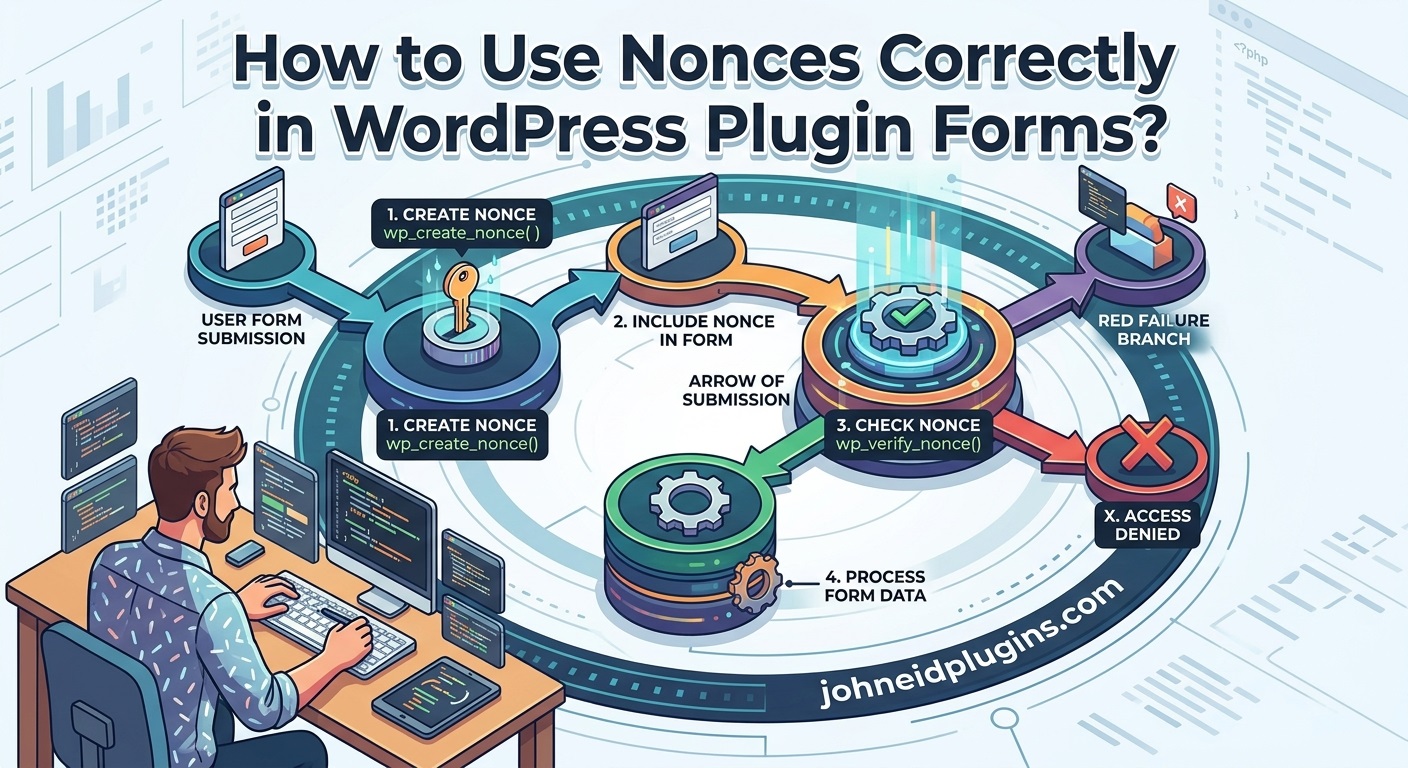
Nonce verification: Checking the origin and intent of requests to protect against certain types of cross-site request forgery.
Capability checks: Ensuring that users have the appropriate permissions before performing administrative actions.
Secure database queries: Using appropriate WordPress database methods and prepared queries to reduce SQL injection risks.
Authentication and authorization: Ensuring that sensitive operations are accessible only to authorized users.
A developer should also understand how to protect REST API endpoints and AJAX requests.
These practices are particularly important when developing plugins that allow users to upload files, modify settings, submit forms, or access private information.
The WordPress Plugin Security Handbook provides useful guidance on securing plugin functionality.
You can also review the OWASP Top 10 to understand common web application security risks.
Do not assume that a plugin is secure simply because it works correctly during a demonstration. Security requires deliberate development practices and appropriate testing.
6. Check Compatibility With WordPress, PHP, Themes, and Other Plugins
WordPress websites rarely operate with only one plugin. Most business websites use several plugins alongside a theme, hosting environment, caching system, and other third-party services.
Consequently, compatibility is an important consideration when choosing a plugin developer.
A poorly developed plugin might work correctly on a developer’s test website but fail when installed on a real business website.
For example, problems may occur because of:
- Conflicting JavaScript functions.
- Duplicate PHP function or class names.
- Incompatible PHP versions.
- Incorrectly loaded CSS files.
- Conflicts with existing plugins.
- Theme-specific styling problems.
- Outdated WordPress functions.
- Differences in server configurations.
A reliable developer should understand how to reduce these risks through proper coding practices and testing.
Ask whether the developer tests plugins with different WordPress configurations and commonly used PHP versions.
If your website uses WooCommerce, Elementor, a membership plugin, or another important extension, mention these dependencies before development begins.
You should also discuss how compatibility will be handled when WordPress, PHP, or third-party plugins receive updates.
A good developer considers compatibility during the development process instead of waiting for problems to appear after installation.
7. Examine the Developer’s Testing and Quality Assurance Process
Testing is an essential part of professional plugin development.
A plugin that appears functional during initial development may still contain errors that affect particular users, devices, configurations, or workflows.
For this reason, ask about the developer’s testing process before agreeing to a project.
A professional quality assurance process may include:
Functional testing: Checking whether every requested feature works as expected.
Compatibility testing: Verifying that the plugin works with the supported WordPress, PHP, theme, and plugin configurations.
Security testing: Reviewing permissions, input validation, output escaping, and potentially vulnerable operations.
Performance testing: Identifying inefficient database queries, unnecessary scripts, and resource-intensive operations.
Frontend testing: Checking layouts, responsiveness, forms, and interactive functionality.
Administration testing: Verifying settings pages, dashboard controls, notices, and administrative actions.
Error testing: Checking how the plugin responds to missing information, invalid inputs, unavailable services, and unexpected conditions.
For more advanced projects, automated testing can help identify problems before new versions are released.
You can ask whether the developer uses tools such as PHPUnit, WordPress test environments, PHP debugging tools, or code quality checks.
The important point is that testing should be part of the development agreement, not an optional activity performed only when something goes wrong.
8. Evaluate Communication and Project Management Skills
Technical expertise is important, but communication can significantly influence the success of a development project.
A developer might have excellent programming skills but still create problems if they fail to understand requirements, provide progress updates, or respond to important questions.
Before hiring someone, evaluate how they communicate.
A reliable developer should:
- Understand your business objectives.
- Explain technical concepts in understandable language.
- Ask relevant questions before starting development.
- Provide realistic project estimates.
- Communicate unexpected technical challenges.
- Share progress updates.
- Respond to feedback professionally.
- Explain completed work and remaining tasks.
It is also important to establish a preferred communication method.
Depending on the project, communication might take place through email, project management software, video meetings, or a dedicated messaging platform.
For larger projects, divide the development process into milestones.
For example:
- Requirements analysis and project planning.
- Plugin architecture and initial development.
- Administration functionality.
- Frontend functionality and integrations.
- Testing and debugging.
- Final delivery and documentation.
This approach helps both parties understand what has been completed and what remains.
Clear communication reduces misunderstandings and makes project management more predictable.
9. Compare Development Costs Without Choosing the Cheapest Option Automatically
Budget is an important factor for businesses, especially startups and small companies.
However, choosing a WordPress plugin developer solely because they offer the lowest price can create expensive problems later.
A low-cost development proposal may exclude important activities such as testing, documentation, security improvements, or post-delivery support.
Similarly, a high quotation does not automatically guarantee superior quality.
Instead of comparing prices alone, evaluate what each proposal includes.
Consider these factors:
- Project planning and requirements analysis.
- Plugin development and customization.
- User interface implementation.
- Third-party API integrations.
- Security practices.
- Testing and debugging.
- Installation and configuration.
- Documentation.
- Maintenance and support.
- Future update arrangements.
Ask for a detailed quotation that separates the major development tasks.
For example, a simple shortcode plugin may require considerably less development time than a complete inventory management system with user permissions, reporting, and external integrations.
The complexity of the project should influence the estimated cost.
You should also discuss the payment structure before development begins. Milestone-based payments can provide better transparency for larger projects because payments are connected to measurable deliverables.
The objective is to find a developer who offers reasonable value, not simply the lowest price.
10. Understand Plugin Ownership and Source Code Rights
Ownership is an important issue that businesses sometimes overlook when hiring developers.
Before development begins, establish who will own the completed plugin, its source code, design assets, documentation, and other deliverables.
This is particularly important when commissioning custom software for internal business operations.
Your agreement should explain:
- Whether the business receives the complete source code.
- Whether the developer can reuse general-purpose components.
- Whether third-party libraries are included.
- Which software licenses apply.
- Whether the business can modify the plugin later.
- Whether another developer can maintain the project.
- Whether the developer retains any proprietary components.
For custom plugin development, request access to the complete project files rather than receiving only an installed plugin.
Also establish whether the developer will provide the original development files, build instructions, and any required configuration information.
WordPress has specific licensing requirements and recommendations. You can review the WordPress Plugin Directory’s Detailed Guidelines for information about licensing and plugin distribution.
A written agreement helps protect both parties and prevents disagreements about ownership after project completion.
11. Check Whether the Developer Provides Documentation
Documentation is often overlooked during plugin development, but it is extremely valuable for long-term maintenance.
Without proper documentation, a business may struggle to understand how a plugin works or how to configure it after the original developer becomes unavailable.
A professional developer should provide documentation appropriate to the complexity of the project.
Useful documentation may include:
Installation instructions: Explaining how to upload, install, and activate the plugin.
Configuration instructions: Describing how to configure settings and enable functionality.
Feature documentation: Explaining how individual features work.
User instructions: Showing administrators and website users how to operate the plugin.
Troubleshooting guidance: Explaining common errors and possible solutions.
Technical documentation: Describing important functions, integrations, database structures, and dependencies.
Update instructions: Explaining how to install new versions safely.
For larger plugins, technical documentation should also explain the architecture and any external services involved.
Documentation makes future development easier and reduces dependency on one individual.
It also helps your business transfer maintenance responsibilities to another developer if necessary.
12. Ask About Maintenance, Updates, and Long-Term Support
Plugin development does not necessarily end when the first version is delivered.
WordPress regularly evolves, PHP versions change, and third-party services update their APIs. These changes can affect the functionality of custom plugins.
Therefore, you should understand the developer’s maintenance and support arrangements before hiring them.
Ask questions such as:
- Is post-development support included?
- How long does the initial support period last?
- Are bug fixes included?
- Are future feature additions charged separately?
- Does the developer provide compatibility updates?
- Can they investigate problems caused by WordPress updates?
- Is emergency support available?
- What happens if the developer becomes unavailable?
It is useful to distinguish between bug fixes, maintenance, and new feature development.
A bug fix corrects functionality that does not work according to the original requirements.
Maintenance helps keep the plugin compatible, secure, and operational.
New features introduce functionality that was not included in the original project.
These activities may have different pricing arrangements.
A reliable developer should explain these differences clearly.
You should also maintain regular website backups and test important plugin updates in a staging environment before applying them to a live business website.
13. Look for Experience With REST APIs and Third-Party Integrations
Modern business websites frequently exchange information with external platforms.
For example, an online store may need to synchronize product information with an inventory system, while a service business may want to connect WordPress with a customer relationship management platform.
These requirements often involve REST API development and integration.
If your project includes external services, choose a developer who understands:
- REST API requests and responses.
- API authentication.
- API keys and token management.
- JSON data processing.
- Request validation.
- Error handling.
- Rate limits.
- Data synchronization.
- Webhooks.
- Secure storage of credentials.
The developer should also understand how to handle situations when an external service becomes temporarily unavailable.
For example, a plugin connected to an external inventory service should not unnecessarily interrupt the entire WordPress website if the remote service stops responding.
Appropriate timeouts, error messages, caching, and retry strategies can make integrations more reliable.
The official WordPress HTTP API documentation is a useful reference for understanding how WordPress communicates with external services.
Choosing an experienced integration developer is particularly important when your business depends on accurate information being exchanged between multiple platforms.
14. Verify Reviews, References, and Professional Reputation
A developer’s professional reputation can provide additional information about their reliability.
Look for genuine customer reviews, testimonials, and references from previous projects.
Depending on where you find candidates, useful sources may include:
- WordPress.org Plugin Directory.
- WordPress.org Support Forums.
- Upwork.
- Fiverr.
- LinkedIn.
- Independent development company websites.
When examining reviews, look beyond the overall rating.
Read the actual feedback to understand whether customers mention:
- On-time delivery.
- Technical expertise.
- Communication.
- Problem-solving ability.
- Quality of completed work.
- Post-development support.
- Professional handling of revisions.
If possible, request references from previous clients with projects similar to yours.
You can ask how the developer handled unexpected problems, whether the final product met the requirements, and whether support was available after delivery.
Do not rely exclusively on testimonials published on a developer’s own website. Independent feedback and demonstrable project experience provide additional confidence.
15. Start With a Small Project or Paid Trial
If you are uncertain about a developer’s capabilities, consider starting with a smaller paid assignment.
This can be particularly useful when hiring someone for a large or technically complex project.
For example, before commissioning a complete custom inventory management plugin, you could ask the developer to build a small prototype demonstrating the most important functionality.
A paid trial can help you evaluate:
- Technical understanding.
- Code organization.
- Communication.
- Problem-solving.
- Delivery time.
- Ability to follow requirements.
- Testing practices.
It also allows the developer to understand your business environment before committing to a larger project.
However, make sure the trial has clearly defined deliverables and payment terms.
Do not expect extensive unpaid development work as part of the selection process.
A small, well-defined assignment provides a practical way to evaluate technical ability while limiting financial risk.
16. Identify Warning Signs Before Hiring a Developer
Knowing what to avoid is just as important as knowing what to look for.
Certain warning signs may indicate that a developer is not suitable for your business project.
Be cautious if a developer:
Promises unrealistic delivery times: Complex plugins require planning, development, and testing. Extremely short deadlines may indicate that important activities will be skipped.
Guarantees everything without reviewing requirements: A professional developer should understand the project before providing a reliable estimate.
Cannot demonstrate previous work: A lack of demonstrable experience makes technical evaluation more difficult.
Ignores security considerations: Security should not be treated as an optional improvement.
Uses undocumented code: Poorly organized code can make future maintenance expensive.
Refuses to provide source code: If your agreement requires source code ownership, refusing to provide it is a serious concern.
Does not offer clear communication: Avoid developers who repeatedly ignore questions or provide vague progress updates.
Requests full payment without clear terms: Large projects should have transparent deliverables and payment arrangements.
Avoids testing: A plugin should be tested before it is deployed on a production website.
Provides no maintenance plan: Even if ongoing support is not included, the developer should explain what happens after delivery.
One warning sign does not automatically prove that a developer is unreliable. However, several warning signs together should encourage you to evaluate other candidates.
17. Prepare the Right Questions Before Hiring
Before making your final decision, arrange a discussion with potential developers.
Ask questions that help you understand their experience, technical approach, and ability to manage your project.
Here are some useful questions:
- How many years of experience do you have in WordPress plugin development?
- Can you demonstrate plugins similar to the one I need?
- Which PHP and WordPress development practices do you follow?
- How do you protect plugins against common security vulnerabilities?
- How do you prevent conflicts with other plugins and themes?
- Which WordPress and PHP versions will you support?
- What testing methods do you use before delivering a plugin?
- Will I receive the complete source code?
- Will you provide installation instructions and documentation?
- How will you handle bugs discovered after delivery?
- Do you offer future maintenance and compatibility updates?
- How will project milestones and payments be organized?
Pay attention not only to the answers but also to how clearly the developer explains them.
A reliable developer should be comfortable discussing technical decisions and explaining why a particular approach is suitable for your business.
You do not need to understand every programming detail. However, you should receive enough information to make an informed decision.
18. Choose Between a Freelance Developer and a WordPress Development Company
Businesses can hire individual freelancers or work with specialized WordPress development companies.
Both options have advantages, and the right choice depends on the project.
Hiring a freelance WordPress plugin developer
Freelancers can be suitable for smaller projects, individual features, plugin customization, and maintenance tasks.
Potential advantages include:
- Direct communication with the developer.
- Flexible project arrangements.
- Lower overhead costs.
- Faster decision-making.
- Easier collaboration for small projects.
However, a freelancer may have limited availability or may need additional time to handle design, testing, and documentation.
Hiring a WordPress development company
A development company may be more suitable for larger projects that require multiple technical skills.
Potential advantages include:
- Access to a development team.
- Dedicated testing resources.
- Project management support.
- Broader technical expertise.
- Better capacity for long-term development.
However, agency services may involve higher costs and additional communication layers.
Before choosing either option, examine the actual people who will work on your project.
A company name alone does not guarantee quality, and an independent freelancer should not be underestimated simply because they work alone.
Evaluate experience, technical capabilities, communication, and project requirements rather than relying on the type of service provider.
19. Establish a Clear Development Agreement
Once you have selected a developer, put the important project details in writing.
A development agreement helps both parties understand their responsibilities and reduces the possibility of disputes.
Your agreement should cover:
- Project objectives.
- Required plugin functionality.
- Supported WordPress and PHP versions.
- Development milestones.
- Delivery deadlines.
- Project pricing.
- Payment schedule.
- Testing requirements.
- Source code ownership.
- Licensing and third-party dependencies.
- Documentation requirements.
- Bug-fixing arrangements.
- Maintenance and support terms.
It is also useful to define what qualifies as a revision and what counts as additional development work.
For example, correcting a feature that does not meet the original specification should normally be treated differently from adding an entirely new feature after development has begun.
You should also agree on how the plugin will be delivered and installed.
For a custom plugin, the final delivery might include an installable ZIP package, complete source code, documentation, and any necessary configuration instructions.
A clear agreement establishes expectations and provides a professional foundation for the working relationship.
20. Make Your Final Decision Based on Long-Term Value
The final decision should consider more than technical skills or development costs.
Think about how the plugin will support your business over the next several years.
A developer who understands your business requirements, follows WordPress development standards, prioritizes security, and provides maintainable code can become a valuable long-term technical partner.
Consider the following factors before making your decision:
- Relevant WordPress plugin development experience.
- Demonstrable portfolio.
- PHP and WordPress programming knowledge.
- Security awareness.
- Compatibility testing.
- Performance optimization.
- Communication and project management.
- Reasonable pricing.
- Source code ownership.
- Documentation.
- Maintenance and support.
The best developer is not necessarily the one who promises the most features or offers the lowest quotation.
Instead, choose someone who can understand your requirements, explain the proposed solution, deliver reliable functionality, and support the plugin throughout its useful life.
Conclusion
Choosing a reliable WordPress plugin developer is an important decision for any business that depends on its website for daily operations, customer engagement, online sales, or service delivery.
The right developer can transform business requirements into practical software solutions that improve website functionality, automate processes, and support future growth.
However, selecting the wrong developer can result in security problems, compatibility issues, poor performance, unexpected expenses, and ongoing maintenance difficulties.
Before hiring anyone, define your project requirements, review previous work, evaluate WordPress and PHP expertise, examine security practices, and ask about testing, documentation, ownership, and long-term support.
Compare proposals carefully and establish clear project milestones and responsibilities.
Most importantly, treat plugin development as a long-term investment rather than a one-time coding task.
A professionally developed WordPress plugin should be secure, maintainable, compatible, and easy to use. By choosing a developer who understands these principles, your business can build a stronger WordPress foundation and obtain custom functionality that supports its changing needs.
Whether you need a small plugin customization or a complete business application, investing time in selecting the right development partner can save money, reduce technical risks, and deliver better results over the long term.
Frequently Asked Questions (FAQs)
1. How do I find a reliable WordPress plugin developer?
Start by reviewing WordPress development portfolios, previous plugin projects, customer feedback, and technical experience. Look for developers who understand PHP, WordPress APIs, plugin security, compatibility testing, and long-term maintenance.
2. How much does custom WordPress plugin development cost?
The cost depends on project complexity, functionality, integrations, design requirements, testing, and developer experience. A simple plugin may require relatively little development work, while a complex business application can require a substantial investment. Request a detailed quotation before starting.
3. What skills should a professional WordPress plugin developer have?
A professional developer should understand PHP, JavaScript, WordPress APIs, MySQL, REST APIs, AJAX, plugin architecture, security practices, and database management. Experience with testing, debugging, and performance optimization is also valuable.
4. Should I hire a freelancer or a WordPress development company?
A freelancer may be suitable for smaller projects, customizations, and maintenance tasks. A development company may be more appropriate for larger projects requiring multiple specialists, project management, and ongoing development support.
5. How can I check the quality of a WordPress plugin developer’s work?
Review previous projects, request demonstrations, examine customer feedback, and ask about testing and security practices. You can also begin with a small paid assignment to evaluate the developer’s technical skills and communication.
6. Should a WordPress plugin developer provide source code?
For custom plugin projects, your agreement should clearly establish source code delivery and ownership rights. Receiving the complete source code makes future maintenance, modifications, and collaboration with other developers easier.
7. Why is plugin security important?
Plugins can access website data, process user submissions, and perform administrative operations. Poor security practices may expose websites to unauthorized access, data theft, or malicious code execution. Secure development helps reduce these risks.
8. Does a custom WordPress plugin require regular maintenance?
Yes. Maintenance helps keep plugins compatible with WordPress updates, PHP versions, themes, and third-party services. It also provides opportunities to fix bugs, improve performance, and address security issues.
9. What should be included in a custom WordPress plugin delivery?
A professional delivery should normally include the installable plugin ZIP, complete source code, installation instructions, configuration documentation, and any agreed technical information. Testing results and a changelog are also useful.
10. Can a WordPress plugin developer customize an existing plugin?
Yes. An experienced developer can extend existing functionality, create custom integrations, modify supported interfaces, and develop additional features. The customization approach should avoid directly modifying third-party plugin core files because those changes can be overwritten during updates.
11. How long does it take to develop a custom WordPress plugin?
Development time depends on the number of features, complexity, integrations, design requirements, and testing process. Small plugins may take a few days, while advanced business solutions may require several weeks or longer.
12. Why should businesses invest in custom WordPress plugin development?
Custom plugin development allows businesses to implement functionality that existing plugins may not provide. It can automate operations, improve workflows, integrate external services, and create solutions that match specific business requirements.