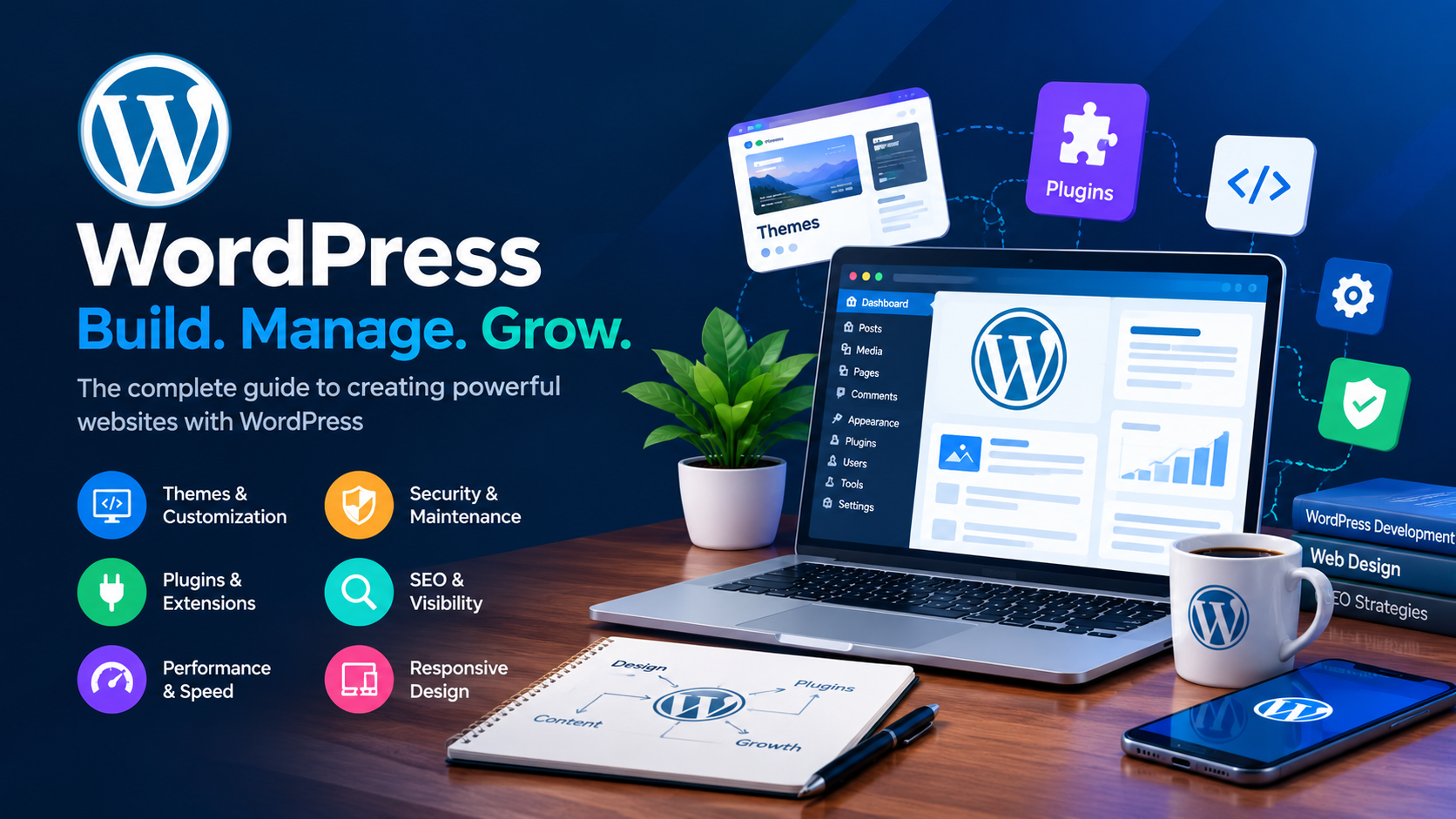
WordPress has transformed the way people and businesses create websites. What began as a blogging platform has developed into a flexible website publishing and content management system used for everything from personal blogs and portfolios to business websites, online stores, membership platforms, news publications, educational websites, and highly customized web applications.
One of the reasons for WordPress’s continued popularity is its flexibility. A website owner can start with a simple installation and gradually add functionality as the website grows. Themes can control the appearance of a website, while plugins can extend its capabilities. Developers can go even further by creating custom themes, plugins, integrations, and solutions specifically designed around the needs of a particular business.
For beginners, WordPress can provide an accessible way to establish an online presence. For experienced developers, it provides a powerful ecosystem that can be extended and customized in many different ways.
This comprehensive guide explains what WordPress is, how it works, why businesses use it, how themes and plugins work, how to maintain a WordPress website, and why professional WordPress development can be valuable when a website requires functionality beyond standard solutions.
What Is WordPress?
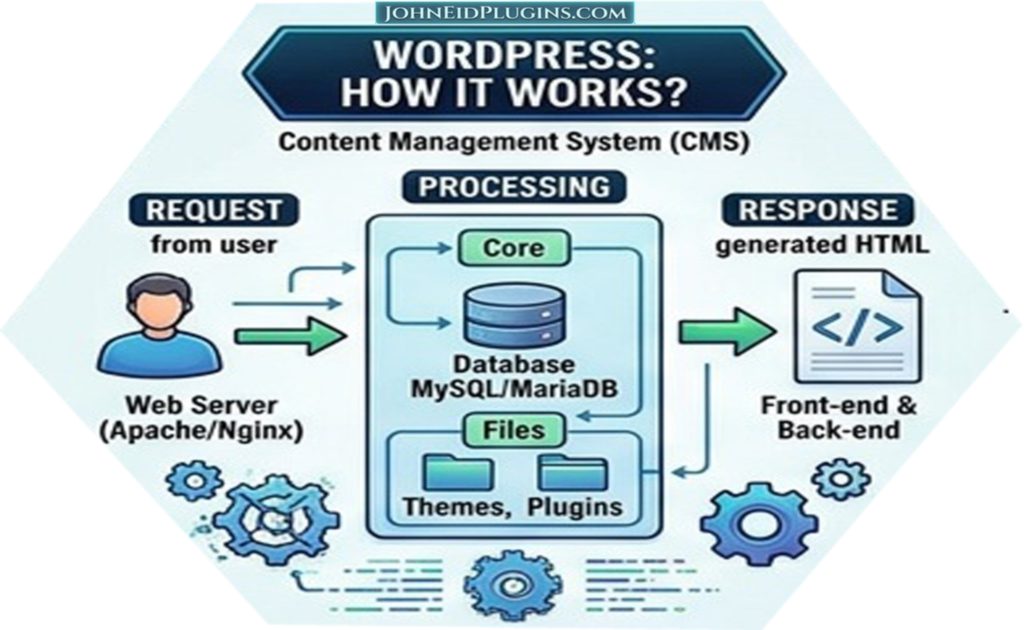
WordPress is a content management system that allows users to create, publish, organize, and manage content through a web-based administration interface. It is built primarily using PHP and commonly uses a MySQL or MariaDB database to store website information.
Instead of creating every page manually with HTML, CSS, and server-side programming, website owners can use WordPress to manage much of their website through an administrative dashboard.
The WordPress ecosystem consists of several important components, including:
- WordPress core
- Themes
- Plugins
- Posts
- Pages
- Media
- Users and permissions
- Categories and tags
- Widgets and blocks
- Database content
- Configuration settings
These components work together to create a complete website publishing environment.
WordPress is particularly useful because it separates much of the website’s content from its presentation and functionality. A website owner can often change the theme without recreating all of the website’s content. Similarly, functionality can be extended through plugins without rebuilding the entire website from scratch.
Why WordPress Is Popular?
There are many reasons WordPress has become an important platform for website development.
Easy Content Management
One of WordPress’s strongest features is its administration dashboard. Website owners can create pages, publish articles, upload images, manage menus, update settings, and perform many other tasks without needing to write code for every change.
This makes WordPress suitable for organizations where content needs to be updated regularly.
Flexible Design
WordPress themes provide a foundation for the visual appearance of a website. Thousands of free and commercial themes are available, while developers can also create completely custom designs.
A business can therefore choose a ready-made theme for a simple project or commission a custom WordPress theme when it needs a distinctive appearance and specialized functionality.
Extensible Functionality
Plugins allow WordPress to be extended beyond its default functionality.
A plugin can add a relatively small feature, such as a contact form or image slider, or provide an extensive system for e-commerce, memberships, bookings, analytics, content management, or external API integration.
This extensibility is one of the main reasons WordPress can serve websites with very different requirements.
Large Development Ecosystem
WordPress has a large community of designers, developers, agencies, hosting companies, plugin developers, theme developers, educators, and website owners.
This ecosystem means website owners can find documentation, development resources, plugins, themes, tutorials, and professional services for many common requirements.
WordPress for Business Websites
A professional business website needs more than an attractive design. It should communicate the company’s services, establish credibility, provide useful information, and make it easy for visitors to take action.
WordPress can provide a practical foundation for these requirements.
A business website can include:
- Home page
- About page
- Services pages
- Product pages
- Portfolio
- Testimonials
- Contact forms
- Blog
- Frequently asked questions
- Documentation
- Landing pages
- Download sections
- Customer portals
Because WordPress is flexible, these components can be combined according to the organization’s requirements.
For a software development company, for example, a WordPress website might contain dedicated service pages for web development, WordPress plugin development, plugin customization, installation, activation, maintenance, and technical support.
WordPress Themes Explained
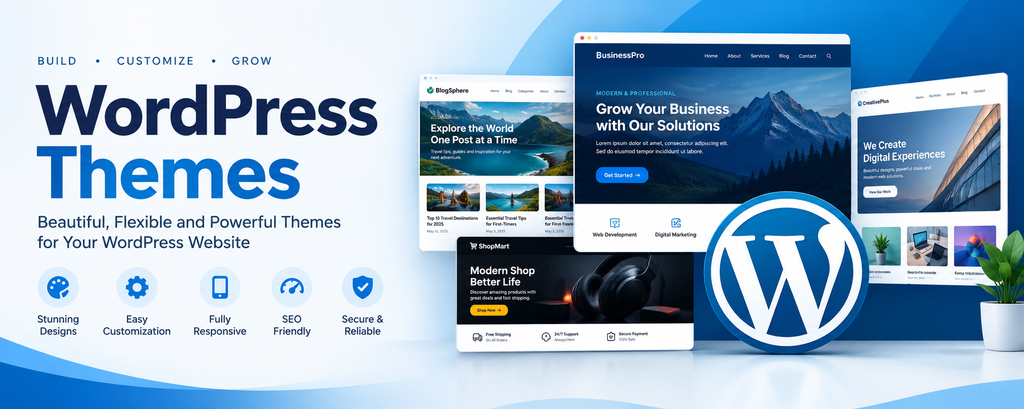
A WordPress theme controls many aspects of a website’s appearance and layout.
A theme can define:
- Header
- Footer
- Navigation
- Typography
- Colors
- Page layouts
- Blog layouts
- Archive pages
- Post layouts
- Templates
- Block styles
- Responsive behavior
Modern WordPress themes increasingly use the block editor and Site Editor, allowing users to modify layouts visually.
There are two broad approaches to WordPress themes.
The first is using an existing theme. This is often suitable when the theme already provides most of the required functionality and design.
The second is developing a custom theme. This approach provides greater control over design, structure, performance, and functionality.
Choosing between these approaches depends on the website’s requirements, budget, development time, and expected future changes.
WordPress Plugins Explained
Plugins are packages of code that extend WordPress functionality.
For example, a plugin can add:
- Contact forms
- Image sliders
- Logo carousels
- SEO features
- Security tools
- Caching
- E-commerce functionality
- Booking systems
- Membership systems
- Custom dashboards
- API integrations
- Custom content types
- Import and export functionality
A plugin can be very small or extremely complex.
The important concept is that a plugin should solve a particular problem without unnecessarily interfering with the rest of the website.
Why Custom WordPress Plugins Are Important?
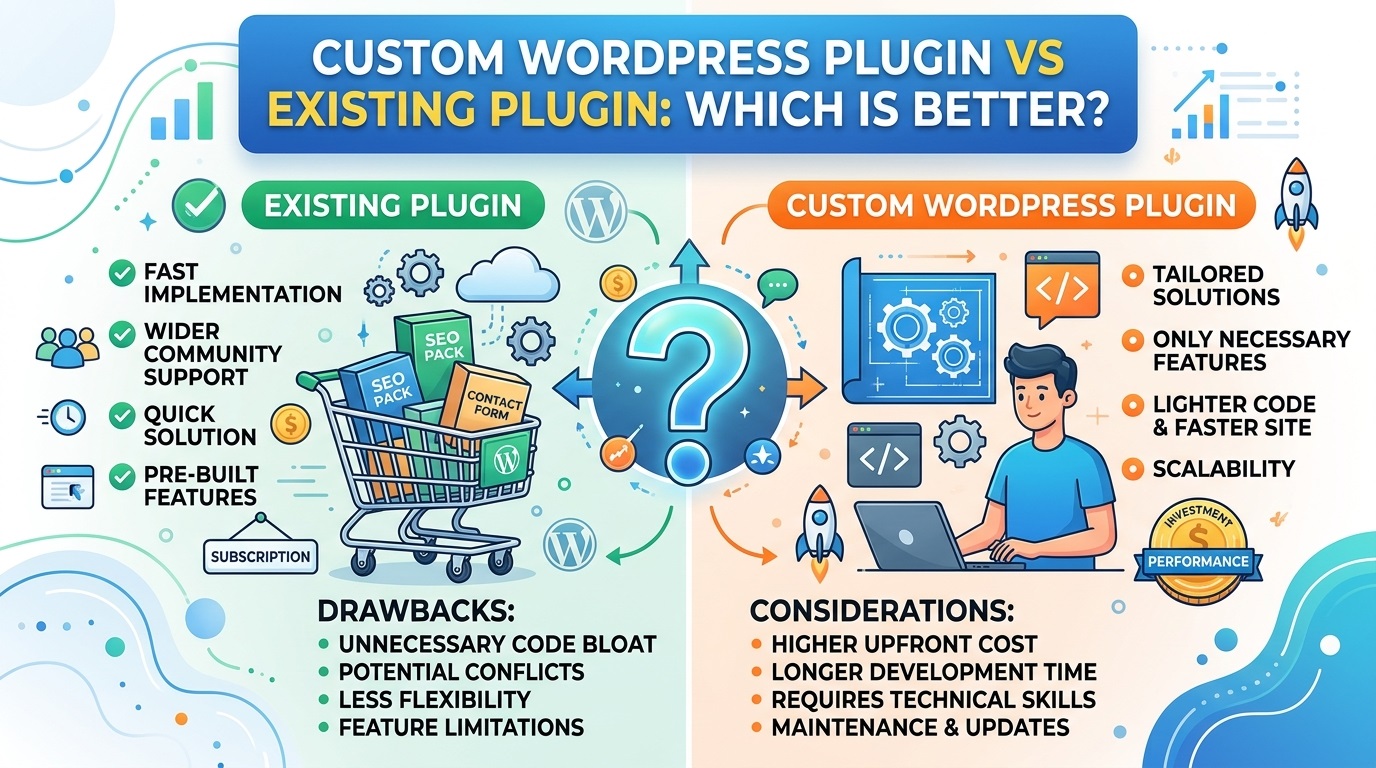
Although thousands of WordPress plugins are available, an existing plugin does not always provide exactly what a website owner needs.
A business may find a plugin that offers 80 percent of the required functionality but lacks several important features. Installing several additional plugins to fill those gaps can make the website more complicated.
A custom plugin may provide a more appropriate solution.
For example, suppose a company needs a custom service-request management system. Existing plugins may provide forms, but the business may need submitted requests to be assigned to specific staff members, categorized, tracked through different statuses, and connected to an external system.
A custom plugin can be designed around that workflow.
Custom plugin development can therefore provide functionality that is tailored to the actual requirements of the website rather than forcing the business to change its processes to fit a generic plugin.
WordPress Plugin Customization
Creating a new plugin is not always necessary.
Sometimes an existing plugin already provides most of the desired functionality, but the website owner needs modifications.
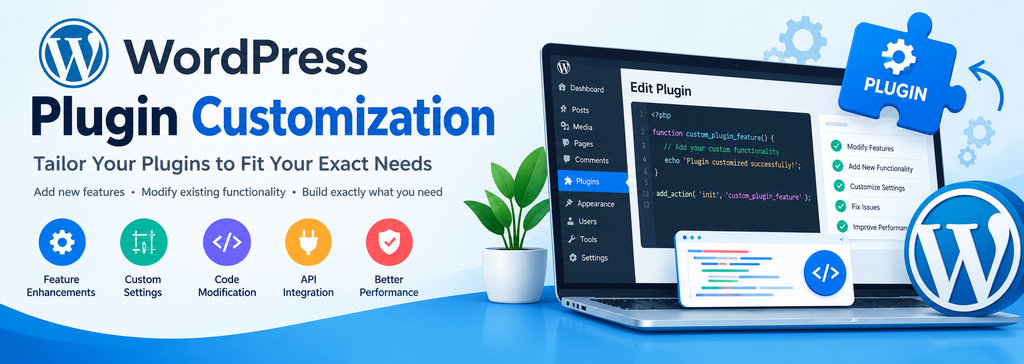
Depending on the plugin’s architecture, licensing terms, and development requirements, a developer or a website development company may be able to customize it or create an extension that works with it.
Examples of customization include:
- Changing the appearance of a plugin interface
- Adding additional fields
- Modifying output
- Adding new settings
- Changing specific behaviors
- Integrating another service
- Adjusting responsive behavior
- Adding shortcodes or blocks
- Improving compatibility
- Extending existing functionality
Professional developers should approach plugin customization carefully because directly modifying third-party plugin files can create maintenance problems when the original plugin is updated.
In many situations, a custom extension or properly structured customization is preferable to editing the original plugin files.
WordPress Plugin Installation and Activation
Installing a WordPress plugin is normally straightforward, but installation is only the first step. Hire a WordPress development company install and activate the WordPress plugins.
After installation, the plugin may need configuration.
A typical process can include:
- Installing the plugin.
- Activating the plugin.
- Reviewing its settings.
- Configuring required options.
- Connecting external services when necessary.
- Adding the plugin’s blocks, widgets, or shortcodes.
- Testing the functionality.
- Checking compatibility with the existing website.
- Verifying the responsive layout.
- Testing the final user experience.
Professional assistance can be useful when a plugin requires technical configuration or when the website owner is unfamiliar with WordPress administration.
WordPress Website Customization
WordPress can be customized at several levels.
A simple customization might involve changing colors or typography.
A more advanced customization could involve modifying templates, creating custom blocks, integrating APIs, developing custom database functionality, or building a specialized plugin.
Common customization requirements include:
- Custom headers
- Custom footers
- Custom navigation
- Service pages
- Landing pages
- Custom post types
- Custom fields
- Dynamic content
- Custom forms
- Search functionality
- Membership systems
- External API integrations
The best approach depends on the specific requirement. Hire a WordPress development company for WordPress customization.
WordPress and Responsive Web Design
A modern website must work across different screen sizes.
Visitors may access a website using:
- Desktop computers
- Laptops
- Tablets
- Smartphones
- Large monitors
Responsive design allows the layout to adapt to different screen widths.
A responsive WordPress website should consider typography, navigation, images, columns, buttons, spacing, forms, and interactive components.
Simply making a desktop layout smaller is not always enough. Elements may need to change their arrangement on mobile devices.
For example, a three-column service section might become a single-column layout on a smartphone.
Professional WordPress development should therefore include testing across multiple screen sizes.
WordPress Website Speed
Website performance affects user experience and can also influence search visibility.
A slow website can result from many factors, including:
- Poorly optimized images
- Excessive plugins
- Inefficient code
- Poor hosting
- Too many external scripts
- Unoptimized databases
- Missing caching
- Large CSS or JavaScript files
- Improperly configured third-party services
Improving performance usually requires identifying the actual bottleneck rather than simply installing another optimization plugin.
Useful performance practices include image optimization, caching, reducing unnecessary resources, optimizing database queries, using appropriate hosting, and minimizing unnecessary scripts. Hire a WordPress development company to improve speed.
WordPress Security
Security is an important part of website management.
A WordPress website can contain valuable information, customer data, administrator accounts, and business content. Security should therefore be considered throughout the website lifecycle.
Basic security practices include:
- Keeping WordPress updated
- Updating themes
- Updating plugins
- Using strong passwords
- Limiting unnecessary administrator accounts
- Using appropriate user roles
- Installing SSL/TLS
- Maintaining backups
- Monitoring suspicious activity
- Removing unused plugins and themes
- Using reputable software
Website security is not a one-time installation task. It is an ongoing process. Hire a WordPress development company to keep your website always secure.
WordPress Updates
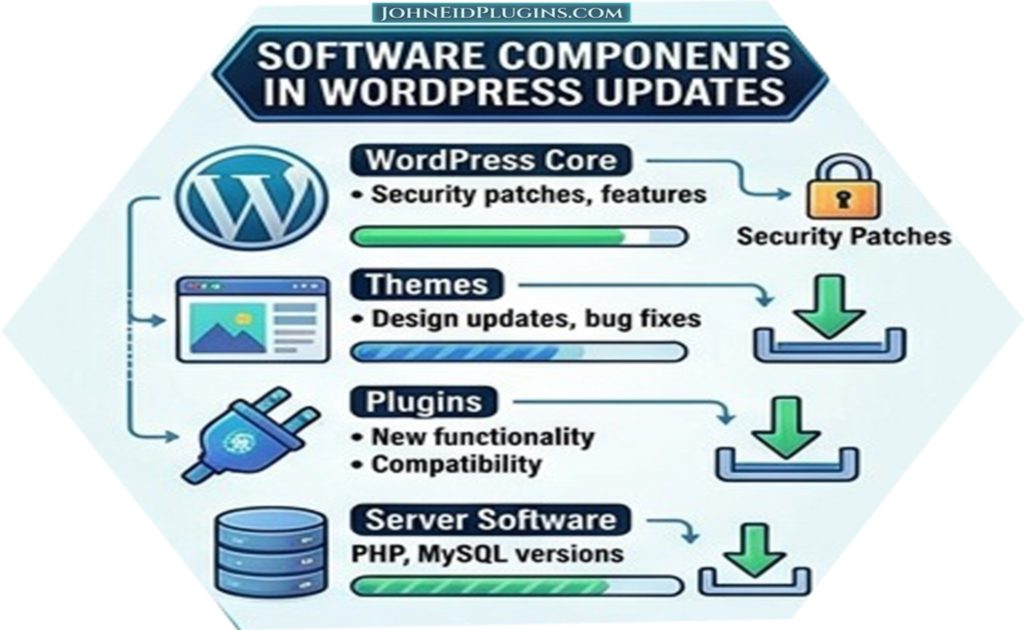
WordPress websites typically consist of multiple software components.
These can include:
- WordPress core
- Active theme
- Plugins
- PHP
- Database software
- Server software
Keeping these components updated can provide important improvements and security fixes.
However, updates should be handled carefully on important production websites.
A plugin update can occasionally introduce compatibility problems with another plugin or with the current theme. For business-critical websites, maintaining backups and testing significant updates before applying them to production can reduce risk.
WordPress SEO
Search engine optimization helps search engines understand website content and can improve the likelihood that useful pages are discovered by people searching for relevant information.
WordPress itself provides a useful foundation for SEO, but achieving strong organic visibility requires more than installing an SEO plugin.
Important SEO considerations include:
- Clear website structure
- Descriptive page titles
- Useful content
- Logical headings
- Internal linking
- Descriptive URLs
- Mobile usability
- Fast loading pages
- Image optimization
- Structured data where appropriate
- Quality backlinks
- Search intent
- Technical SEO
An SEO plugin can assist with many technical and editorial tasks, but it cannot replace high-quality content and a well-structured website. Hire a SEO specialist for your WordPress website.
WordPress Blogging
Blogging remains an effective way for businesses to publish educational and informative content.
A company providing WordPress services, for example, could publish articles about:
- WordPress plugin development
- WordPress customization
- Website security
- Website speed
- WordPress troubleshooting
- Theme customization
- Plugin installation
- WordPress SEO
- Web development
- Website maintenance
A useful blog can demonstrate expertise while providing visitors with practical information.
Instead of publishing articles simply to increase the number of pages on a website, businesses should focus on answering genuine questions and providing useful information.
Creating SEO-Friendly WordPress Content
SEO-friendly content should be written primarily for people while also being understandable to search engines.
A good article should have a clear topic and logical structure.
Headings can divide a long article into meaningful sections.
For example:
WordPress Plugin Development
What Is a WordPress Plugin?
Why Businesses Need Custom Plugins?
Benefits of Custom Plugin Development
How Plugin Development Works
This structure helps readers scan the article and understand its organization.
Keywords should be used naturally rather than repeated excessively.
Search engines have become increasingly sophisticated, so content should focus on answering the user’s question comprehensively rather than attempting to manipulate keyword density.
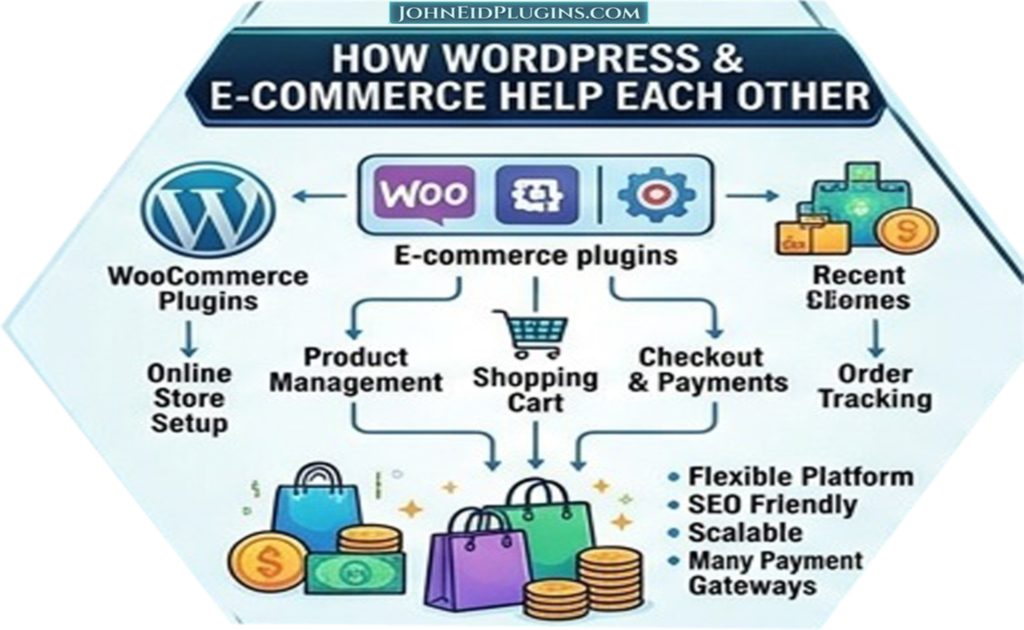
WordPress and E-Commerce
WordPress can also be used to create online stores.
An e-commerce solution can provide features such as:
- Product management
- Shopping carts
- Checkout
- Payment processing
- Orders
- Customer accounts
- Shipping
- Taxes
- Product variations
- Coupons
An online store can then be customized with additional functionality according to business requirements.
For more complex stores, careful consideration should be given to hosting, security, performance, payment integration, backups, and scalability.
WordPress for Small Businesses
Small businesses often need a website that is affordable, manageable, and flexible.
WordPress can meet these requirements because a business can begin with a relatively simple website and expand it over time.
For example, a company could initially launch:
- Home
- About
- Services
- Contact
Later, it could add:
- Blog
- Portfolio
- Testimonials
- Online booking
- Customer accounts
- E-commerce
- Custom plugins
This incremental approach allows a website to evolve alongside the business.
WordPress for Developers
WordPress is also a powerful development platform.
Developers can work with:
- PHP
- JavaScript
- HTML
- CSS
- REST APIs
- Database queries
- Blocks
- Hooks
- Filters
- Custom post types
- Custom taxonomies
- Plugin APIs
- Theme APIs
WordPress provides numerous hooks and APIs that allow developers to extend existing behavior.
Understanding these systems is important for developing maintainable WordPress solutions.
WordPress Hooks, Actions, and Filters
Hooks are a fundamental concept in WordPress development.
Actions allow developers to execute custom code at particular points during WordPress execution.
Filters allow developers to modify data before it is returned or displayed.
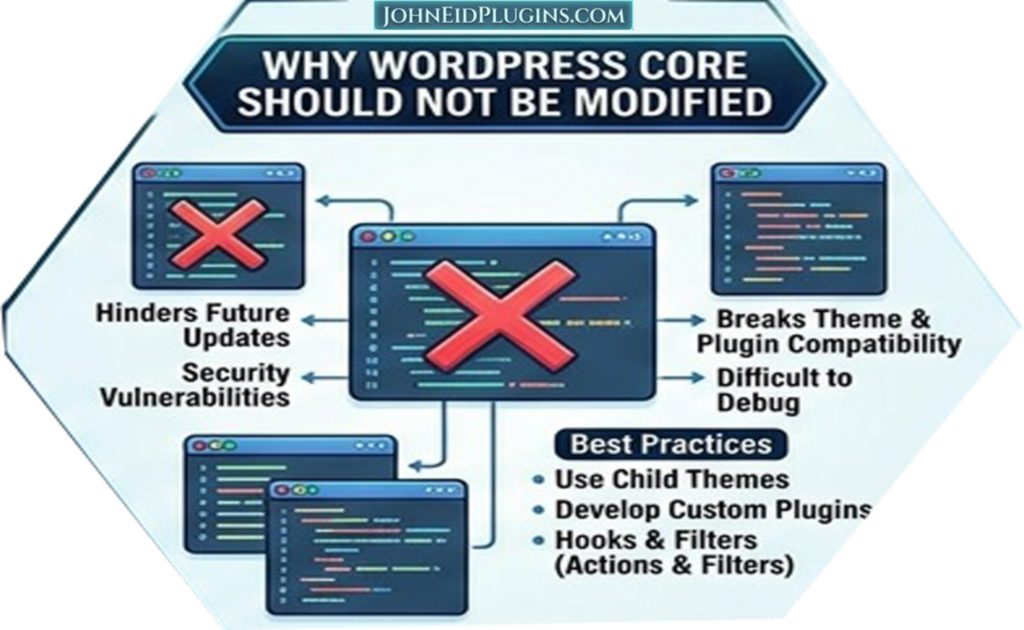
This architecture makes it possible to extend WordPress without modifying its core files.
For example, a plugin can use an action to register a custom feature or use a filter to modify generated content.
This approach is preferable to modifying WordPress core because core files are replaced during WordPress updates.
Why WordPress Core Should Not Be Modified
WordPress core files should generally not be modified for custom functionality.
If a developer changes a core file and WordPress is subsequently updated, the changes may be lost.
Custom functionality should instead normally be implemented through plugins, themes, child themes, hooks, APIs, or other appropriate extension mechanisms.
This separation makes websites easier to maintain and update.
Child Themes and WordPress Customization
A child theme allows developers to customize aspects of a parent theme while maintaining a separate customization layer.
This can be useful when a website needs theme-level modifications without directly changing the parent theme’s files.
However, modern block themes and Site Editor functionality have changed how some WordPress customizations are approached.
The correct method depends on the theme and the specific requirement.
WordPress Site Editor
The WordPress Site Editor provides tools for editing templates, template parts, styles, navigation, and other site-wide components.
For users working with modern block themes, the Site Editor can significantly reduce the need for manually editing theme files.
Website owners can use it to customize elements such as:
- Headers
- Footers
- Templates
- Navigation
- Colors
- Typography
- Layouts
This provides a visual approach to many website customization tasks.
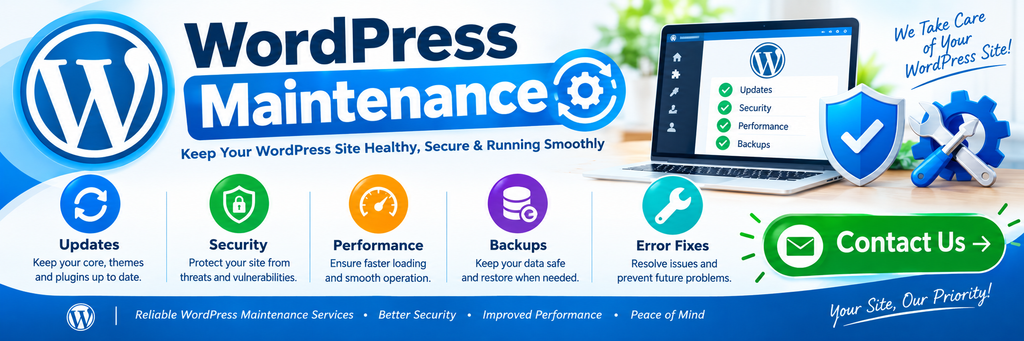
WordPress Maintenance
Launching a website is not the end of the development process.
A WordPress website should be maintained regularly.
Maintenance may include:
- Software updates
- Backup verification
- Security monitoring
- Performance checks
- Broken-link checks
- Database maintenance
- Plugin reviews
- Theme reviews
- Content updates
- Compatibility testing
Regular maintenance can help prevent small issues from becoming major problems.
WordPress Backups
Backups are an essential component of website management.
A backup can provide a recovery option if a website experiences:
- Server failure
- Malware
- Accidental deletion
- Plugin conflicts
- Database corruption
- Failed updates
- Human error
Important websites should have a reliable backup strategy rather than relying on a single copy of website data.
Backups should also be tested periodically. A backup that cannot be restored successfully is not particularly useful when a real emergency occurs.
Choosing WordPress Hosting
Hosting affects the performance, security, reliability, and scalability of a WordPress website.
When selecting hosting, website owners should consider:
- Server performance
- Storage
- Bandwidth
- PHP versions
- Database performance
- Backup options
- Security
- Technical support
- Server location
- Scalability
- Uptime
The cheapest hosting option is not necessarily the most appropriate for a business website.
A website with significant traffic or complex functionality may require more capable hosting than a small personal blog.
WordPress Development Services
Professional WordPress development companies can provide a wide range of services.
These may include:
WordPress Website Development
Developers can create new websites from business requirements, design files, wireframes, or existing references.
Custom Plugin Development
A plugin can be created specifically for a business requirement.
Plugin Customization
Existing functionality can potentially be modified or extended.
Plugin Installation
Plugins can be installed and configured according to the website’s requirements.
Plugin Activation
Developers can activate and test plugins and configure the required settings.
Theme Customization
Existing themes can be customized to match a company’s visual identity.
Custom Theme Development
A completely custom WordPress theme can be created for organizations requiring greater design control.
Bug Fixing
Developers can investigate and resolve WordPress errors and compatibility problems.
Website Maintenance
Ongoing maintenance can help keep a website updated and functional.
When Should You Hire a WordPress Developer?
Not every WordPress task requires a developer.
Changing text, publishing blog posts, uploading images, and making simple content changes can often be performed by website administrators.
Professional development becomes more useful when the requirement involves:
- Custom functionality
- Plugin development
- Complex customization
- API integration
- Database work
- Security problems
- Performance problems
- Theme development
- Plugin conflicts
- Custom automation
- Advanced website architecture
A developer can help determine whether an existing WordPress feature can solve the problem or whether a custom solution is appropriate. Hire a WordPress developer for your business need.
The Importance of Requirements Before Development
One of the most important stages of custom WordPress development occurs before coding begins.
Developers should understand:
- What the website needs to accomplish?
- Who will use the functionality?
- What data must be stored?
- What information users must enter?
- What administrators need to manage?
- Which external services are involved?
- What security requirements exist?
- How the feature should behave on mobile devices?
- What future changes may be expected?
Clear requirements reduce misunderstandings and unnecessary development work.
Testing WordPress Websites
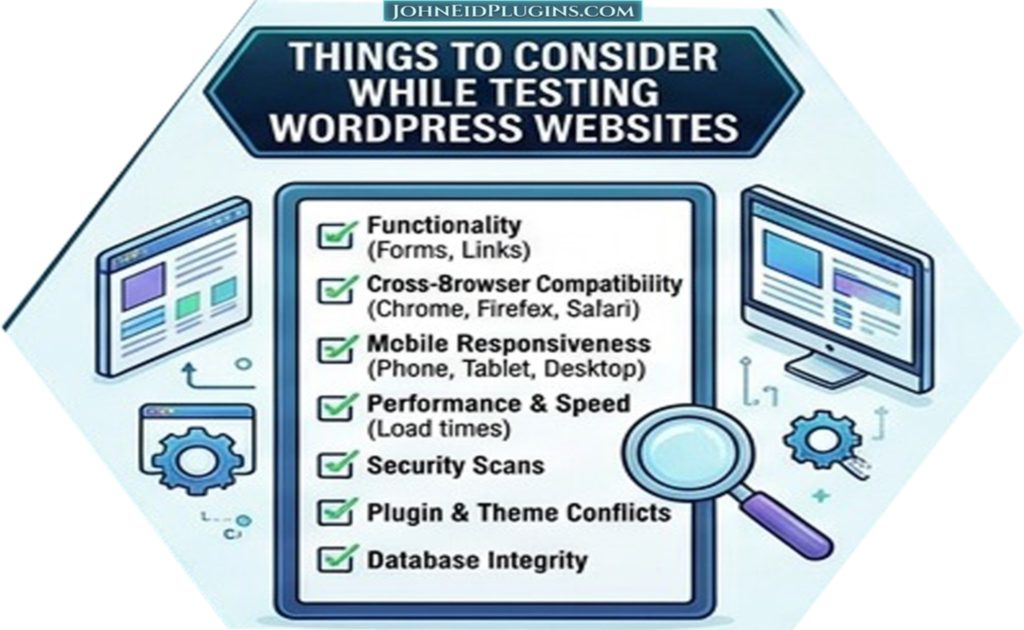
Software testing should be part of professional development.
A new feature should be tested for:
- Functionality
- Usability
- Compatibility
- Responsiveness
- Security
- Performance
- Error handling
A plugin may work correctly on a developer’s test website but encounter problems when installed alongside a particular theme or another plugin.
Testing in an environment similar to the production website can therefore be important. Hire a software testing company to test your website.
WordPress Plugin Compatibility
Plugin compatibility is an important consideration for WordPress website owners.
A website may use several plugins from different developers. Each plugin may interact with WordPress, the active theme, the database, JavaScript libraries, or other plugins.
Problems can occur when two pieces of software attempt to modify the same functionality in incompatible ways.
When troubleshooting compatibility problems, developers may need to isolate plugins, examine browser-console errors, inspect server logs, review configuration settings, and test alternative implementations.
Custom WordPress Solutions for Unique Businesses
Every business operates differently.
A generic plugin may be sufficient for common requirements, but specialized businesses often need specialized functionality.
For example, a company could require a custom system for:
- Customer requests
- Service management
- Employee workflows
- Product catalogs
- Appointment scheduling
- Document management
- Membership administration
- Data collection
- Reporting
WordPress can serve as the foundation while custom plugins provide the functionality that makes the website specific to the organization.
The Future of WordPress Development
WordPress continues to evolve.
The platform’s increasing emphasis on blocks, the Site Editor, APIs, modern JavaScript development, performance, accessibility, and improved editing experiences continues to influence how websites are developed.
At the same time, traditional WordPress development skills remain important because many existing websites use established themes and plugins.
Successful WordPress development therefore requires both an understanding of the platform’s established architecture and awareness of its modern development direction.
Building a Professional WordPress Website
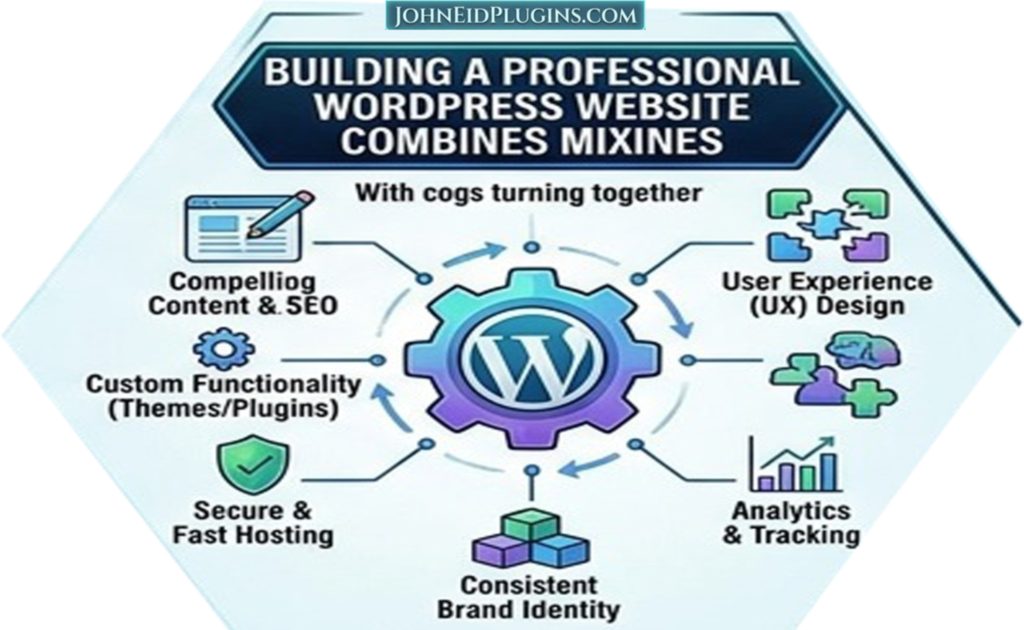
A professional WordPress website should be considered as a complete system rather than simply a collection of pages.
A strong website combines:
- Clear content
- Professional design
- Useful functionality
- Responsive layout
- Good performance
- Security
- Search-friendly structure
- Reliable hosting
- Regular maintenance
Each component contributes to the overall website experience.
A visually attractive website that loads slowly may frustrate visitors. A fast website with confusing navigation may also perform poorly from a usability perspective.
The best results come from considering the complete user experience.
WordPress as a Long-Term Platform
One of WordPress’s major advantages is that a website can evolve over time.
A business can launch a simple website and gradually add features.
For example:
Stage 1: Basic company website
Stage 2: Services and portfolio
Stage 3: Blog and content marketing
Stage 4: Custom lead-generation forms
Stage 5: Custom plugin functionality
Stage 6: Customer portal or automation
This ability to grow makes WordPress suitable for organizations with changing requirements.
Conclusion
WordPress has developed into much more than a blogging platform. It is a flexible content management and website development ecosystem that can support websites of many different types and sizes.
Its combination of themes, plugins, blocks, APIs, customization options, and a large development ecosystem gives website owners considerable flexibility.
For beginners, WordPress provides a relatively accessible way to build and manage a website. For businesses, it can provide a practical foundation for establishing and expanding an online presence. For developers, it offers a broad platform for creating custom functionality and integrating external systems.
The most important advantage of WordPress is not simply the number of themes or plugins available. Its real strength lies in its ability to adapt.
A website can begin with standard functionality and later evolve through customization and professional development. Existing plugins can provide common features, while custom plugins can address requirements that are unique to a particular organization. Themes can establish the visual identity, while custom development can provide specialized workflows and integrations.
Whether you are creating a small business website, publishing a professional blog, building an online store, developing a service platform, or creating a specialized WordPress solution, the platform provides a foundation that can be adapted to your goals.
Professional WordPress development becomes especially valuable when standard solutions are no longer sufficient. Experienced developers can help with website development, custom plugin creation, plugin customization, installation, activation, troubleshooting, performance improvements, and ongoing maintenance.
Ultimately, a successful WordPress website is not defined only by its design or the number of plugins installed. It is defined by how effectively it serves its users, communicates its purpose, performs its intended functions, remains secure and maintainable, and adapts to future requirements.
With thoughtful planning, quality development, responsible maintenance, and useful content, WordPress can provide a strong foundation for a website that grows alongside a business for years to come.