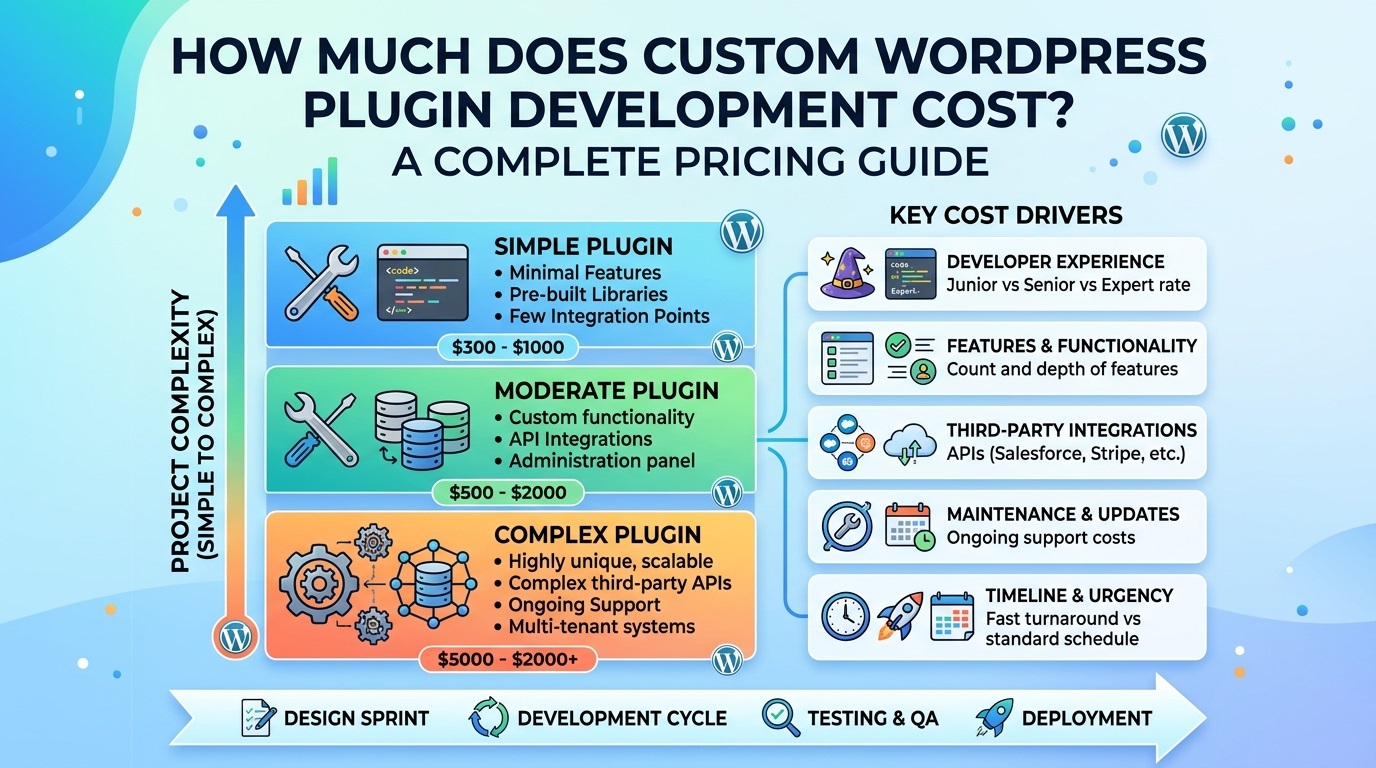
Custom WordPress plugin development can cost anywhere from a few hundred dollars to tens of thousands of dollars, depending on the features, complexity, security requirements, integrations, and experience of the developer. A simple plugin that adds a small feature to a website may require only a few hours of work, while a complex business plugin with a custom dashboard, payment processing, third-party API integrations, and advanced reporting can require weeks or months of development.
Understanding the cost of custom WordPress plugin development helps website owners, bloggers, agencies, and businesses choose the right solution for their needs. Instead of paying for unnecessary features or selecting an unsuitable existing plugin, you can plan a development budget based on your actual requirements.
In this guide, we will explain how much custom WordPress plugin development costs, what affects the price, how developers calculate their fees, and how to reduce expenses without compromising quality or security.
Quick Answer: How Much Does Custom WordPress Plugin Development Cost?
The cost of developing a custom WordPress plugin depends on the size and scope of the project. The following estimates are illustrative budgeting ranges in US dollars, not fixed market prices or guaranteed quotations.
| Plugin type | Estimated development cost | Typical complexity |
|---|---|---|
| Simple functionality plugin | $100–$500 | A small feature or minor automation |
| Basic custom plugin | $500–$1,500 | Settings page, shortcodes, and simple functionality |
| Intermediate plugin | $1,500–$5,000 | Multiple features, database operations, and custom admin screens |
| Advanced business plugin | $5,000–$15,000 | Complex workflows, integrations, and user permissions |
| Large or enterprise plugin | $15,000–$50,000+ | Extensive functionality, scalability, and specialized integrations |
Actual prices may fall below or above these ranges. Developer location, hourly rates, testing requirements, documentation, project management, and post-launch support all influence the final quotation.
For example, a small plugin that displays a custom message on selected pages may cost substantially less than a plugin that imports thousands of records from external systems, validates data, and provides detailed reporting.
The most reliable way to estimate your budget is to define the required features before requesting a quotation.
What Is Custom WordPress Plugin Development?
Custom WordPress plugin development is the process of creating a plugin specifically for a website or business requirement. A plugin extends WordPress functionality without requiring every feature to be added directly to the theme.
WordPress provides a large ecosystem of free and paid plugins. However, an existing solution may not support a particular workflow, may include unnecessary features, or may not integrate properly with another business system.
A custom plugin can address these limitations by providing functionality designed around your requirements.
Examples include:
- A custom CSV importer for uploading and processing business records.
- A logo carousel that matches a company’s design and responsive layout.
- A plugin that synchronizes WordPress data with an external API.
- A custom booking or appointment management system.
- A dashboard for monitoring business activity.
- A specialized reporting tool with downloadable CSV files.
- A plugin that adds custom settings and permissions for different user roles.
- An integration between WordPress and an inventory, accounting, or customer relationship management system.
The official WordPress Plugin Developer Handbook explains the core concepts involved in plugin development, including hooks, settings, security, and plugin architecture.
Because each project has different technical requirements, there is no single price that applies to every custom WordPress plugin.
1. Plugin Complexity Is the Biggest Cost Factor
The complexity of a plugin is one of the most important factors affecting its development cost. A plugin with one straightforward function generally requires less time than a system with multiple interconnected features.
Simple WordPress plugins
A simple plugin may add a small feature to an existing website. Examples include displaying a custom notice, adding a shortcode, or creating a basic settings field.
Typical requirements may include:
- One primary feature.
- A small settings page.
- Basic input validation.
- Simple styling.
- Installation and activation instructions.
A straightforward project might cost between $100 and $500, depending on the developer’s rates and the quality requirements.
Intermediate WordPress plugins
An intermediate plugin may include several features that work together. It could provide a settings dashboard, custom database operations, frontend output, and data export functionality.
Typical examples include a product data importer, a custom testimonial manager, or a plugin that generates reports from website data.
These projects may cost approximately $1,500 to $5,000 when the scope includes multiple admin screens, validation, error handling, and meaningful testing.
Advanced WordPress plugins
Advanced plugins often require more extensive architecture and security planning. They may connect to third-party services, process large amounts of data, or support several user roles.
Examples include membership systems, complex booking platforms, inventory synchronization tools, and business automation plugins.
These projects can cost $5,000 to $15,000 or more, particularly when they involve payment gateways, external APIs, background processing, or complicated business rules.
Enterprise-level WordPress plugins
Enterprise plugins may support large websites, multiple installations, extensive reporting, complex integrations, or demanding performance requirements.
They may also need automated testing, deployment procedures, detailed documentation, and long-term maintenance arrangements.
Depending on the requirements, development may exceed $50,000.
The important distinction is that plugin prices should reflect the work required to deliver reliable functionality, not simply the number of buttons or settings visible on the screen.
2. Developer Experience and Hourly Rates
The developer or development team you hire can significantly influence the total cost.
A freelancer may offer competitive pricing and direct communication. An experienced specialist may charge more but complete complex tasks more efficiently. An agency may provide project management, design, development, quality assurance, and ongoing support under one contract.
For initial budgeting, the following hourly rates are illustrative rather than verified market averages.
| Developer or service | Example hourly rate |
|---|---|
| Junior developer | $15–$30 |
| Mid-level WordPress developer | $30–$60 |
| Senior WordPress developer | $60–$120 |
| Specialist or agency team | $80–$200+ |
Actual rates vary considerably by country, specialization, project risk, and service model.
For example, suppose a developer charges $40 per hour and estimates 50 hours for a plugin.
The estimated development fee would be:
50 hours × $40 = $2,000
If the same project requires 100 hours, the cost at that rate becomes $4,000.
However, the lowest hourly rate does not necessarily produce the lowest total cost. A developer who understands WordPress architecture, database optimization, and secure coding practices may complete the work with fewer revisions and fewer defects.
When comparing quotations, evaluate the expected deliverables, communication, testing process, and maintenance terms alongside the hourly rate.
3. Feature Requirements and Functionality
Every additional feature introduces development, testing, and maintenance work. A plugin that initially appears simple can become expensive when the requirements expand during development.
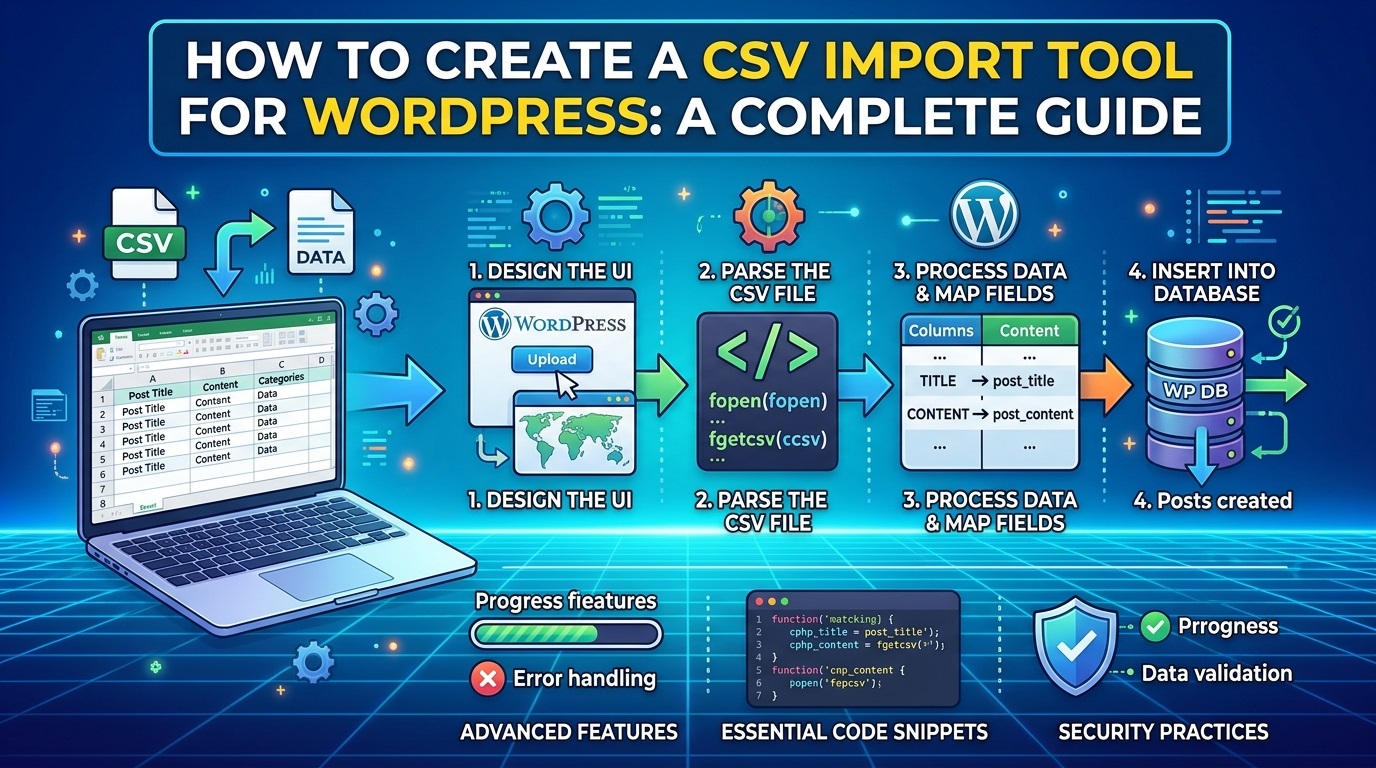
Consider a custom CSV import plugin.
A basic version might allow an administrator to upload a CSV file and import records into a predefined format. A more advanced version could require:
- Column mapping.
- Duplicate detection.
- Data validation.
- Previewing records before import.
- Importing large files in batches.
- Error logs and downloadable reports.
- Scheduled imports.
- Support for external APIs.
- Role-based access control.
- Import rollback or recovery mechanisms.
Each feature needs to be designed, implemented, and tested. Some features also depend on others, increasing the overall complexity.
For this reason, prepare a feature list before requesting a quote. Separate the features you absolutely need from those that would be useful later.
A minimum viable plugin can be developed first, with optional functionality added in later releases. This approach helps control the initial budget while allowing the plugin to grow as your requirements evolve.
4. Custom Design and User Interface Costs
Not every plugin needs a sophisticated interface. However, plugins used by administrators, customers, or employees often benefit from a well-designed user experience.
A simple settings page with a few input fields costs less to build than a custom dashboard with charts, filters, tables, notifications, and interactive controls.
Interface requirements that can increase costs include:
- Custom admin dashboard layouts.
- Responsive frontend components.
- Interactive charts and tables.
- Live search and filtering.
- Multi-step forms.
- Accessibility improvements.
- Custom CSS and JavaScript.
- Support for different screen sizes.
If a plugin is intended for distribution to many websites, usability becomes particularly important. Users should be able to configure the plugin without needing programming knowledge.
Developers can use the WordPress Settings API to build standardized settings screens that integrate with WordPress administration.
Using WordPress’s established interface patterns can reduce unnecessary custom work and make the plugin easier to maintain.
5. Third-Party API Integrations
Integrations can add substantial value to a custom plugin, but they also increase development complexity.
A plugin may need to communicate with payment providers, email marketing services, shipping platforms, external databases, analytics systems, or business software.
The cost depends on factors such as:
- Whether the API is well documented.
- How authentication works.
- Whether the integration is one-way or two-way.
- How frequently data must synchronize.
- How API errors and rate limits are handled.
- Whether webhooks are required.
- Whether the external service changes its API regularly.
For example, displaying information from a public API may be relatively straightforward. Synchronizing customer records between WordPress and an external CRM, while preventing duplicates and handling conflicting updates, is a much larger task.
Secure authentication, request validation, logging, retry mechanisms, and testing should be included in the scope.
For WordPress integrations, the WordPress HTTP API documentation provides guidance on making HTTP requests from plugins.
Always identify the external services involved before agreeing on a fixed development price. An integration with an undocumented or restricted API may require additional investigation before a reliable estimate is possible.
6. Database Design and Data Processing
Plugins that store, retrieve, or process large amounts of information may require more work than plugins that simply display content.
A small plugin might save a handful of settings in the WordPress options table. A larger plugin might maintain thousands of records, import external data, track activity, or generate complex reports.
Database-related requirements may include:
- Custom database tables.
- Data relationships.
- Search and filtering.
- Database indexing.
- Import and export operations.
- Data migration.
- Scheduled cleanup.
- Backup and recovery procedures.
- Performance optimization.
The best approach depends on how the data is used. WordPress posts, post metadata, custom post types, options, and custom tables each serve different purposes.
Poor database design can cause slow queries, excessive storage usage, and difficulties when upgrading the plugin.
If your plugin will process large files or frequent updates, request an estimate that explicitly covers performance testing and error recovery rather than just basic functionality.
7. Security and WordPress Coding Standards
Security should be part of the original development budget, not an optional improvement added after a problem occurs.
A custom plugin may handle user input, administrative settings, uploaded files, customer information, or sensitive API credentials. Each of these areas needs appropriate protection.
Important security tasks include:
- Checking user capabilities before privileged actions.
- Validating and sanitizing input.
- Escaping output.
- Using nonces where appropriate to protect against cross-site request forgery.
- Preparing database queries safely.
- Restricting file uploads.
- Protecting API credentials.
- Applying appropriate REST API permission checks.
- Avoiding unnecessary exposure of personal information.
The WordPress Plugin Security Handbook provides guidance on common security risks and safer development practices.
Developers should also follow relevant WordPress Coding Standards to improve consistency and maintainability.
A security-focused implementation may cost more initially, but it can reduce the risk of expensive vulnerabilities, data loss, and emergency fixes later.
The exact security requirements depend on the plugin. A public-facing payment integration needs different controls from a simple plugin that displays a static message.
8. Testing and Quality Assurance
A plugin is not complete simply because it works on the developer’s computer. It must also work under the conditions expected on the target website.
Testing can represent a meaningful part of the overall budget, particularly for plugins with multiple features or external integrations.
A professional testing process may include:
- Installation and activation testing.
- Testing with expected WordPress versions.
- Testing supported PHP versions.
- Testing common user workflows.
- Checking permissions and security controls.
- Testing invalid inputs and unexpected errors.
- Verifying mobile responsiveness where applicable.
- Testing interactions with relevant plugins and themes.
- Performance testing for data-intensive operations.
- Testing upgrades and deactivation.
The WordPress Plugin Check tool can help identify certain coding, security, and directory-review issues. It does not replace manual testing or a comprehensive quality assurance process.
Ask your developer whether the quotation includes testing and bug fixes before final delivery. If testing is excluded, the initial price may look attractive while the final cost becomes significantly higher.
9. Documentation, Installation, and User Support
Documentation is especially important when a plugin will be used by nontechnical website owners or distributed publicly.
Depending on the project, documentation may include:
- Installation and activation instructions.
- A configuration guide.
- Feature descriptions.
- Shortcode or block usage examples.
- Troubleshooting instructions.
- Frequently asked questions.
- Upgrade and migration notes.
- Developer documentation for hooks and APIs.
A small internal plugin may need only a short setup guide. A commercial plugin may require extensive documentation, onboarding material, and support procedures.
If you plan to sell or distribute your plugin, include documentation and user support requirements in the initial specification. This helps avoid disagreements about what the final deliverable includes.
Also clarify whether the developer will provide the installable ZIP file, source code, version history, and instructions for future updates.
10. WordPress and PHP Compatibility
WordPress plugins run in a changing software environment. New WordPress releases, PHP versions, and third-party dependencies may introduce compatibility issues.
A plugin that works on one website may behave differently on another because of its theme, caching system, server configuration, or installed extensions.
Compatibility requirements can include:
- Support for specified WordPress versions.
- Support for specified PHP versions.
- Compatibility with selected themes.
- Integration with WooCommerce or other plugins.
- Testing on staging environments.
- Migration support for future versions.
- Regression testing after changes.
The more environments you promise to support, the more testing may be necessary.
Rather than promising compatibility with every possible configuration, define a realistic support matrix. Identify the WordPress and PHP versions, integrations, and hosting conditions that the developer must test.
You can review current platform requirements through the official WordPress Requirements page.
11. How Long Does Custom WordPress Plugin Development Take?
Development time depends on the same factors that determine cost: complexity, integrations, testing, and the clarity of the requirements.
The following timelines are broad planning estimates.
| Project type | Approximate development time |
|---|---|
| Simple plugin | 1–3 days |
| Basic custom plugin | 3 days–2 weeks |
| Intermediate plugin | 2–6 weeks |
| Advanced plugin | 1–4 months |
| Large enterprise plugin | Several months or longer |
These estimates assume that the developer can begin work without major delays. They do not necessarily include extended discovery, client approvals, third-party API access, or lengthy feedback cycles.
A short project can take longer if the requirements change repeatedly. Conversely, an experienced developer using established WordPress APIs may finish a clearly defined project faster than expected.
For a more accurate estimate, ask for a breakdown of discovery, implementation, testing, revisions, and deployment.
12. Fixed-Price Projects vs. Hourly Billing
WordPress plugin developers commonly use two pricing models: fixed-price contracts and hourly billing.
Fixed-price development
With a fixed-price contract, the developer agrees to deliver a defined set of features for an agreed fee.
This model works well when requirements are clear and the expected deliverables can be documented in advance.
Advantages include predictable budgeting and easier financial planning.
However, new features and substantial changes may require additional payment. A contract should explain what counts as a defect, what is included in revisions, and how scope changes are approved.
Hourly development
With hourly billing, you pay for the time spent on the project.
This can work well for ongoing development, troubleshooting, research-heavy tasks, or projects where the requirements are likely to evolve.
The main disadvantage is that the final cost depends on the actual hours worked. Request regular progress reports and agree on a budget limit or approval process for additional work.
Which pricing model is better?
Choose fixed pricing when the functionality is well defined. Consider hourly billing when the project involves uncertain technical challenges or continuous improvement.
In either case, request a written scope of work and a clear list of deliverables before development begins.
13. Hidden Costs of Custom WordPress Plugin Development
The development fee is not always the total cost of ownership. Some plugins require recurring expenses or additional services after launch.
Potential additional costs include:
Hosting and infrastructure: Plugins that process large amounts of data or run scheduled tasks may require stronger hosting resources.
Third-party API subscriptions: Some external services charge monthly fees, usage-based fees, or separate integration charges.
Premium dependencies: A plugin may depend on paid libraries, services, or other licensed software.
Maintenance and updates: WordPress, PHP, and integrated services change over time, potentially requiring code updates and regression testing.
Technical support: Commercial plugins may need user support, troubleshooting, and compatibility assistance.
New features: Business requirements may change, requiring additional development.
Security reviews: Sensitive applications may need periodic audits or specialist assessments.
A reasonable budget should distinguish one-time development costs from recurring operating expenses.
For example, a $2,000 plugin with a $50 monthly third-party service subscription has a different long-term cost from a plugin that requires no paid external services.
Before signing a contract, ask which costs are included in the development fee and which will be billed separately.
14. How to Reduce Custom WordPress Plugin Development Costs
You do not need to sacrifice quality to control your budget. The most effective strategy is to reduce unnecessary work and prevent avoidable revisions.
Start with essential features
List the features your website genuinely needs. Move optional enhancements into a future development phase.
A smaller first release is often easier to test, launch, and improve.
Prepare a detailed specification
Describe the problem, expected behavior, user roles, settings, and desired results. Include screenshots or examples if they clarify the requirements.
Clear specifications reduce the time spent interpreting vague instructions.
Use WordPress’s existing APIs
WordPress already provides APIs for settings, HTTP requests, shortcodes, custom post types, REST endpoints, and many other tasks.
Using appropriate built-in functionality can reduce duplicated work and improve compatibility.
Avoid unnecessary custom design
Use familiar WordPress admin patterns where possible. Invest in custom interface elements when they materially improve usability or support a genuine business requirement.
Request milestone-based delivery
Divide the project into milestones such as planning, core functionality, integrations, testing, and final delivery.
This makes progress easier to evaluate and helps identify problems earlier.
Test early
Review the first working version before the developer completes every feature. Early feedback can prevent expensive redesigns later.
Define acceptance criteria
Specify how each feature will be tested and what successful completion means. For example, a CSV importer might need to process a defined sample file, report invalid rows, and avoid creating duplicate records.
Compare quotations carefully
Request proposals from more than one qualified developer. Compare the scope, testing, documentation, security, delivery timeline, and support terms rather than choosing the lowest price alone.
These practices help keep the project focused and make development expenses easier to manage.
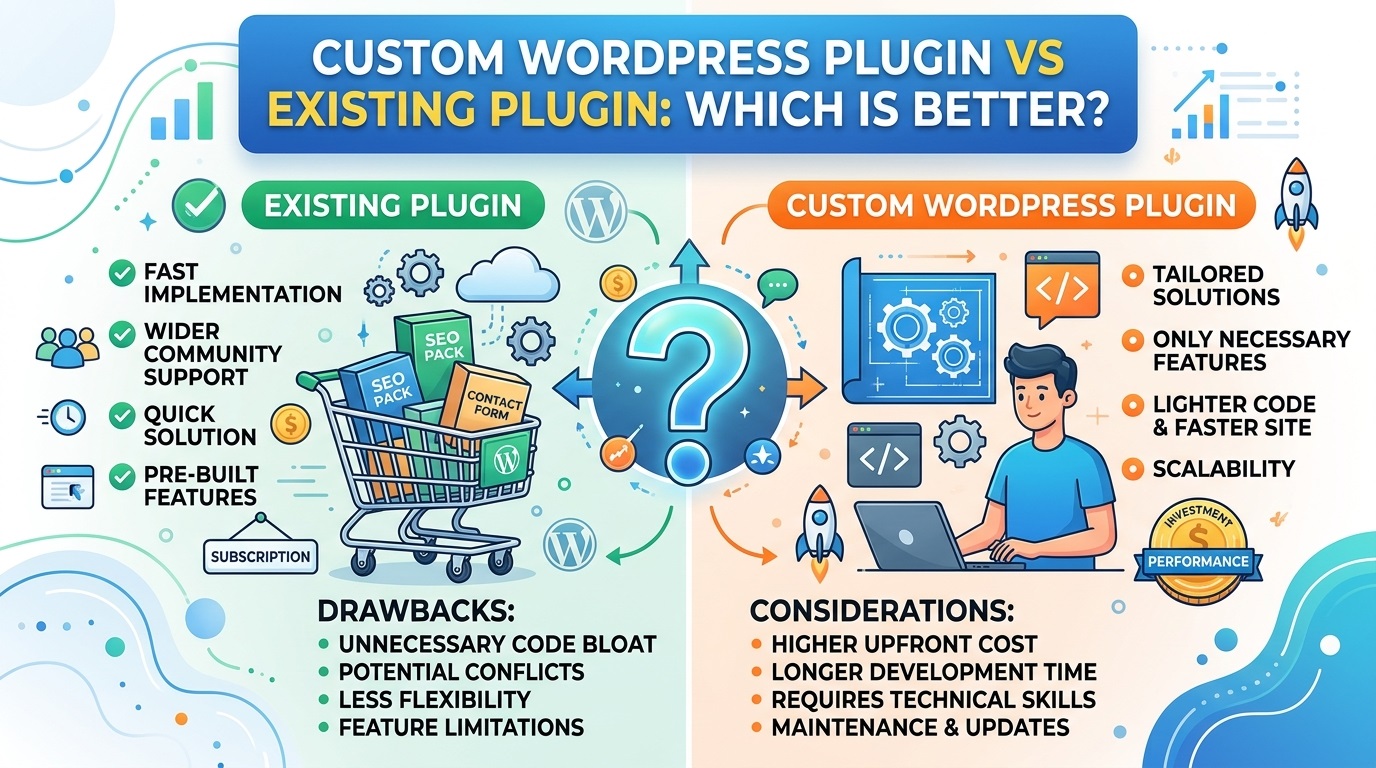
15. Custom WordPress Plugin vs. Existing Plugin: Which Is More Cost-Effective?
Before paying for custom development, determine whether an existing plugin already solves the problem.
An existing plugin can be more economical when it provides the required features and receives appropriate maintenance. A custom plugin becomes more attractive when existing products do not support essential workflows, introduce unnecessary complexity, or require extensive modifications.
| Factor | Existing plugin | Custom plugin |
|---|---|---|
| Initial cost | Often lower | Usually higher |
| Time to launch | Often faster | Depends on development |
| Feature control | Limited to available options | Designed around requirements |
| Custom integrations | May require extensions | Can be built specifically |
| Ongoing costs | May include subscriptions | May include maintenance and hosting |
| Source-code control | Depends on license | Depends on contract and license |
| Maintenance responsibility | Shared with the vendor | Must be agreed with the developer |
A free plugin is not automatically the cheapest long-term option if it requires several paid extensions or cannot support an important business process.
Likewise, custom development is not always justified. If a reliable existing plugin meets your requirements, using it may save time and money.
A practical approach is to evaluate existing solutions first and commission a custom plugin only when the benefits justify the additional investment.
16. What Should You Ask Before Hiring a WordPress Plugin Developer?
Before choosing a developer, ask questions that clarify the technical approach, deliverables, and future responsibilities.
- Have you developed similar WordPress plugins before?
- Can you provide examples of relevant projects?
- What features are included in the quotation?
- Which WordPress and PHP versions will be supported?
- How will the plugin handle user permissions and security?
- Will you test the plugin before delivery?
- Is documentation included?
- Will I receive the source code and an installable ZIP file?
- Who owns the code, and what license applies?
- How are revisions and additional features priced?
- What happens if a defect is discovered after launch?
- Is maintenance included, and for how long?
- Are third-party subscriptions or dependencies required?
- What is the expected delivery timeline?
These questions help you evaluate developers based on more than their initial quotation.
You should also agree on payment milestones, project communication, acceptance criteria, and the process for requesting changes.
17. How to Calculate Your Custom Plugin Development Budget
A simple way to estimate development cost is to multiply the expected working hours by the developer’s hourly rate, then account for additional project expenses.
Basic formula:
Estimated project cost = Development hours × Hourly rate + Additional costs
For example, imagine a project with the following estimated effort:
| Task | Estimated hours |
|---|---|
| Requirements and planning | 5 |
| Plugin architecture and setup | 6 |
| Core functionality | 20 |
| Admin interface | 8 |
| Security and validation | 5 |
| Testing and bug fixes | 8 |
| Documentation and delivery | 3 |
| Total | 55 |
At an hourly rate of $40, the estimated labor cost is:
55 hours × $40 = $2,200
If the project also requires $100 in additional project expenses, the initial estimate becomes $2,300.
You may also set aside a contingency of 10%–20% for reasonable uncertainty, especially when integrating unfamiliar APIs or working with legacy systems. In this example, a 15% contingency on $2,300 would be $345, giving a planning budget of approximately $2,645.
A contingency is a budgeting allowance, not an automatic payment to the developer. Any additional spending should follow the agreed approval process.
This method produces a more useful estimate than selecting a price based only on the plugin’s name or the number of features in a short description.
Conclusion
The cost of custom WordPress plugin development depends on the functionality, technical complexity, integrations, security requirements, design, testing, and ongoing support needed for the project.
A simple plugin may cost a few hundred dollars, while an intermediate business solution can require several thousand dollars. Advanced or enterprise-level plugins may need substantially larger budgets.
The best way to control costs is to define the requirements clearly, prioritize essential features, use appropriate WordPress APIs, and choose a developer who can deliver secure, maintainable code. Remember to consider documentation, compatibility testing, and long-term maintenance when comparing proposals.
An existing plugin may be sufficient for straightforward needs, but custom development can provide greater control when your business requires specialized functionality or workflows that existing solutions cannot handle effectively.
Ultimately, the right investment is not necessarily the cheapest plugin. It is the solution that meets your requirements, fits your budget, and remains reliable as your website grows.
If you are planning a custom WordPress plugin, start by preparing a feature list, identifying your essential integrations, and requesting a detailed estimate. A clearly defined project is easier to price, develop, test, and maintain.
Leave a Reply